21
WWW.EILERSEN.COM
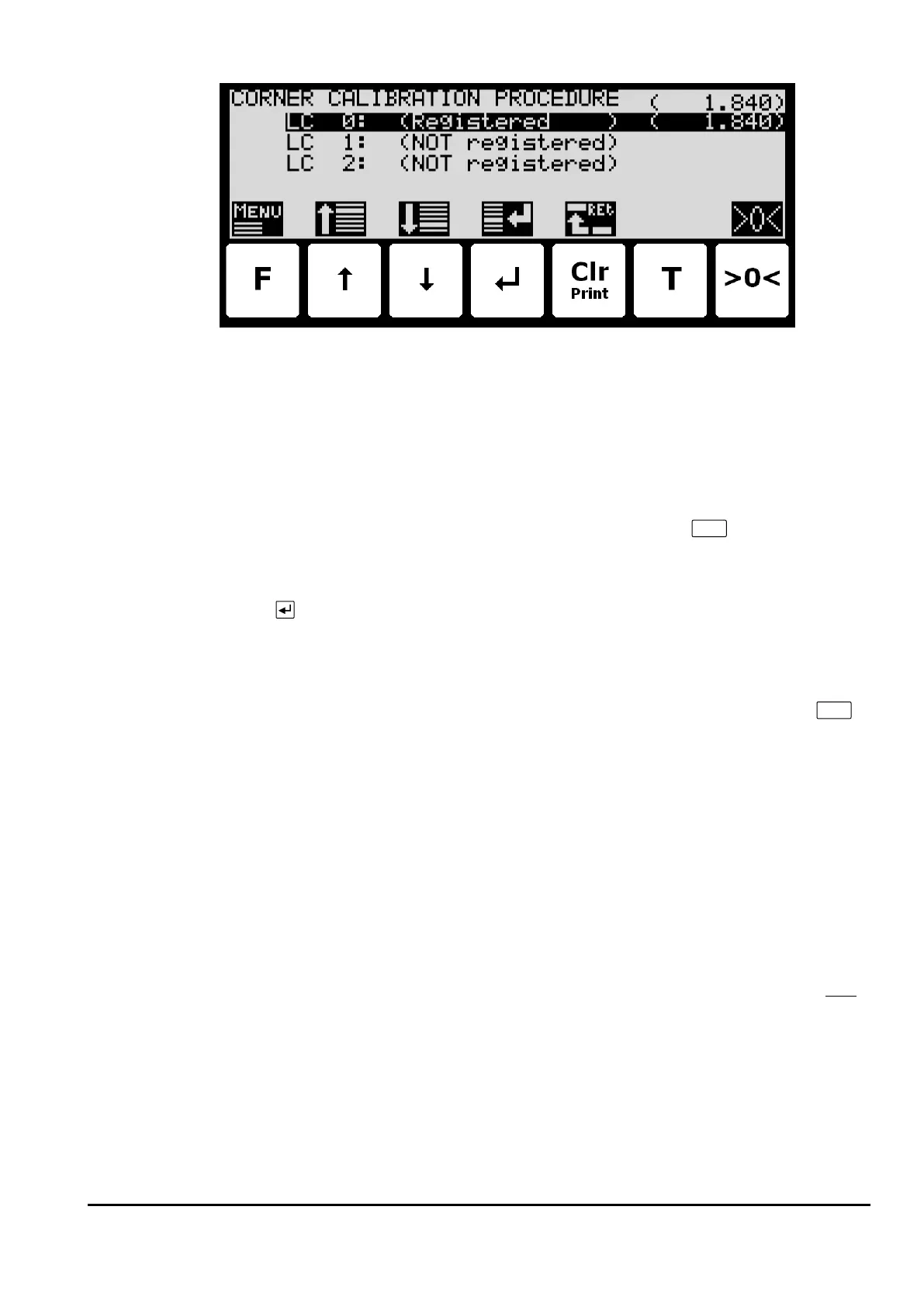
In this screen a line for each load cell will be shown indicating “NOT registered“. Once the
signal resulting from a given load placed above a load cell is registered this indication will
change to “Registered” followed by the registered load for this load cell/corner. The actual
gross weight is shown in the upper right corner.
To corner calibrate the system use the following steps:
1. The system must be previously coarse tared.
2. Zero the gross reading in the upper right corner by pressing
.
3. Place the used calibration load directly above one of the load cells/corners.
4. Perform the sampling/registration of the load cell/corner in question by pressing the
key. The weighing terminal will automatically detect above which load cell/corner
the load is actually placed and register the corresponding signal. The registered value
is indicated on the screen and the status is changed from ”NOT registered” to ”Regis-
tered”.
5. Remove the calibration load. Zero the weight reading if necessary by pressing
before the load is placed above a new load cell/corner.
6. Repeat 2-4 for each load cell/corner in the system as the calibration load is moved to
a new load cell/corner each time. It is important that 2-4 is performed for every load
cell/corner in the system. When all load cells/corners are registered all status indica-
tions should indicate Registered.
7. The corner calibration can be restarted at any given time by selecting ”RESTART
CORNER CAL. PROC.” from the CORNER CAL. PROC. menu or by leaving the CORNER
CALIBRATION PROCEDURE screen.
8. Once all load cells/corners have been sampled/registered the corner calibration itself
can be performed. This is done by selecting PERFORM CORNER CAL. from the COR-
NER CAL. PROC. menu. IMPORTANT: Until this is done the corner calibration is NOT
performed and the corner calibration factors will remain unchanged.
9. The corner calibration will now be performed based on the sampled values, and the
weighing terminal returns to the CORNER CALIBRATION screen.
10. Following the corner calibration it should be verified that the corner calibration fac-
tors are reasonable values. It should also be checked that identical weight readings
are achieved when the calibration load is placed above each of the load cells/corners.



 To Next Page