28
WWW.EILERSEN.COM
WEIGHT
The load cell output value in the resolution etc., selected for the display. No zeroing is used
and the load cell value will NOT be 0 when the load cell is empty, so this value is NOT the ab-
solute load on this load cell.
ZEROED
The load cell output value in the resolution etc., selected for the display. The value is zeroed
along with the normal display reading. So this value is the change since the last zeroing.
– Check load cell diagnostics
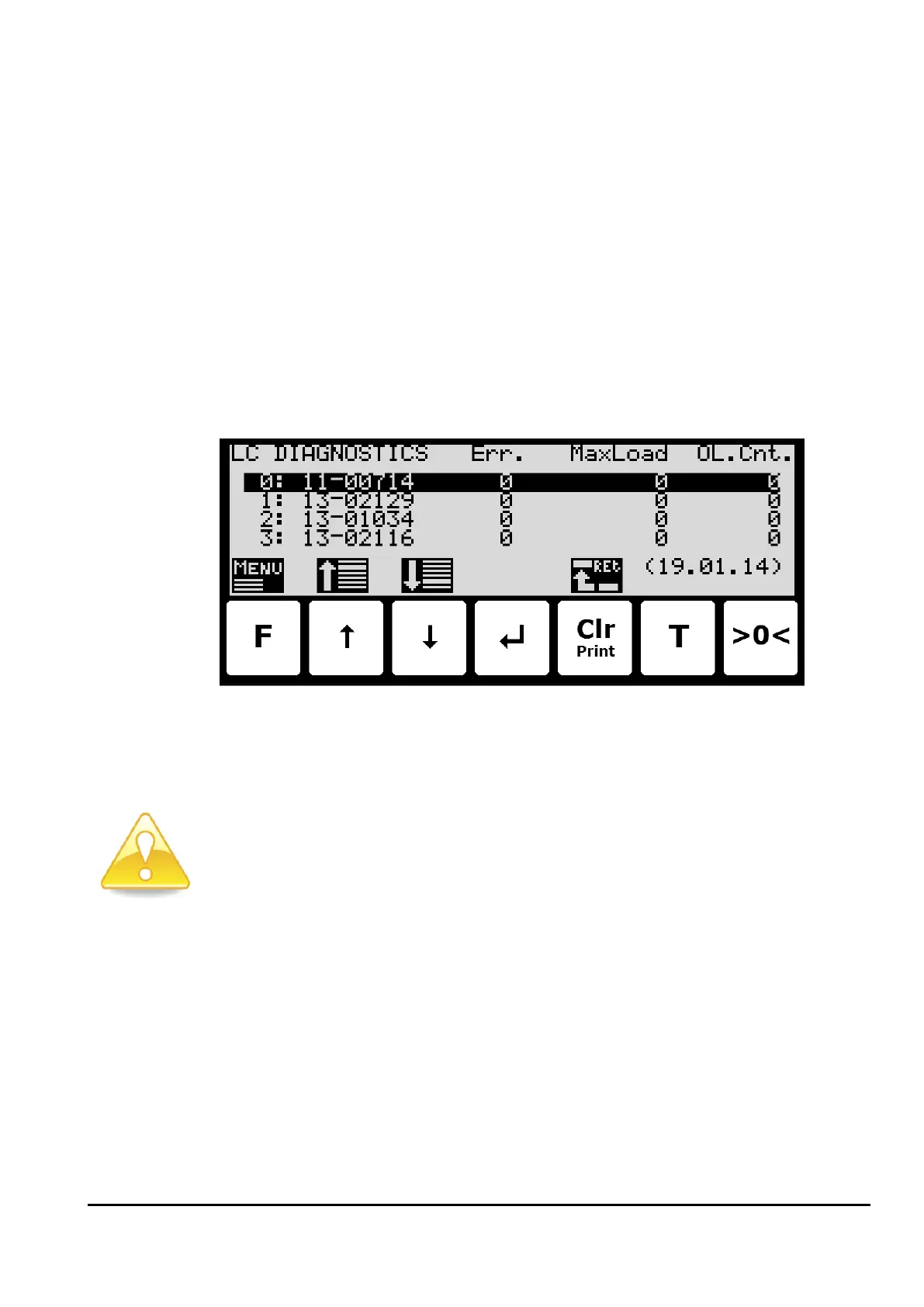
In the LOAD CELL DIAGNOSTICS screen, the load cell diagnostics can be read for the individu-
al load cells:
On each line for each load cell the serial number, number of detected errors (Err.), the max-
imum load measured on the load cell (MaxLoad) and the number of times the load cell has
been overloaded (OL.Cnt.). All these numbers apply since the last reset of diagnostics data,
which took place on the date shown in parenthesis in the lower right corner (YY.MM.DD).
Please notice: Diagnostics data can be reset from the LOAD CELL DIAGNOSTICS menu if the
correct password has been entered.



 To Next Page