23
7.2. Start up preferences
After the power button on the back end of the control unit is turned on, pressing the power button on the front
screen turns on the system. When there is an error in the Reciprocator, it writes the error code on the left side
of the page and warns the operator. Please refer to the “Error Codes Section” for error scenarios.
After the start up procedure, the “Main Menu” page will be seen on the screen. When the ‘‘Main Menu’’ appears
on the display the operator can start using the reciprocator.
At the end of the start up procedure, the mechanical unit drives down to the reference point (zero point). The
Z carriage travels to the mechanical stop, hitting the rubber buer and then saves the point as reference for
the operation.
7.3. Setup Pages
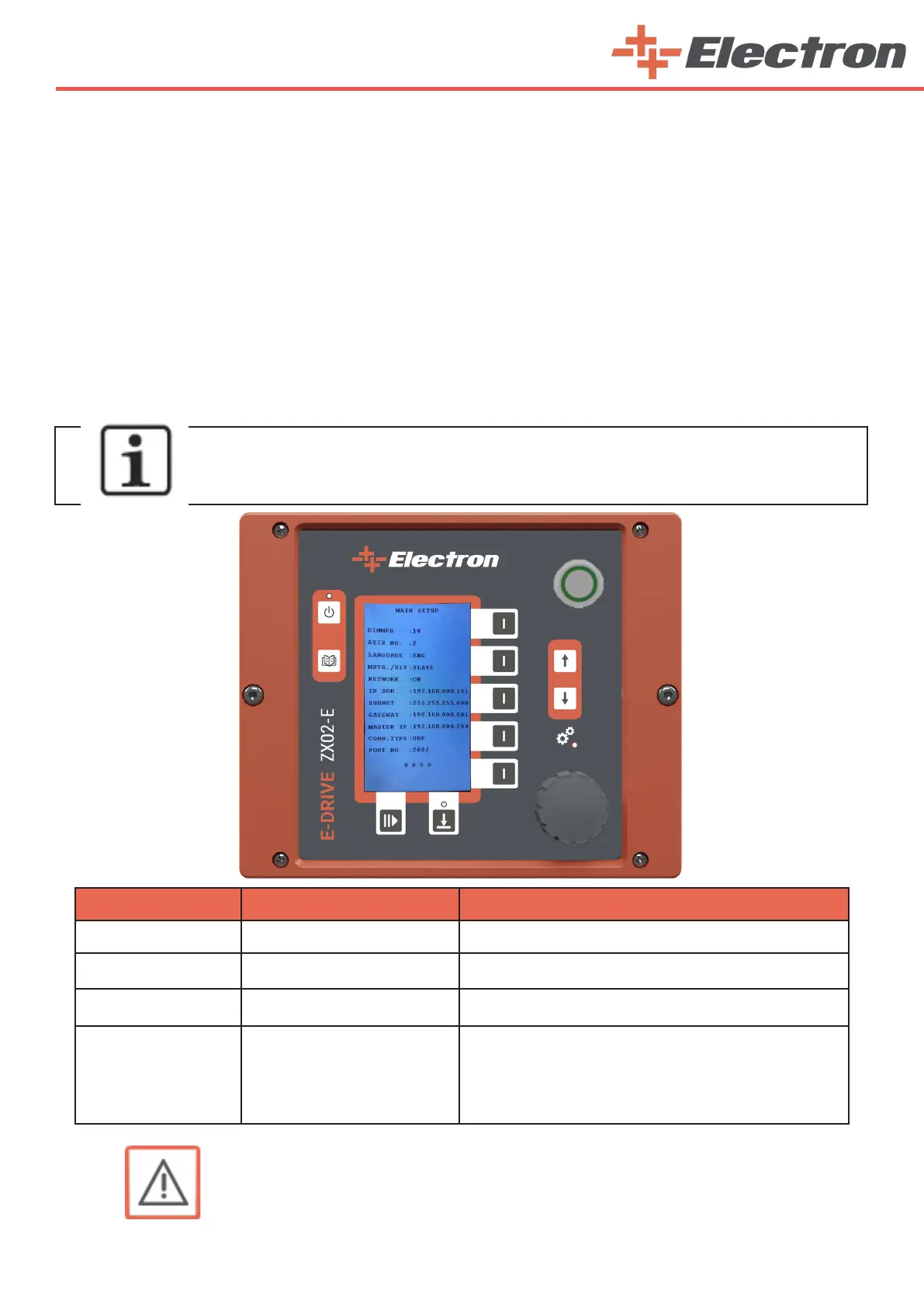
When you press the ‘Main Switch’, switch to the “Main Setup” page by holding the ‘‘Axes Active/Passive
Button’’ (B14) for 2 seconds without making any changes on the screen.
NOTE:
You can move up and down between rows with the ‘Segment Buttons’(B5 and B6).
Turn the ‘‘Rotary Adjustment Knob’’(K10) to change the value in any row.
Line Name Limits Explanation
Dimmer
0/10 Screen Brightness Adjustment
Axis No.
0/8 Maximum number of axes that can be controlled
Language
ENG-TR-RU Language Options
MSTR./SLV.
Master/Slave Modes
Master = The device is set as a commander in a network
where the operational parameters of this device is sent to
other devices.
Slave = The device is set as a listener in a network
where the operational parameters of the device is cop-
ied from a desired master device.
7.3.1. Main Setup Page
WARNING:
If you want to increase the number of axes later, do not forget to select your
total axis number in the “axis no.” Section. (For example, if you have 2 axes,
when you order 2 more, you need to edit the number here as 4.)



 To Next Page