5. Instrument Overview.
5.1.
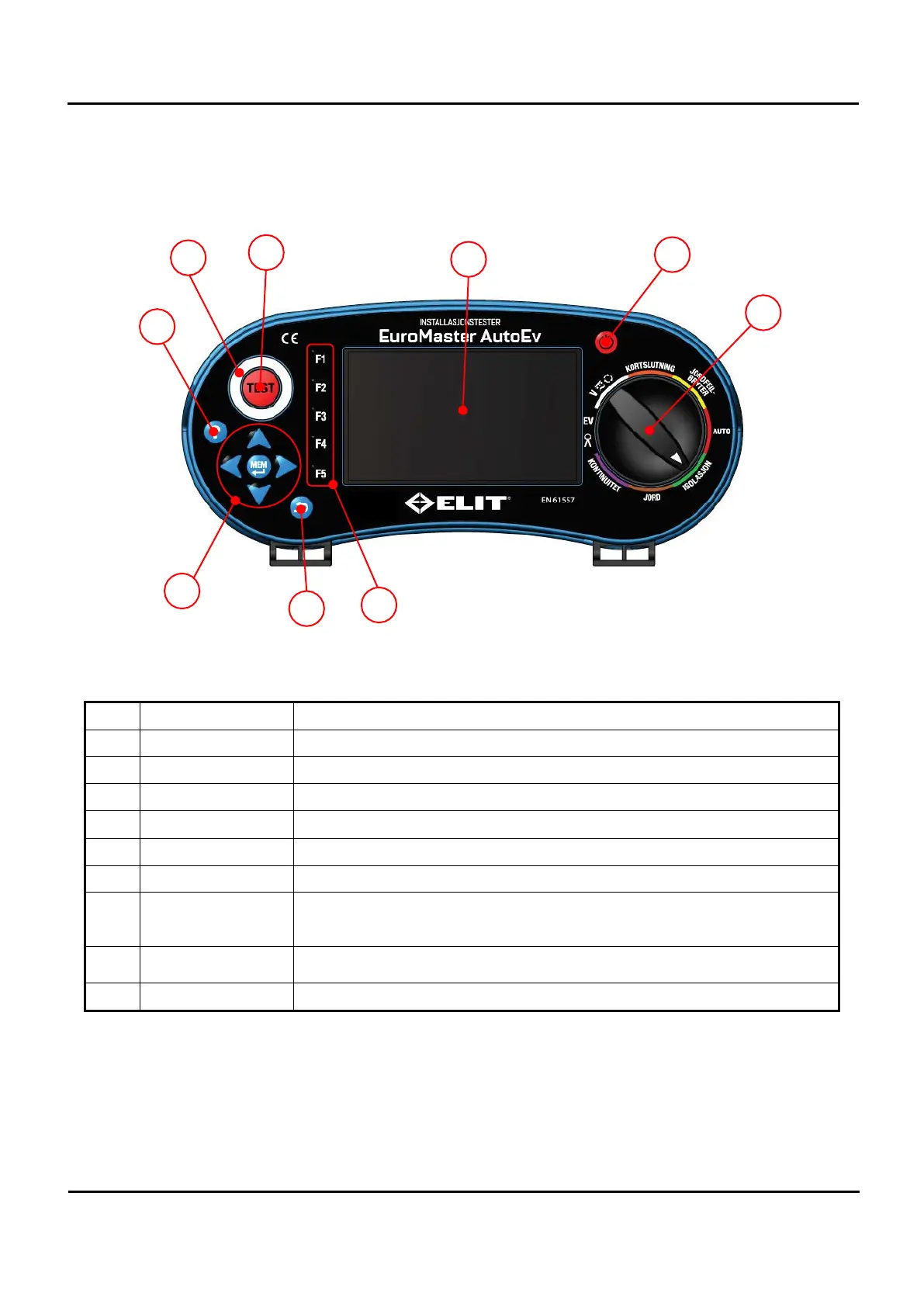
Front side
Figure 5.1 Front side
No. Description Explanation.
1
Rotary switch This switch selects a function.
2
Power button This button is used to turn the power on and off.
3
Display TFT color graphics display.
4
Test button Button used for starting a test.
5
Touch pad Check the polarity of the line power supply.
6
Help button The product wiring connections are shown in the Figure.
7
Memory, Direction
button
Press the Memory button to switch to the data storage function. The arrow
buttons are used to move the cursor to select files and folders. Also used when
using the on-screen keyboard.
8
Cancel button
Used to switch from the Memory screen, the help screen to the measurement
screen.
9
F1 – F5 button For each function, select the menu that appears on the left side of the screen.


 To Next Page