6.13.
Bluetooth LE
I.
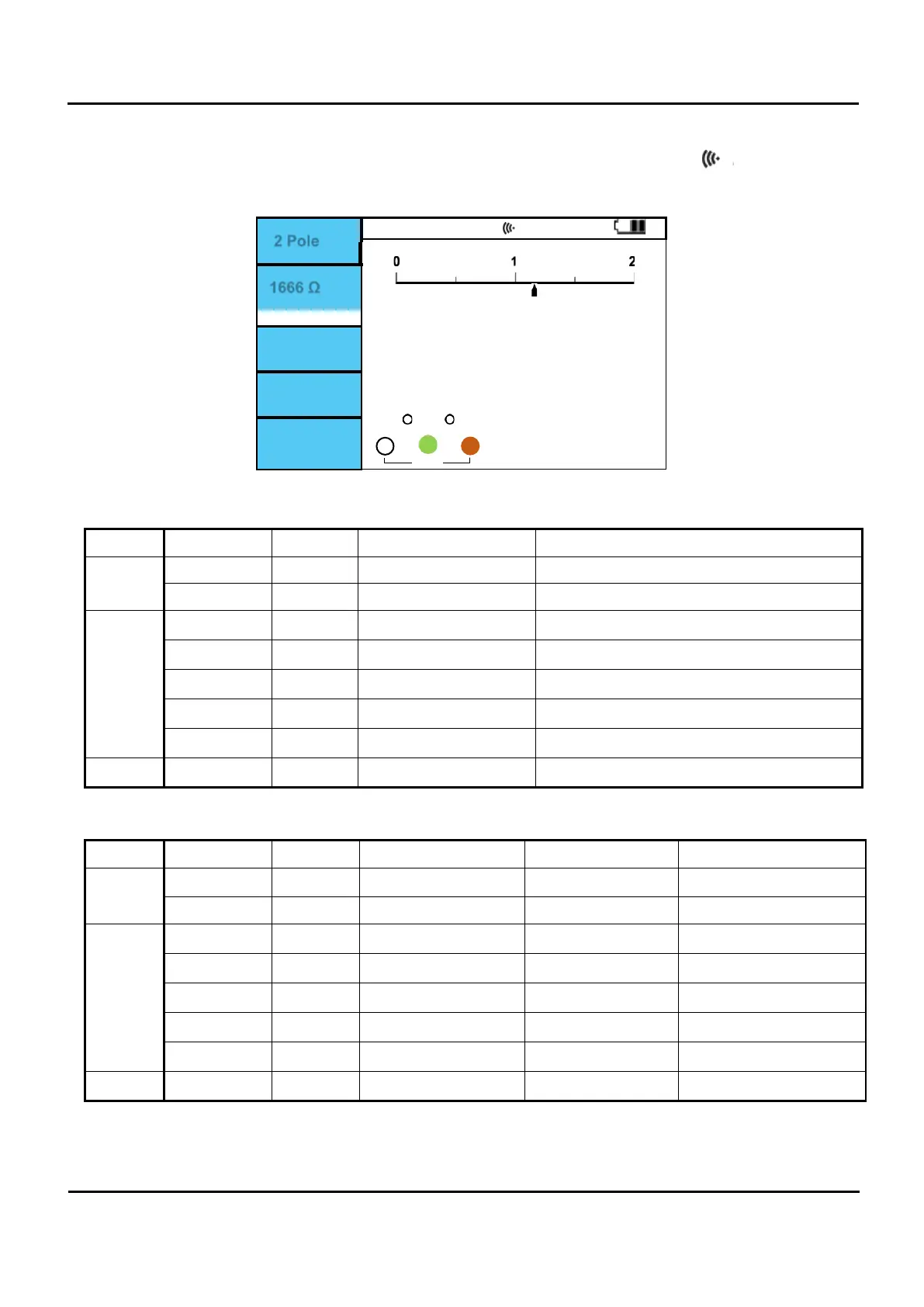
In SysSet BLE can be tuned off and on. If on this symbol flashes in top of screen:
II.
When Bluetooth LE is connected, it lights continuously without flashing.
2 Pole
1666 Ω
0
0
0
Figure 6.13.1 Bluetooth LE connection.
Bluetooth LE (EuroMaster AutoEv) profile
Service Characteristic Properties Descriptor Remark
Generic
Attribute
Device name read “Device Name” GATT Characteristic Assigned Number: 0x2A00
Appearance read
Device
Information
read "Manufacture Name String" GATT Characteristic Assigned Number: 0x2A29
read "Model Number String" GATT Characteristic Assigned Number: 0x2A24
read "Serial Number String" GATT Characteristic Assigned Number: 0x2A25
read "Hardware Revision String" GATT Characteristic Assigned Number: 0x2A27
read "Firmware Revision String" GATT Characteristic Assigned Number: 0x2A26
write, notify "SPP" for SPP protocol
Service Characteristic Properties Service UUID Characteristic UUID Descriptor UUID
Generic
Attribute
Device name read
00001800-0000-1000-
8000-00805f9b34fb
00002a00-0000-1000-
8000-00805f9b34fb
Appearance read
Device
Information
read
0000180a-0000-1000-
8000-00805f9b34fb
00002a29-0000-1000-
8000-00805f9b34fb
read
00002a24-0000-1000-
8000-00805f9b34fb
read
00002a25-0000-1000-
8000-00805f9b34fb
read
00002a27-0000-1000-
8000-00805f9b34fb
read
00002a26-0000-1000-
8000-00805f9b34fb
write, notify
6b33011c-383f-4070-
9e33-4fcecdbe2dbe
93dd8e49-a48d-4552-a5a1-
bb8d512ff77e
Communication with the product takes place via the SPP service.


 To Next Page