TelevisGo Page 11/68
Modules and system devices must be connected using a cable with 0.5 mm
2
conductors. There must be no more than 2km between
TelevisGo and the last module. Comply with relevant applicable legislation when laying data transmission cables.
Use a shielded cable (i.e. Belden cable model 8762 with PVC sleeve, 2 conductors plus braiding, 20 AWG, nominal capacity
between conductors 89pF, nominal capacity of 161pF between conductor and shielding).
Remember to insert a 120Ω, ¼W resistor between the “+” and “-“ terminals of the last device in the network.
To switch the device off, press and hold button (13) for 4 seconds (to prevent any accidental switching off). In the event of
a blackout, the PC and application restart automatically when mains power is returned.
3.4.1 CONFIGURING NETWORK DEVICES
Before scanning the network with TelevisGo, each device in the network must be assigned a unique address by setting parameters
“FAA” and “dEA”.
3.4.2 RS-485 CONNECTION
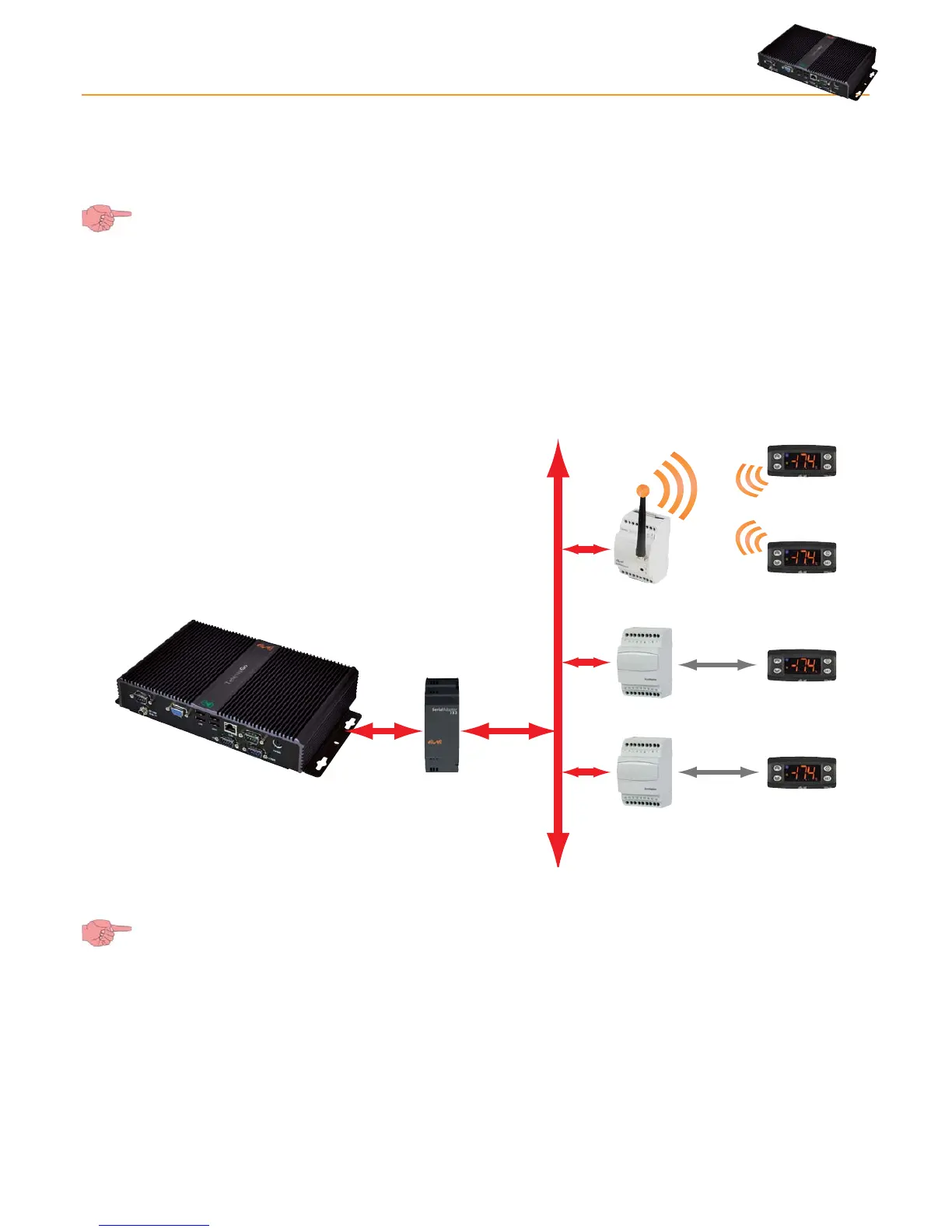
An example of a RS-485 network is provided in the figure below.
Bus Adapter
Bus Adapter
Radio Adapter
RS485
uNet
RS485
It features: 1 SerialAdapter232, 2 BusAdapters, 1 RadioAdapter and 4 ID controllers.
The SerialAdpater232 adapter can only be connected to COM1 or COM2 as it is supplied by them.
Other serial accessories (modems) must be connected to serials COM3 or COM4.



 To Next Page