TelevisGo Page 40/68
D - Telephone call:
• Name: To enter the name assigned to the action.
• Telephone number: To enter the telephone number to be called (e.g.: +39 333 7600000).
• Signal strength: To establish the signal strength of the modem connected to TelevisGo (as a percentage).
• Test phone call To see if the settings entered are correct (the system tries to call the number provided).
E - Commands:
• Name To enter the name assigned to the action.
• Type: To identify which device in the network to be targeted.
• Command on alarm activated: To establish what the device has to do if an alarm is activated.
• Command on disabled alarm: To establish what the device has to do after an alarm has been deactivated.
IMPORTANT: always add the recipient's international dialing code before the phone number (for phone calls and TXT
messages). (e.g.: for Italy, enter +39).
6.2.2.4 TIME INTERVALS
To set the alarm operation time intervals, go to:
Settings Alarms Time Intervals
To access these sections, data logging must be suspended (see Data Logging section).
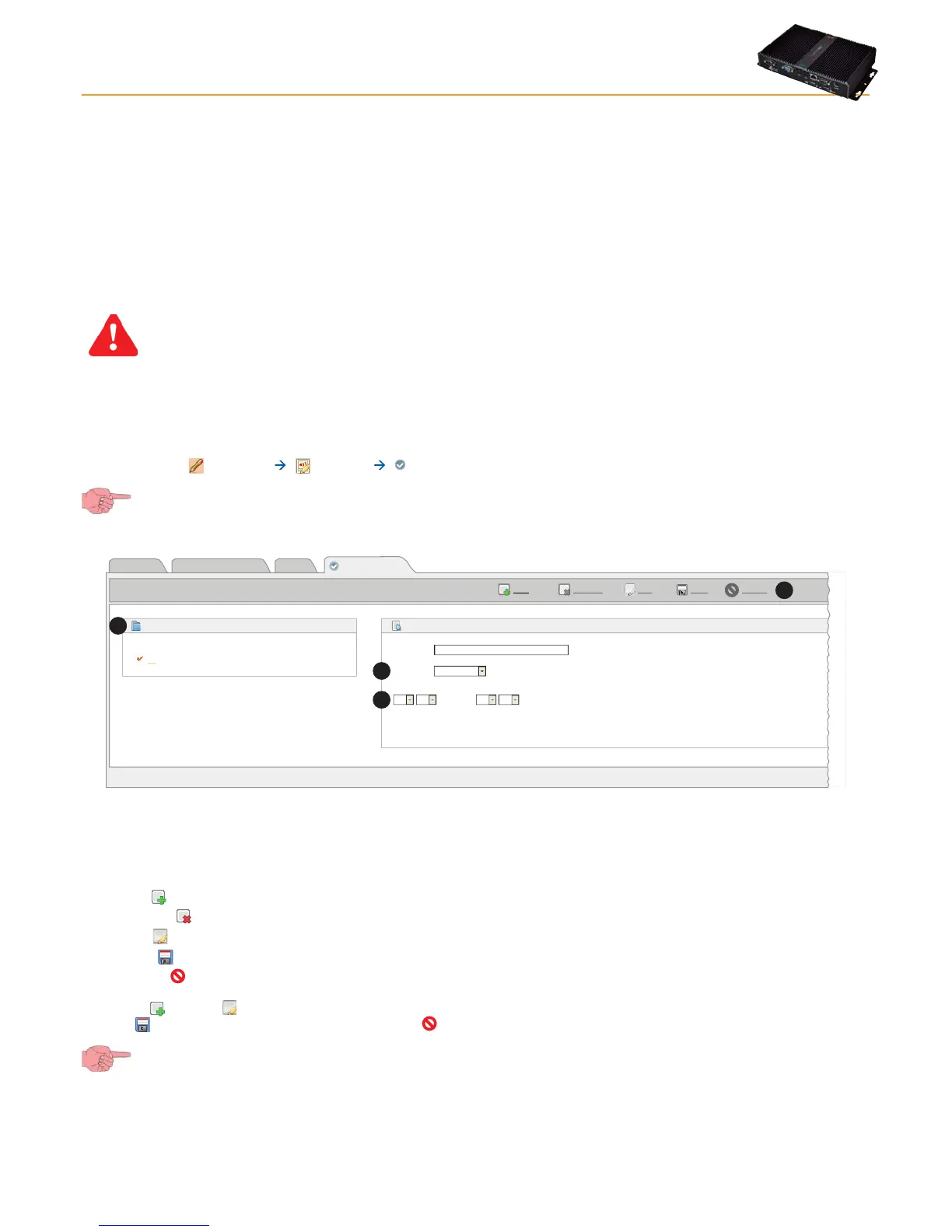
A window like this will open:
Page last update on: 7.39.34
EditRemove
Add
Save Cancel
View
Alarm categories
Actions
Time intervals
Name Settings
Time intervals
P1
from Monday at 00:00 to Sunday at 23:59
Details
Name*
Type:
>
01 00 01 00
Daily
A
B
C
D
All intervals set will be shown in the box on the left (A).
The following commands are presented at the top (C):
• Add or
: To add a new interval.
• Remove or
: To remove an interval saved previously.
• Edit or
: To modify an interval saved previously.
• Save or
: To save changes made.
• Cancel or
: To cancel changes made.
Click Add (
) or Edit ( ) to activate the right-hand part of the window; you will be able to enter all details of time intervals. Click
Save or
to save the new time interval, click Cancel or to exit without saving.
If you change page without saving, any changes made will be lost (the same as clicking Cancel).



 To Next Page