TelevisGo Page 39/68
6 different types of action may be created:
• TelevisTwin: Enter the IP addresses of a TelevisTwin to which any alarm messages should be sent.
• Email: Enter an email address to which any alarm messages should be sent.
• TXT via modem: Enter the telephone number you want TXT messages to go to in the event of an alarm.
• Telephone call: Enter the telephone number you want to call in the event of an alarm.
• Commands: Set the commands to be sent to one or more devices in the event of an alarm.
• Relays: Set the condition of the 2 relays in the event of an alarm.
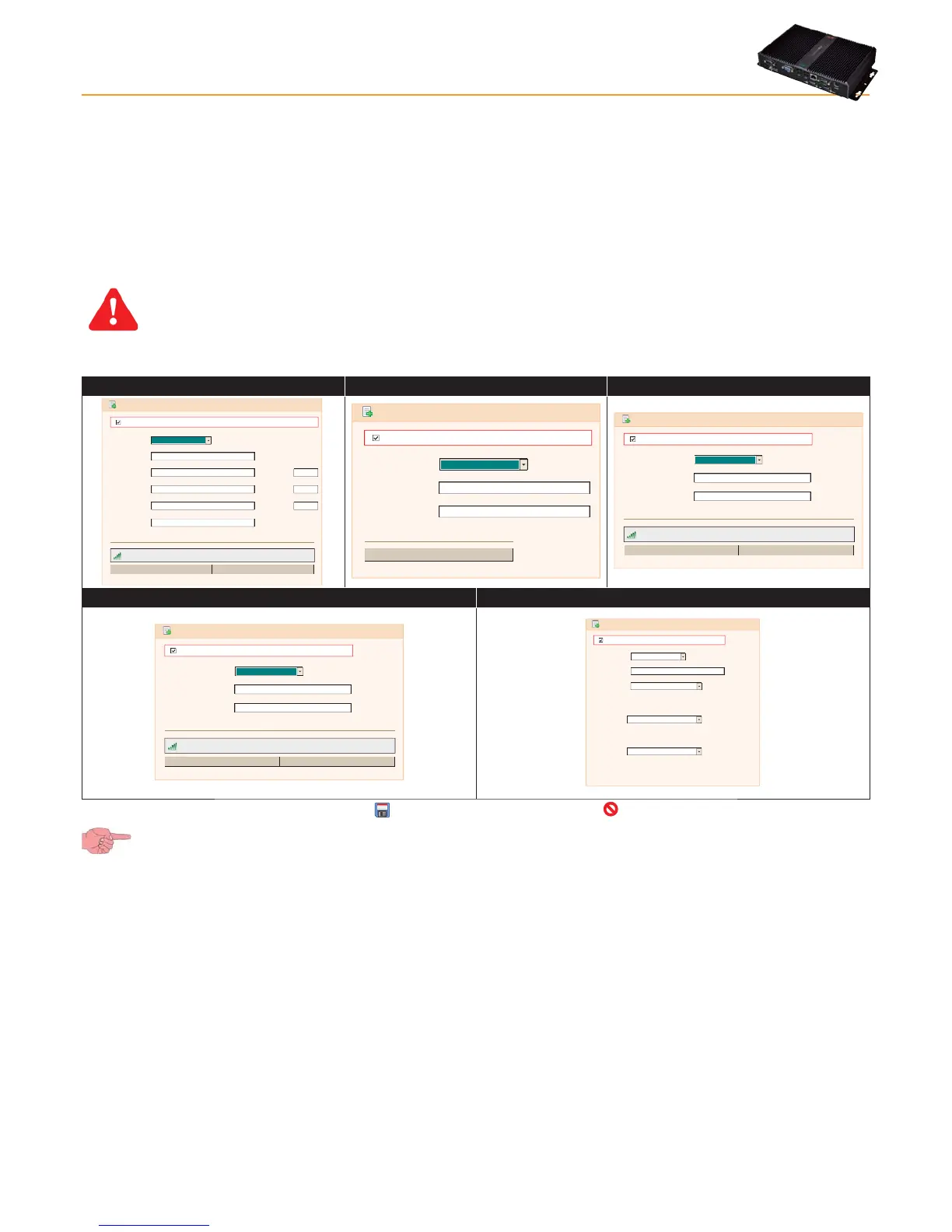
The types of controls presented (D) depends on the selection made from the drop-down menu (C).
IMPORTANT: Actions are only active when entered in an alarm category.
Depending on the type of action selected, the following windows open:
A - TelevisTwin B - Email C - TXT via modem
Type:
Name
Address
Address 1
Address 2
SMS
Port
Port
Port
Details
TelevisTwin
Enabled
Signal strength: 37%
Send test SMS
Phone Call
+393337600000
192.168.0.23 8080
Type:
Name
Email address
Details
Email
Enabled
Send test email
eliwell@invensys.com
Type:
Name
Telephone number
Details
SMS via Modem
Enabled
Signal strength: 37%
Send test SMS
Make test phone call
+393337600000
D - Telephone call E - Commands
Type:
Name
Telephone number
Details
Phone Call
Enabled
Signal strength: 37%
+393337600000
Send test SMS
Make test phone call
Type:
Name
Device
Command
Command on activating alarm
Command on inactivating alarm
Command
Details
Commands
0.02:00 ID 974LX
Keyboard Locked
Keyboard Unlocked
Enabled
Once all selections have been made, click Save ( ) to save changes made, or Cancel ( ) to cancel them.
If you change page without saving, any changes made will be lost (the same as clicking Cancel).
A - TelevisTwin:
• Name: To enter the name assigned to the action.
• Address: To enter the main IP address of the device (e.g.: 192.168.0.23) and the corresponding port (e.g.: 8080).
• Address 1: To enter an alternative IP address 1 and the corresponding port.
• Address 2: To enter an alternative IP address 2 and the corresponding port.
• TXT: To enter the telephone number you want TXT messages to go to (e.g. +39 333 7600000).
• Signal strength: To establish the signal strength of the modem connected to TelevisGo (as a percentage).
B - Email:
• Name: To enter the name assigned to the action.
• Email: To enter the email address to which alarm alerts should be sent to.
• Send test email To see if the settings entered are correct (the system tries to send an email to the address
provided).
C - TXT via modem:
• Name: To enter the name assigned to the action.
• Telephone number: To enter the telephone number you want TXT messages to go to (e.g. +39 333 7600000).
• Signal strength: To establish the signal strength of the modem connected to TelevisGo (as a percentage).
• Send test SMS To see if the settings entered are correct (the system tries to send a TXT message to the number
provided).



 To Next Page