TelevisGo Page 60/68
8.1 SYSTEM BACKUP AND RESTORE
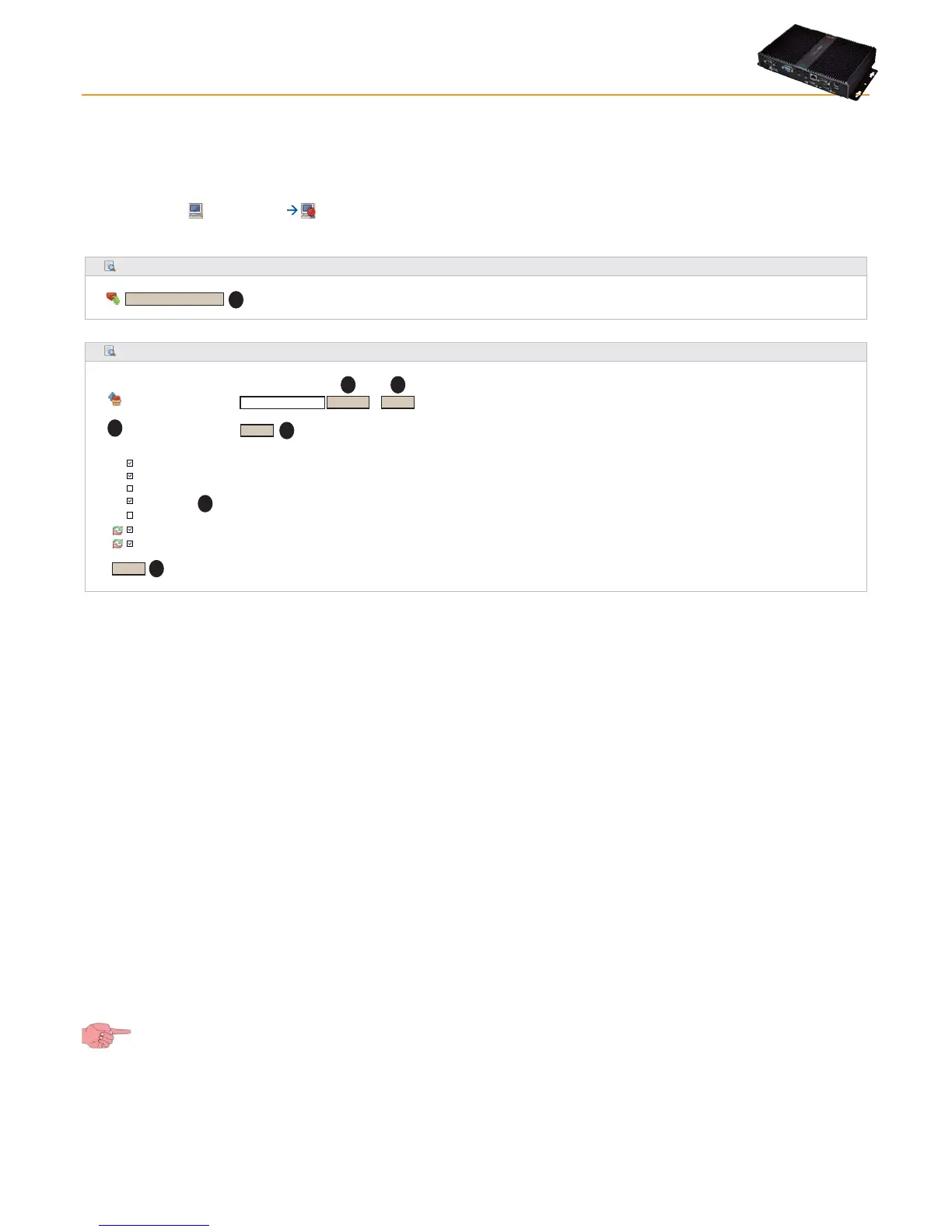
A back-up of the entire system can be done.
To do this, go to:
Computer Backup/Restore
The following page will appear:
ID Indirizzo
Network naming snapshot
Network naming rules
Device templates
Alarm management
Scheduled actions
General settings
Device drivers
Restore
Backup
Browse...
Execute
(.zip)
Restore
Download Current Settings
Restore.zip [168,43 KB, 12/09/2011]
Remove
Apply
Two sub-sections are visible:
• Backup
Click the Download Current Settings (A) button to create a .zip (compressed) file containing the following information:
• Network naming
• Last rule file applied
• Device templates
• Alarm/recipient/interval configuration
• Scheduled activities
• File GenericSettings.xml
• Current Driver
Users must save this file in line in accordance with their backup policy.
• Restore
The Restore procedure is a mirror of the backup procedure and allows you to reset the system to the previously saved
parameters.
• Click Browse (B) to open a window to select a backup file to be restored.
• Click Execute (C) to upload the selected file to TelevisGo.
• Once the file has uploaded, the name, size and date of the backup file (D) will be shown (although the system restore
hasn't been done yet).
• Click Apply (E) to restore the system with the contents of the uploaded file (D).
• In the check boxes above button (F) you can select which information to restore.
• The Remove (G) button can be used to cancel the file uploaded previously.
In fact, the restore function can be used to reapply backup functions to the same plant or to replicate the information in different
plants.
IMPORTANT! The restore operation overwrites current settings applied to the plant and can't be reversed (users are
responsible for doing a safety backup of their own before restoring).



 To Next Page