TelevisGo Page 13/68
TelevisGo has an advanced user interface that can be accessed via web browser (*) from any personal computer, in order to analyze
data and control all functions of the plant.
(*) A browser is a programme used to navigate web sites; it is normally included with the Operating System
(Windows, Linux, Mac ...); alternatively, it can be downloaded and installed as freeware.
TelevisGo must be switched on and connected to the internet to access the web interface.
Open a compatible browser and enter the device address:
http:// <TelevisGo IP Address>
The factory-set parameters are as follows: <TelevisGo IP Address> = 192.168.50.50 Subnet mask:= 255.255.0.0
To assure the proper function of the PC - TelevisGo connection (Ethernet), the PC must have an IP address configured that is
compatible with the TelevisGo subnet mask (normally the same Subnet mask and IP address, in which only the fourth numerical
block changes to be different for each element in the network).
For more detailed information and special installations, contact the network administrator).
4.1 LOGIN
You must log in before you can access any TelevisGo functions.
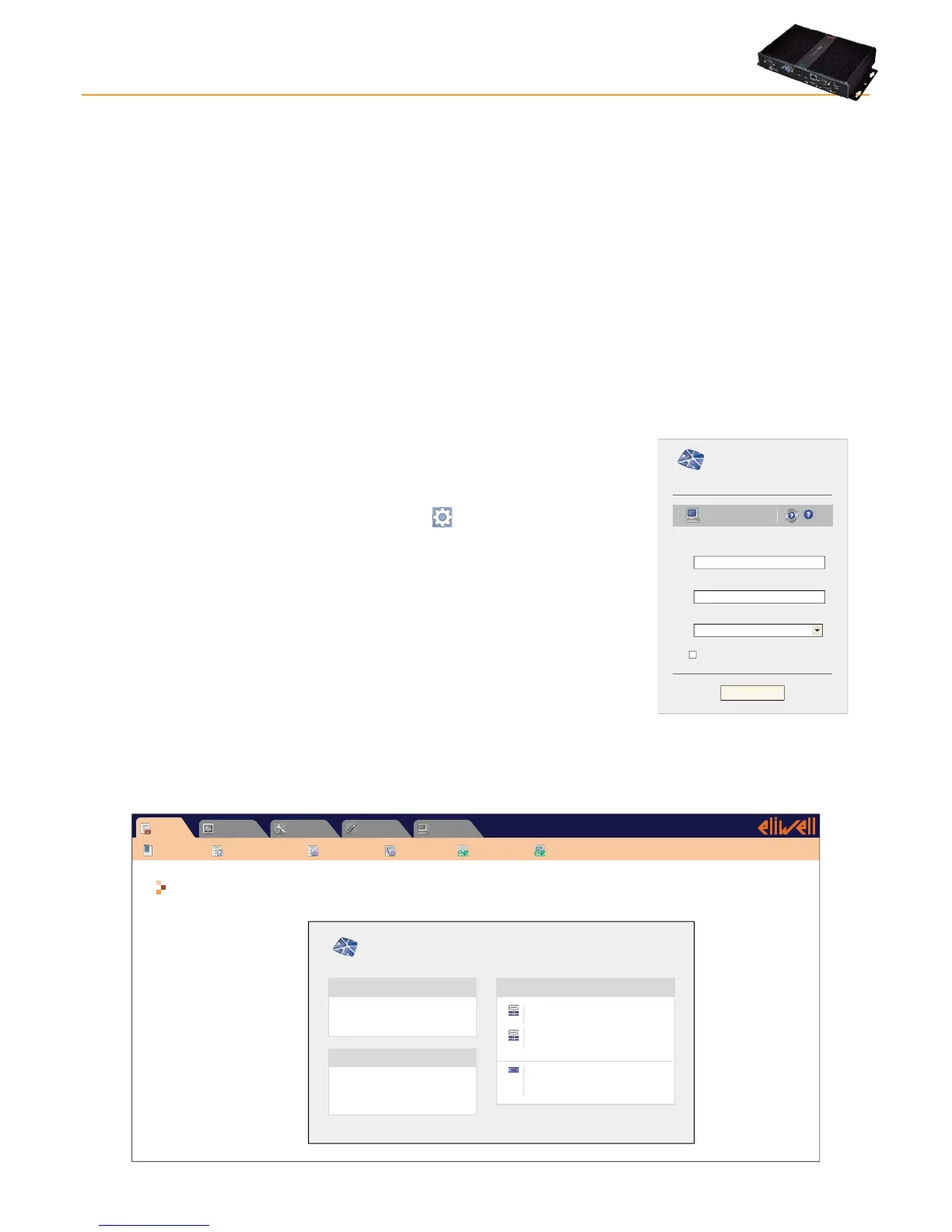
The web login page is used to select the user interface language; the application is set by
default to the browser language.
If you are using Internet Explorer for example, you can check the current language by
going to:
Tools > Internet Options > Languages. (button
in Internet Explorer 9)
At the top of the login area there are several TelevisGo status icons:
• Plant name.
• TelevisGo status.
• Data logging status (started, stopped).
• Alarm status (active, acknowledged, sleeping).
For further details on icons, see status icons table.
The default is a predefined user profile (account) with the following credentials:
• User: Administrator
• Password: 0 (zero)
Select the check box "Save this information" and the system will remember the user
name and language selected the next time you log in.
User name:
Plant name:
Televis Go
Versione 5.0.0.0
Password:
User interface language:
Save this info
English
Administrator
Login
TelevisGo
4.2 WELCOME PAGE
TelevisGo
Eliwell Controls
Software version: 5.0.0.0
O.S. version: 5.0.0
Boot loader compatible version: 5.0.0.0
Interface identifier: 0
Page last update on: 7.39.34
Plant identification Networks found
Devices 15
Interface identifier: 999
Devices 1
Device number: 16
60
Maximum number of devices:
Televis Go
Informazioni
Data » Overview
Alarms ComputerSettingsToolsData
Overview Real time table Historical table Historical chart
Energy report Energy chart
4. USER INTERFACE



 To Next Page