TelevisGo Page 38/68
D - Alarms:
The window can be used to select one of the following alarm options:
• ALL: Select all network alarms.
• SELECT: Select one or more specific alarms. At this point, save the changes by clicking Save or
; a translation of the
selection in XML language will appear in box B2.
Click Cancel or
to cancel the changes made.
IMPORTANT: If several time intervals are associated with the same category, the whole group is taken into
account.
If you change page without saving, any changes made will be lost (the same as clicking Cancel).
6.2.2.3 ACTIONS
To set the actions to be performed in the event of an alarm, go to:
Settings Alarms Actions
To access this section, data logging must be suspended (see Data Logging section).
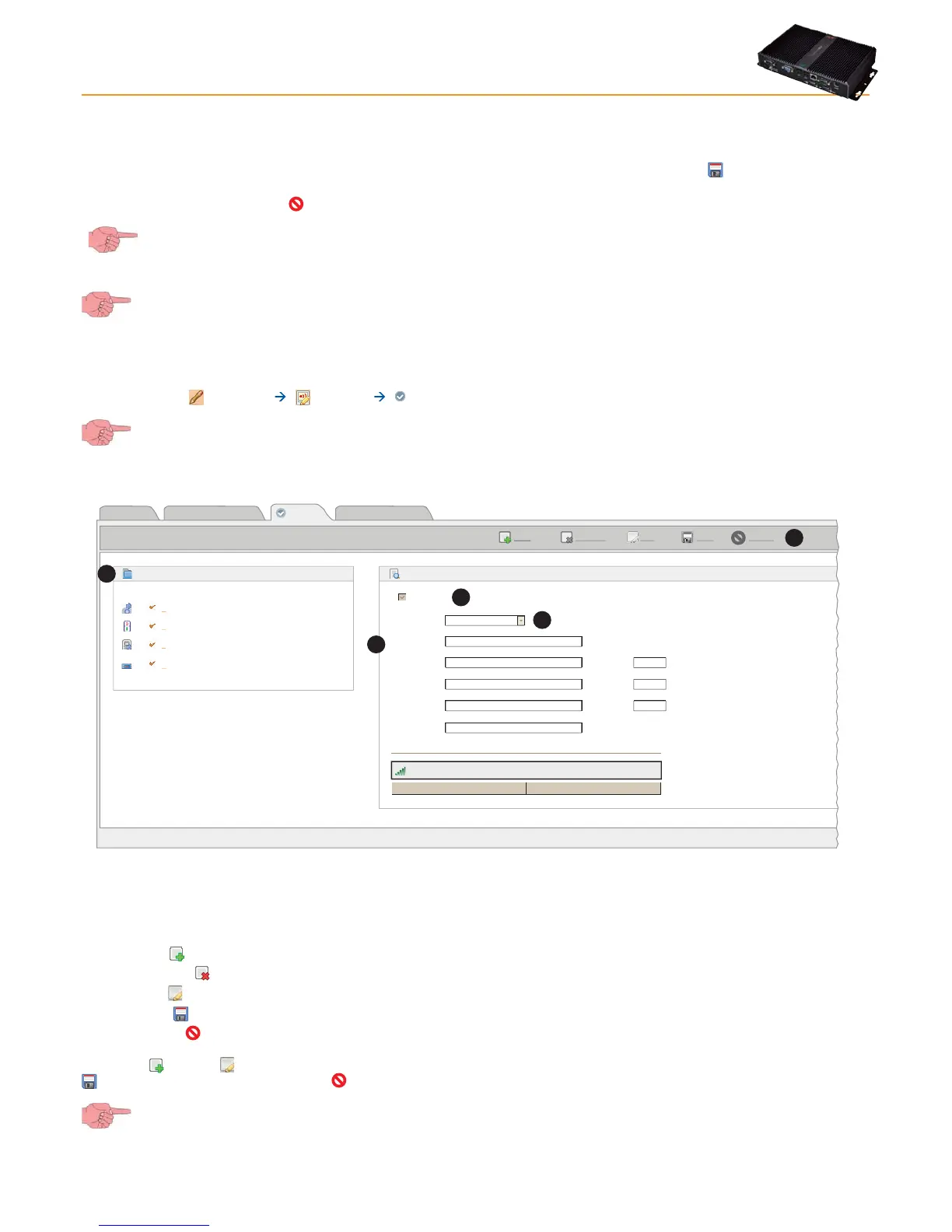
A window like this will open:
Page last update on: 7.39.34
EditRemove
Add
Save Cancel
View Alarm categories Time intervals
Actions
Relay 1
Name Settings
+393337679978
0.02:01
Keyboard Locked and
Keyboard Unlocked
B
C
D
Actions
A
192.168.0.1:5900
Type:
Name
Address
Address 1
Address 2
SMS
Port
Port
Port
Details
TelevisTwin
Enabled
Signal strength: 37%
Send test SMS
Phone Call
A
B
C
D
E
All "Actions" set will be shown in the box on the left (A).
The following commands are presented at the top (E):
• Add or
: To add a new action.
• Remove or : To remove an action saved previously.
• Edit or
: To modify an action saved previously.
• Save or : To save changes made.
• Cancel or
: To cancel changes made.
Click Add (
) or Edit ( ) to activate the right-hand part of the window; you will be able to enter all details of actions. Click Save or
to save the new action, click Cancel or to exit without saving.
If you change page without saving, any changes made will be lost (the same as clicking Cancel).
The Enabled (B) check box enables or disables the action (disabled actions will not be performed by the system).



 To Next Page