TelevisGo Page 42/68
OFF
hours
ON
OFF
hours
ON
Periodic
interval
Continuous
interval
12345 12345
1234512345
817817817817817 817817817817817
817817817817817 817817817817817
Settings: 1 > 5
08:00 > 17:00
Settings: 1 @ 08:00
5 @ 17:00
IMPORTANT: The "CONSTANT" time interval is pre-set as part of the system and cannot be deleted
(it selects 24 hours for all days of the week).
6.2.3 MEDIA CONFIGURATION
TelevisGo automatically detects all compatible connectivity devices it is connected to (such as a LAN network or GSM modem for
example). TelevisGo can use these devices (media) to send alarm alerts.
To view media devices detected and assign priorities to them, go to:
Settings General Settings Media
To access these sections, data logging must be suspended (see Data Logging section).
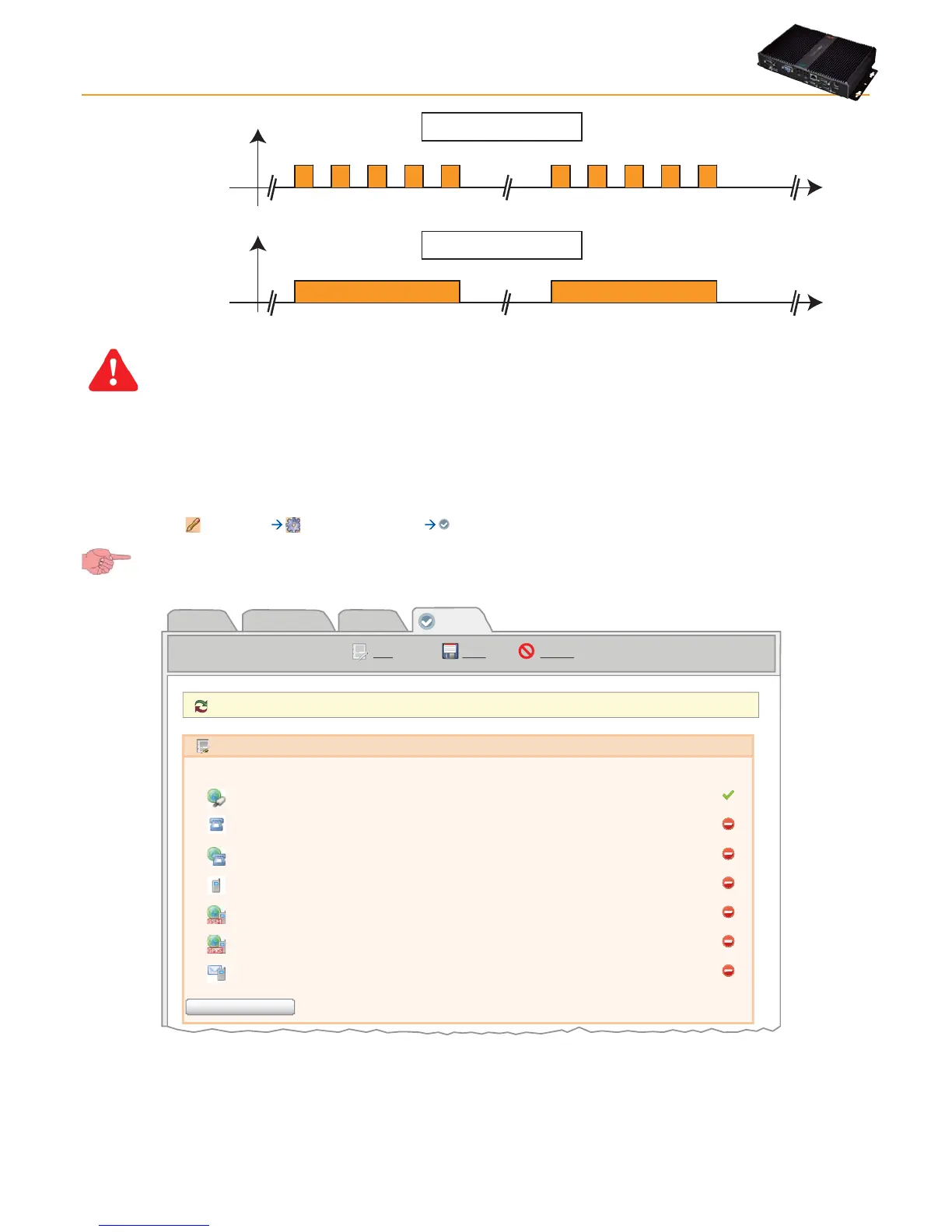
On clicking Modify, the following screen opens:
System TelevisTwin Alarms
Media
Reboot the system in order to make the new settings active.
Detected Media
Ethernet Broadcom 440x 10/100 Integrated Controller
Telephone
PSTN Dial Up
Mobile phone
GSM Dial UP
GPRS Dial Up
SMS
Type Details Detected
Edit Save Cancel
Scan Peripherals
The Media Found box lists all elements located and the type of connection. The Located column indicates if the medium specified
was found or not, and a description is provided in the Details columns.
On clicking Scan peripheral devices, the system starts scanning for media devices connected to TelevisGo.



 To Next Page