TelevisGo Page 41/68
3 different types of time interval can be created:
• Daily: the interval defined will be applied daily.
• Weekly: the interval defined will be applied weekly.
• Monthly: the interval defined will be applied monthly.
The types of controls presented (D) depends on the selection made from the drop-down menu (B).
Depending on the type of interval selected, the following windows open:
A - Daily B - Weekly C - Monthly
Name*
Type:
Details
>
08 00 19 00
Daily
Name*
Type:
Details
>
>
17 00
08 00
Weekly Continuous
Monday
Friday
Continuous
Periodic
Name*
Type:
Details
>
>
18 30
08 00
Monthly Continuous
01
31
Continuous
Periodic
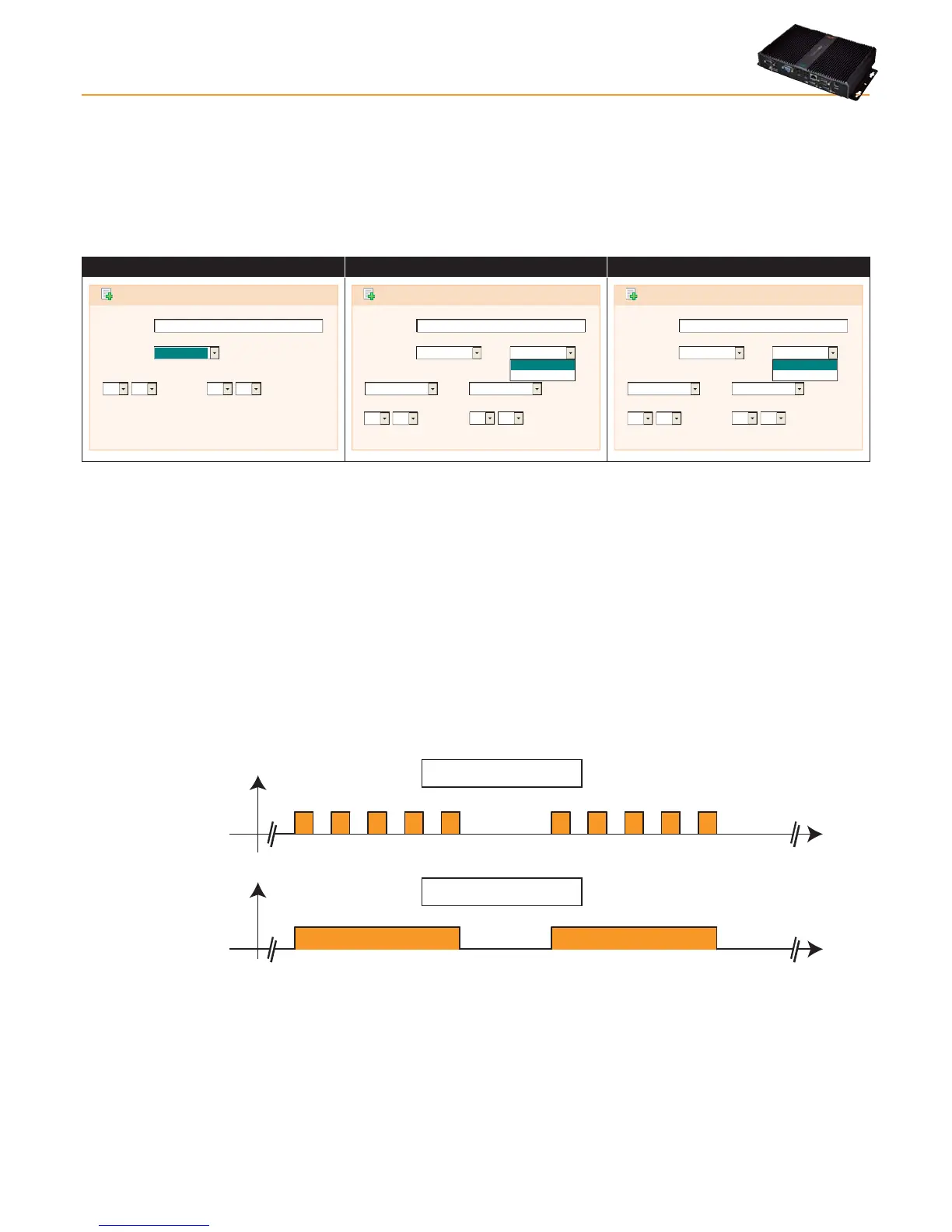
A - Daily time period:
• Name: To enter the name assigned to the interval.
• Interval: The 2 boxes are used to set the valid from and to times, which apply every day.
(example: 8.00 > 19.00 indicates from 8am to 7pm
19.00 > 6.00 indicates from 7pm to 6am the following day)
B - Weekly time period:
• Name: To enter the name assigned to the interval.
• Period: Here you should set:
• the days of the week involved (from -> to)
• the time period involved (from -> to) on each day
• Continuous: Here you should set:
• the day of the week and the start time
• the day of the week and the end time
OFF
hours
ON
OFF
hours
ON
Periodic
interval
Continuous
interval
MON TUE WED THU FRI MON TUE WED THU FRI
MON TUE WED THU FRI MON TUE WED THU FRI
817817817817817 817817817817817
817817817817817 817817817817817
Settings: Monday > Friday
08:00 > 17:00
Settings: Monday @ 08:00
Friday @ 17:00
C - Monthly time period:
• Name: To enter the name assigned to the interval.
• Period: Here you should set:
• the days of the month involved (from -> to)
• the time period involved (from -> to) on each day
• Continuous: Here you should set:
• the day of the month and the start time
• the day of the month and the end time



 To Next Page