TelevisGo Page 8/68
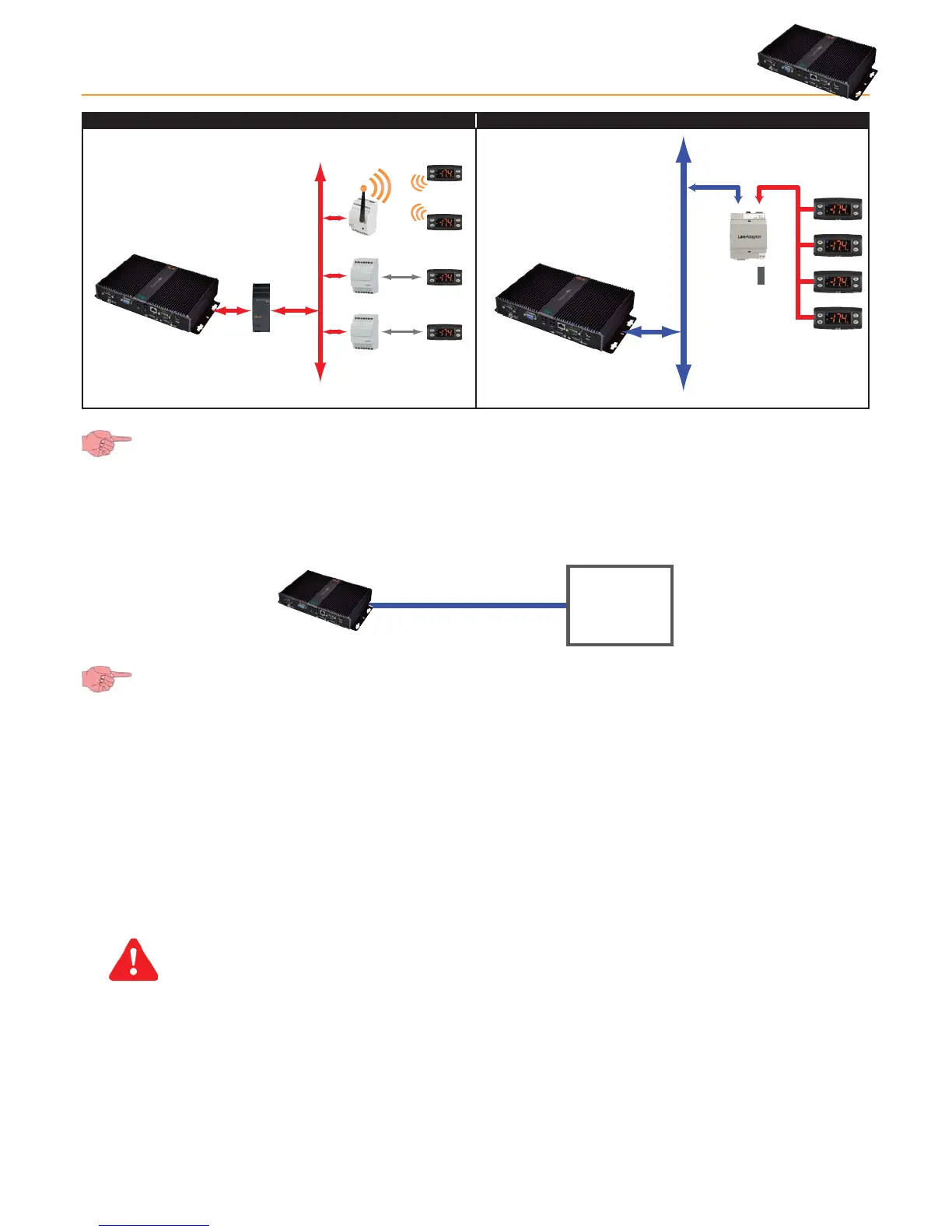
1) Sample RS-485 network 2) Sample TCP/IP network
Bus Adapter
Bus Adapter
Radio Adapter
RS485
uNet
RS485
TCP/IP
100...240 V~
Alimentazione
uNet
Ethernet
RS-485
SerialAdpater232 (picture on left) can only be connected to COM1 or COM2 as it is supplied by them. Other serial
accessories (modems) must be connected to serials COM3 or COM 4.
2.3.3 COMPATIBLE MODEMS
TelevisGo is compatible with RS232-interface GSM modems powered by SIEMENS TC35-type technology.
The GSM modem connection can be done directly via RS232:
RS232RS232
MODEM
(GSM)
N.B.: To ensure it works correctly, the PIN of the modem SIM card must be disabled.
2.3.4 RANGES OF DEVICES SUPPORTED
All devices supported by TelevisGo are listed in the file "Controller_Driver_List.xls” in the "DriverList” directory on the CD
provided. The updated file can also be downloaded from www.eliwell.it.
2.4 DISCLAIMER AND PC CONFIGURATION
Users should be aware of the following:
• The default time zone is GMT+1.
• The default Administrator password is empty (not set); users must enter a password to assure safe and restricted system access.
IMPORTANT!! USERS ARE RESPONSIBLE FOR SAVING AND REMEMBERING THE PASSWORD ENTERED;
ELIWELL HAS NO WAY WHATSOEVER OF RECOVERING A PASSWORD.
• The PC has an FTP server with read and write permission in this folder: C:\Eliwell.
Entry credentials to FTP server:
• User name: Go
• Password: GoZilla
The port used is TCP /IP 21.
NOTE: We recommend modifying the FTP server password.



 To Next Page