TelevisGo Page 24/68
5.2.7 START LOGGING
To start data logging, go to:
Functions Start/Stop
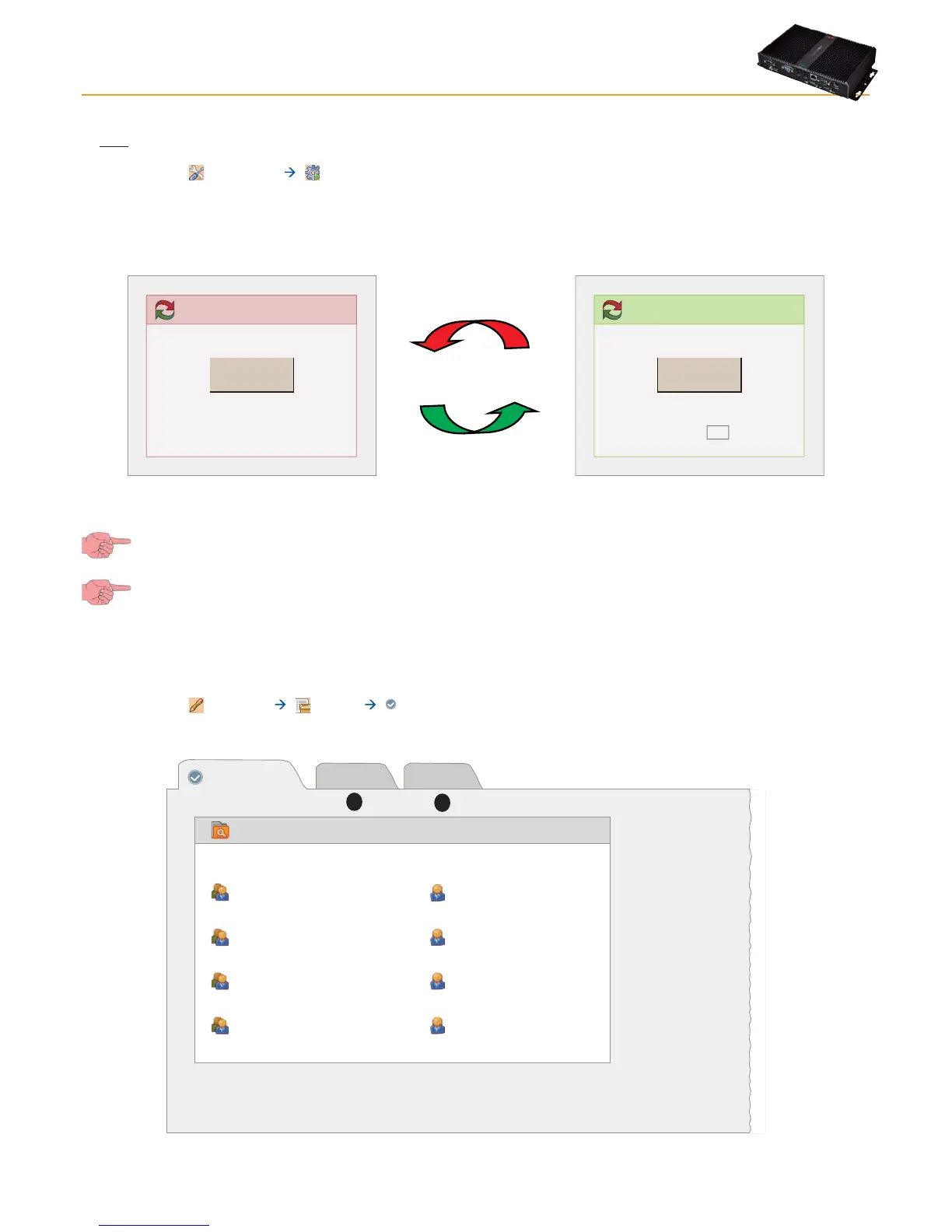
On entering the menu, one of the windows shown below will open:
• If data logging is suspended, the window on the left opens: click Start to start logging.
• If data logging is started, the window on the left opens: click Stop to stop logging.
Data acquisition
Start
Acquisition status: Not running
Start
Stop
Data acquisition
Stop
Acquisition status: Running
30
Restart after minutes
In the Restart After box you can set a number in minutes after which data logging restarts automatically after it has been stopped.
Automatically restarting data logging is useful as it will prevent users from accidentally leaving data logging turned off after
stopping it for maintenance of parts of the system.
Data regarding devices and past alarms can only be viewed with data logging turned on.
5.3 MANAGING USER PROFILES / MULTIPLE USERS AND DEFAULT PAGE
To edit a user profile or user group access, go to:
Settings Users Summary
The following window appears:
Groups
Administrators
Groups
Default administrator group
Operators
Default operator group
Users
Default user group
Readers
Default reader group
Administrator
Users
Default administrator
Operator
Default operator
User
Default user
Reader
Default reader
Users
View
Groups
A
B



 To Next Page