TelevisGo Page 35/68
6. ALARM MANAGEMENT
6.1 INTRODUCTION
Il TelevisGo can display, save and send the alarm situation in all devices connected to the network (e.g. high temperature alarm) to
a group of recipients.
When an alarm is detected, the
symbol lights up (if not already on due to a previous alarm).
The alarm log lists all recent "network" alarms saved in non-volatile memory.
Alarms are recorded as soon as an alarm condition is detected.
IMPORTANT: Network alarms are only detected when TelevisGo data logging is running!
6.2 NEW ALARM ALERT/MESSAGE
TelevisGo sends an alarm alert to all correctly configured and enabled recipients.
Alarm management is controlled through alarm categories which associate device alarms to a series of actions within specific time
intervals.
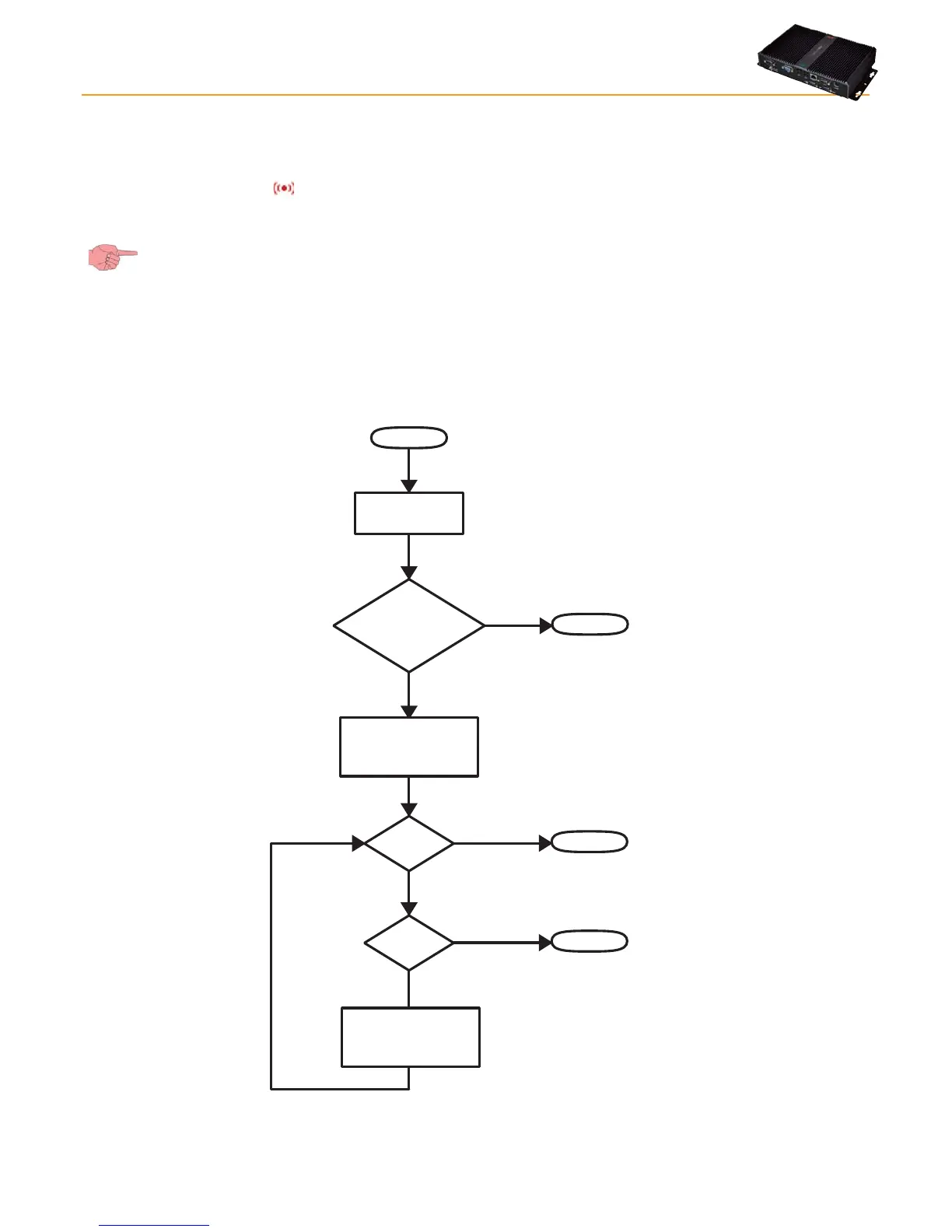
The methods used by TelevisGo to send alarms are represented in the following flow chart:
START
Alarm
event
Alarm Management
as per the actions
provided from
lower-level categories
END
YES
NO
END
YES
NO
Escalate
ag?
END
NO
YES
Level1
Alarm Management
as per the actions
provided from
higher-level categories
Belongs to
one or more valid
categories



 To Next Page