LMI Setup-Greer EEC-0066 V1.0
LMI Setup
Initial Setup
NOTE-this section only covers the initial setup and usage of the LMI unit. For
more detailed information about this product or for troubleshooting procedures,
please consult the manufacturer’s insert under the “Component Service
Manuals” section of this
operator’s manual.
Once the unit is powered up,
the system conducts a brief
system test. During the test the
system shows the unit’s model,
load chart number, and units in
use.
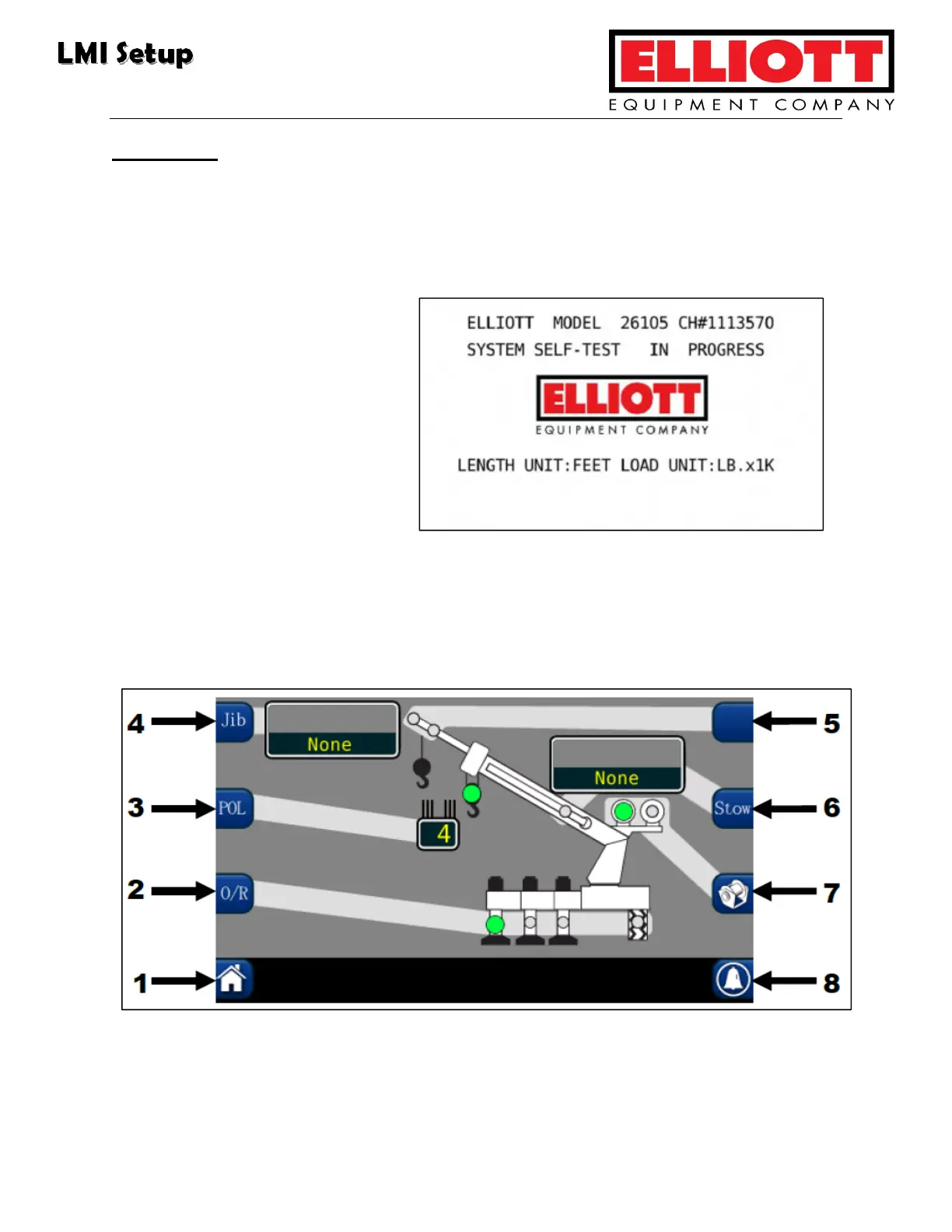
After the startup test completes, the unit’s Crane Configuration page appears:
Crane Configuration screen
This display shows the current system’s setup. The green indicator dots represent
the selected option on the hook location, winch, and outriggers.



 To Next Page