13
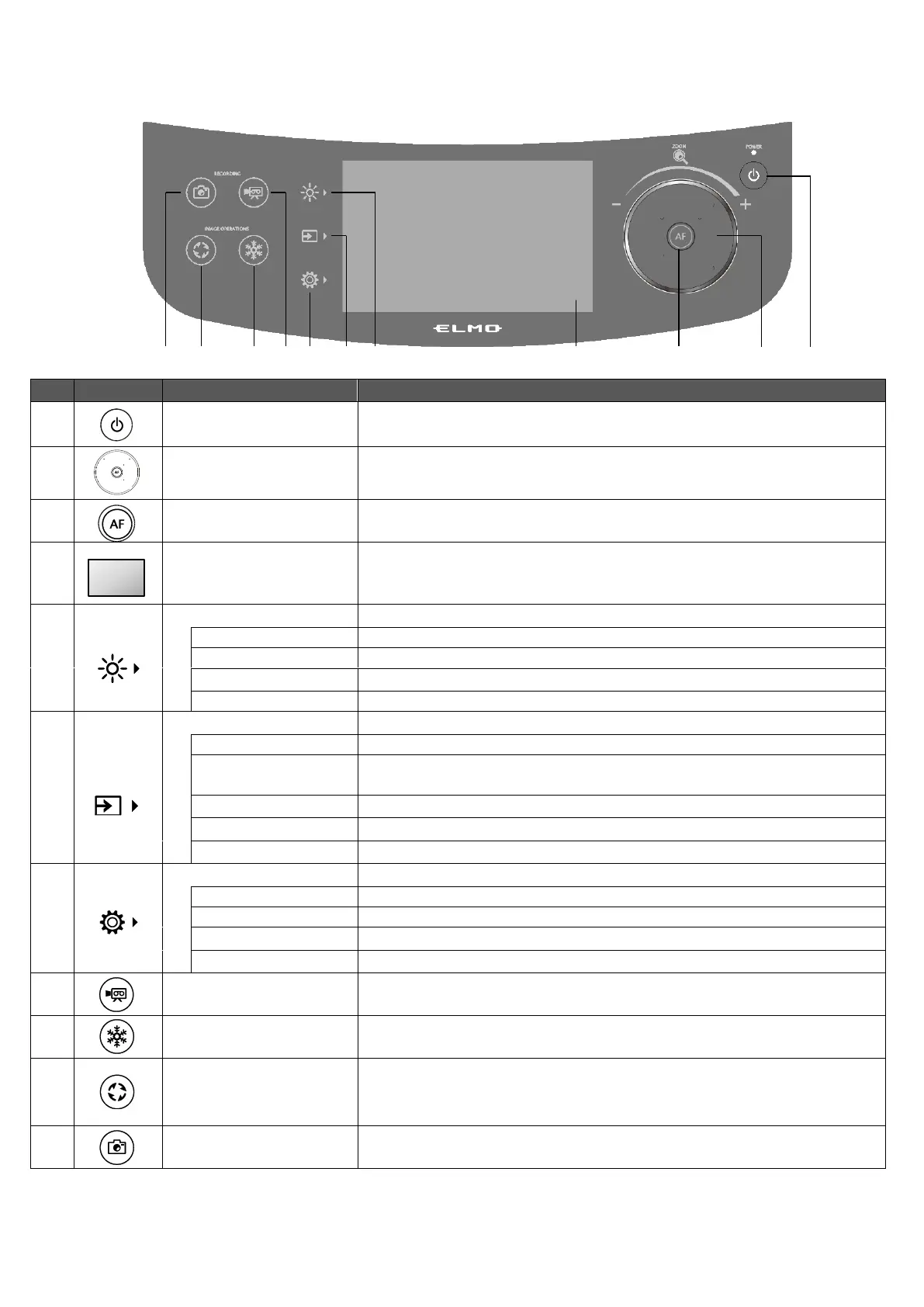
◆OPERATING PANEL
※An operation sound is heard when the operating panel is pressed down.
The operation sound can be adjusted in the Op. sound vol. setting.(⇒P.28)
To ON/OFF the power.(⇒P.21)
Rotating counter clockwise: Zoom out.
Rotating clockwise: Zoom in. (⇒P.21)
The auto focus works once when the AF button is pressed.(⇒P.22)
Images being output is displayed with the OSD menu for
configuration of various settings. (⇒P.23)
When displaying video, the focus is on the point you tapped.
To display the menu for brightness settings. (⇒P.24)
To ON/OFF the LED lighting.
To ON/OFF the anti-reflection function.
To adjust the brightness. Slide bar: 0~18 (Default value :11)
To initialize the brightness settings.
To display the Select image menu. (⇒P.26)
To display the camera image.
To display the USB/SD menu for displaying still images or playing
video files.
To display images being input to the HDMI in 1 port.
To display images being input to the HDMI in 2 port.
To display images being input to the RGB in port.
To display the menu for configuration of various settings. (⇒P.27)
To display the menu for configuration of the system.
To display the menu for configuration of the camera image.
To display the menu for configuration of the network function.
To display the information of the version and license of the camera.
To start and stop recording. (⇒P.36)
To pause and restart the camera image. (⇒P.32)
To rotate the camera image. (0°/90°/180°/270°)
※In the System Setting menu, the rotation angle can be selected
between 90°and 180°. (⇒P.29)
To save the currently displayed image as a still image. (⇒P.35)



 To Next Page