27
➋-4 CONFIGURING THE SETTINGS
Each setting of the PX-10E/30E can be configured through the menu (texts or icons) displayed on
the screen.
◆HOW TO CONFIGURE THE SETTINGS
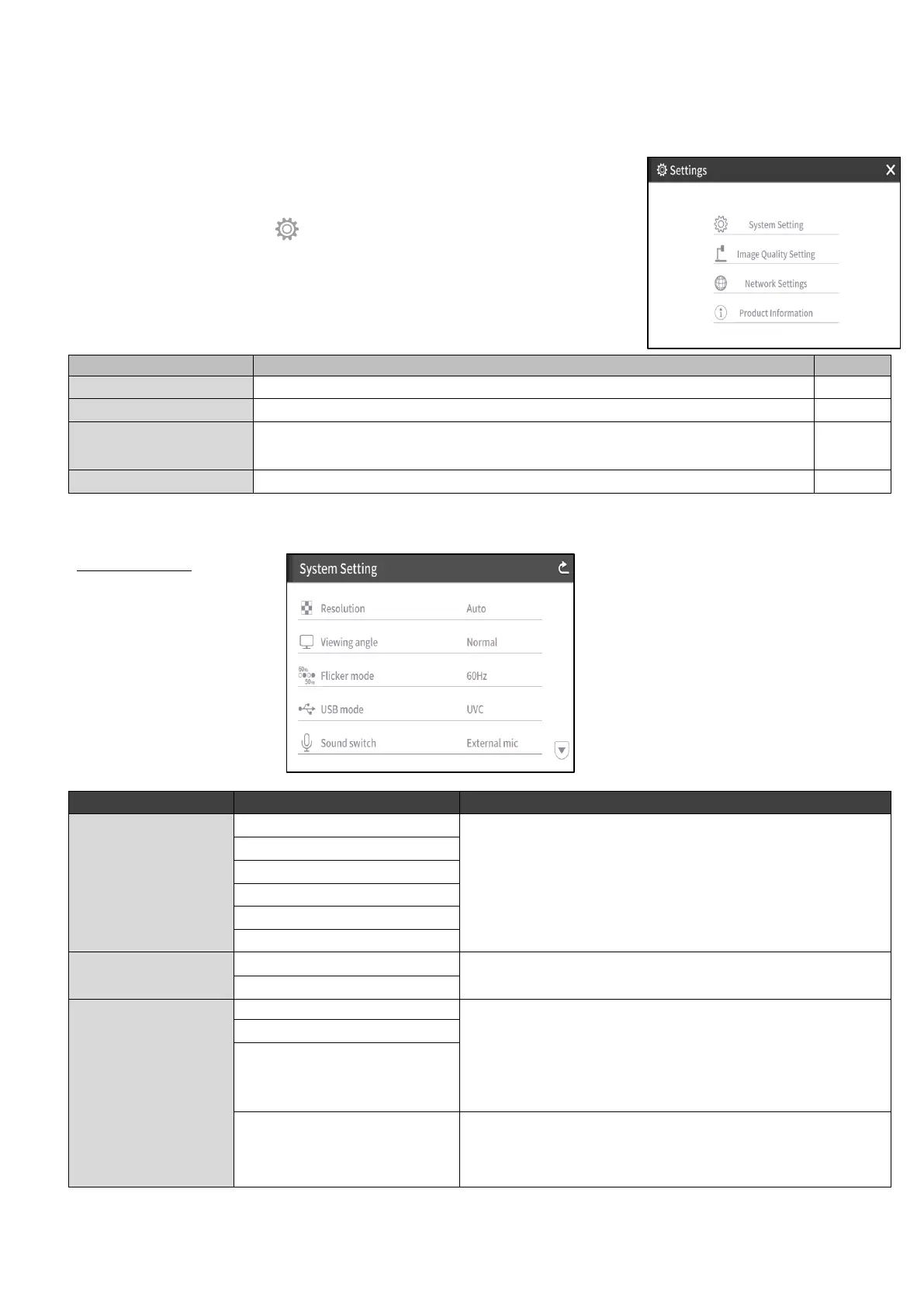
Press the Settings button [ ] on the operating panel.
The settings menu appears. “System Setting”, “Image Quality Setting”,
“Network Settings”, and “Product Information” can be selected from the menu.
[✔ : Default setting(default value)]
To display the menu for configuration of the system.
To display the menu for configuration of the camera image.
To display the menu for configuration of the network function.
(For PX-30E only)
To display the information of the version and license of the camera.
System Setting
(1/5 page)
To set the resolution of the output image.
※The PX-10E does not support UHD(3840 x 2160).
To set the viewing angle of the output image.
When there is flickering in the image due to the
fluorescent light, set to the same value as the power
supply frequency of the location where the
PX-10E/30E is used.
50Hz: Europe
60Hz: Japan/USA
Select this item when there is halation due to flickering.
(For example, when shooting outside or when the
surrounding environment is too bright.)
Flickering may be reduced.



 To Next Page