17
➋-2 SUPPLIED ACCESSORIES
◆REMOTE CONTROL
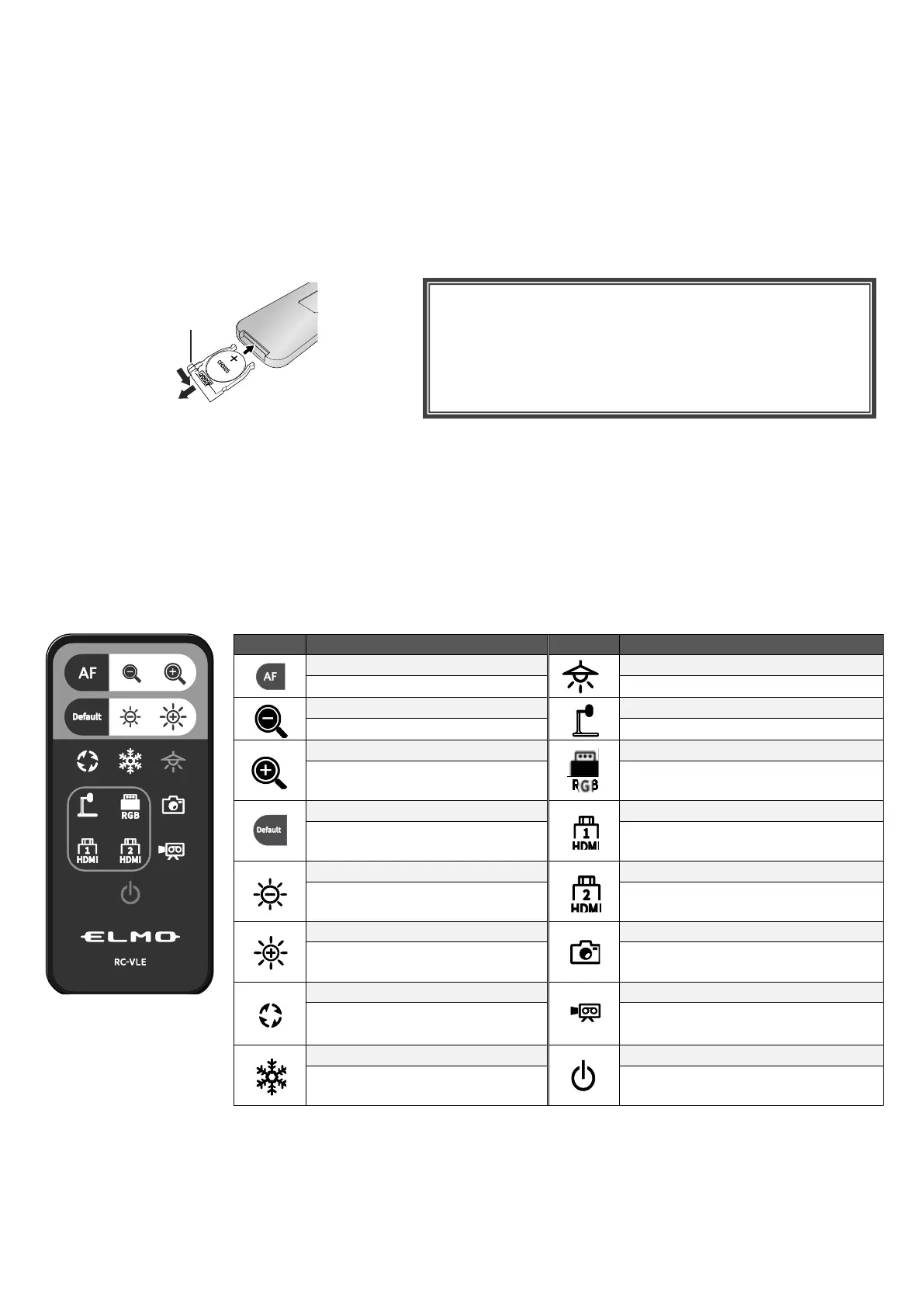
PREPARATION OF THE REMOTE CONTROL
Remove the battery case by squeezing the release lock.
Insert the coin battery into the battery case, so you see the positive (+) side facing up.
Then insert the battery case into the remote control.
RECEIVING IR FROM THE REMOTE CONTROL
Point the IR transmitter of the remote control to the IR receiver of the PX-10E/30E, and press the
desired button.(⇒P.12)
Receivable range: within approx. 5m
※1 In the System Setting menu, the rotation angle can be selected
between 90°and 180°. (⇒P.29)
To ON/OFF the LED lighting.
To shrink the camera image.
To display the camera image.
To enlarge the camera
image.
To display images being input to
the RGB in port.
To initialize the brightness
settings.
To display images being input to
the HDMI in 1 port.
To darken the camera image.
To display images being input to
the HDMI in 2 port.
To brighten the camera
image.
To save the currently displayed
image as a still image.
To rotate the camera image.
※1
To start and stop recording.
To pause and restart the
camera image.
WARNING
Children may ingest small batteries; always keep
batteries safe and out of reach.
If a battery is swallowed, consult a doctor
immediately as this could result in asphyxiation or
be an obstacle to digestion, etc.



 To Next Page