15
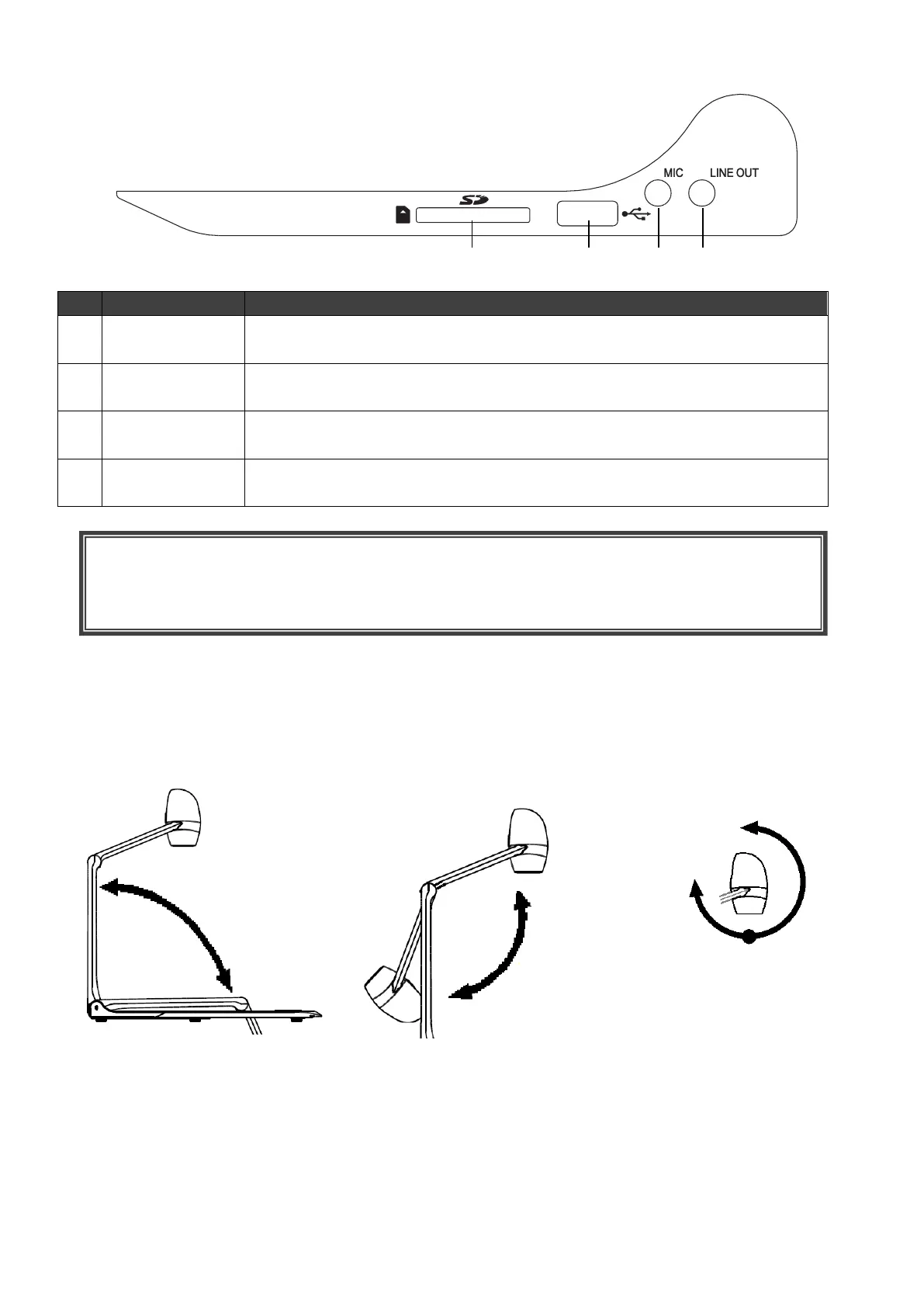
◆SIDE PANEL
◆MOVING PARTS OF THE DOCUMENT CAMERA
The PX-10E/30E can be moved as shown below.
To insert an SD card (commercially available).
Push the card again to remove the SD card.
To connect a USB flash drive (commercially available).
[USB TYPE-A (USB host)]
To connect a microphone. [Φ3.5mm jack (monaural)]
※Plug-in power type electret condenser microphone supported.
To output audio line. (The audio cable is not supplied and should be
purchased separately.) [Φ3.5mm jack (stereo)]
CAUTION
Connecting a microphone other than an electret condenser microphone (a microphone for a
computer) may cause malfunction.



 To Next Page