16
◆SETTING UP
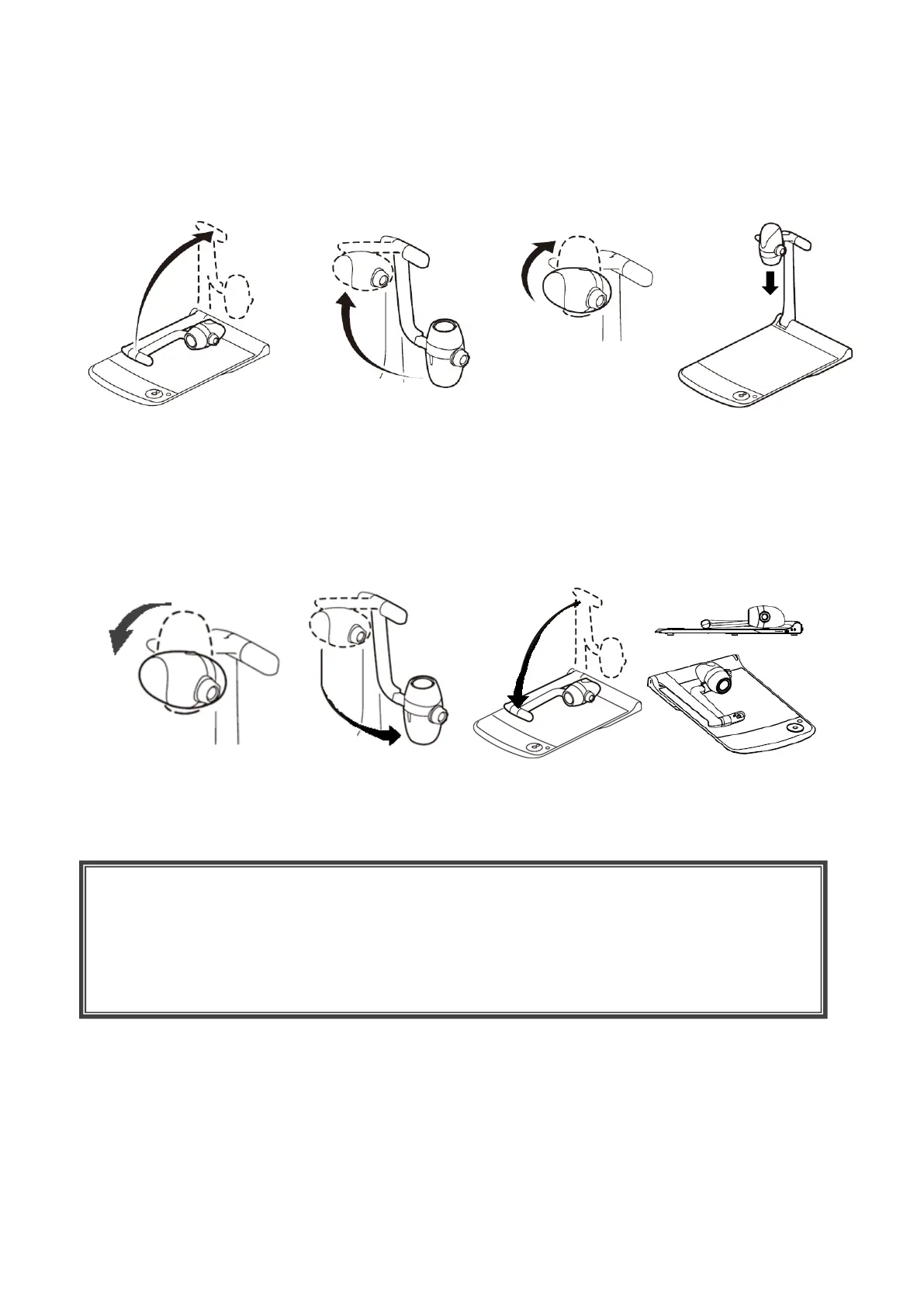
Place the PX-10E/30E on an even, flat surface. Then set up the PX-10E/30E as shown in the
figures below.
◆FOLDING THE DOCUMENT CAMERA
After using the PX-10E/30E, fold it as shown in the figures below.
CAUTION
• Be careful not to pinch your fingers when moving the arm or camera head during setup.
• Be careful not to damage the lens when folding the camera arm.
• Rotate the camera head by 64° and rotate the camera arm before folding it. Otherwise, the
camera head may hit the stage and damage the lens.
• When folding the camera arm, do not press the camera head.



 To Next Page