21
Zoom out
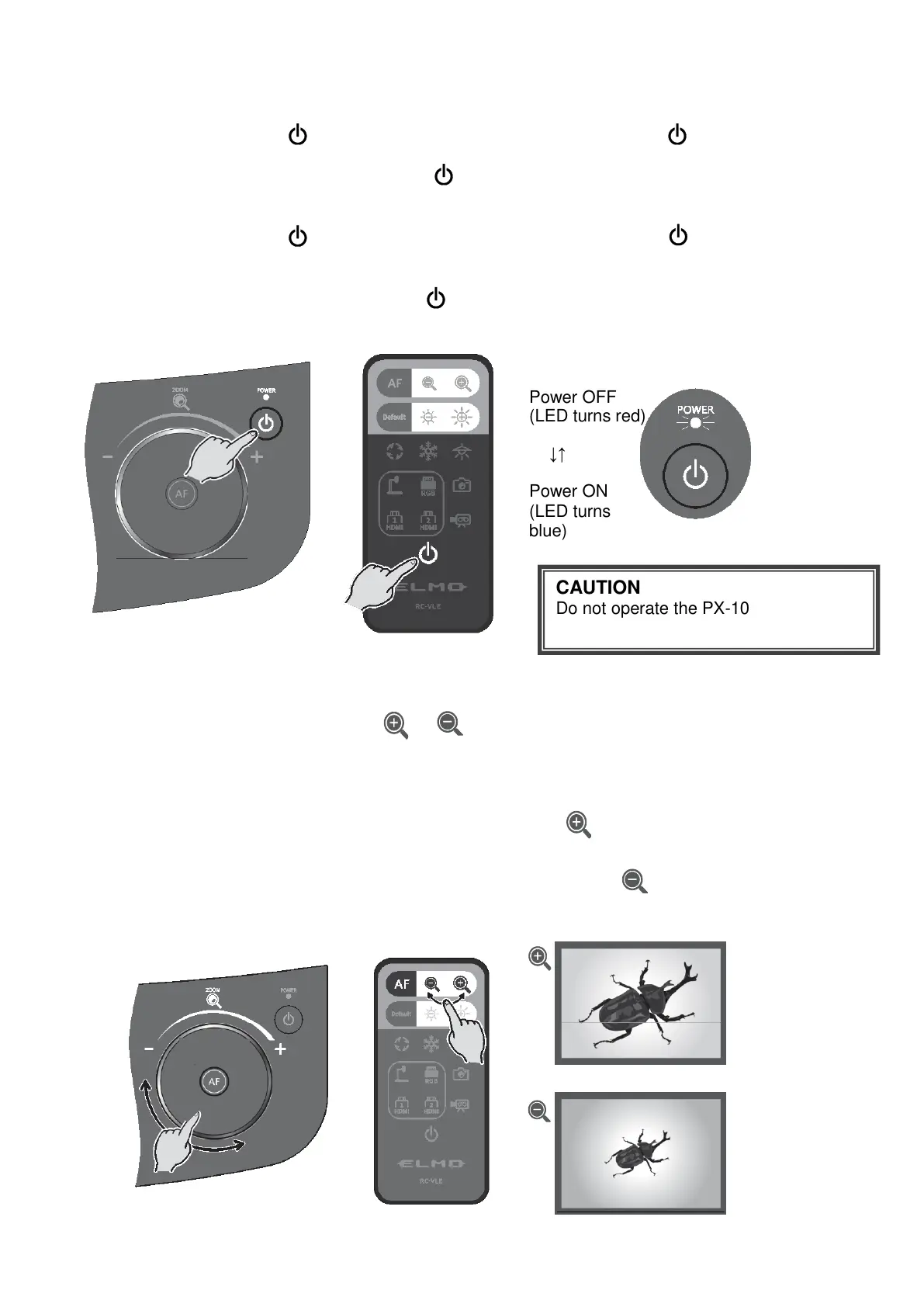
◆TURNING ON/OFF THE POWER
・Press the Power button [ ] on the operating panel or the Power button [ ] on the remote
control to turn on the power.
The color of the LED of the Power button [ ] on the operating panel changes from red to
blue. (During start up: flashes blue)
・Press the Power button [ ] on the operating panel or the Power button [ ] on the remote
control to turn off the power.
Press longer for the Power button on the operating panel.
The color of the LED of the Power button [ ] on the operating panel changes to red.
<Operating panel> <Remote control>
◆ADJUSTING THE SIZE
The size of the image displayed can be adjusted by rotating the zoom jog dial on the operating
panel or by pressing the zoom buttons [ / ] on the remote control.
※A zoom bar indicating the zoom position appears on the LCD touchscreen during zoom
operation. (Touch operation is disabled during zoom operation.)
Zoom in : To enlarge the subject.
Rotate the Zoom jog dial clockwise or press the [ ] button on the remote
control or rotate the Zoom head dial in the direction of ZOOM-IN.
Zoom out : To shrink the subject.
Rotate the Zoom jog dial counterclockwise or press the [ ] button on the
remote control or rotate the Zoom head dial in the direction of ZOOM-OUT.
<Zoom jog dial> <Remote control>
CAUTION
Do not operate the PX-10E/30E while
the LED is flashing.
Power OFF
↓↑
Power ON
(LED turns



 To Next Page