25
◆TURNING ON/OFF THE LED LIGHTING
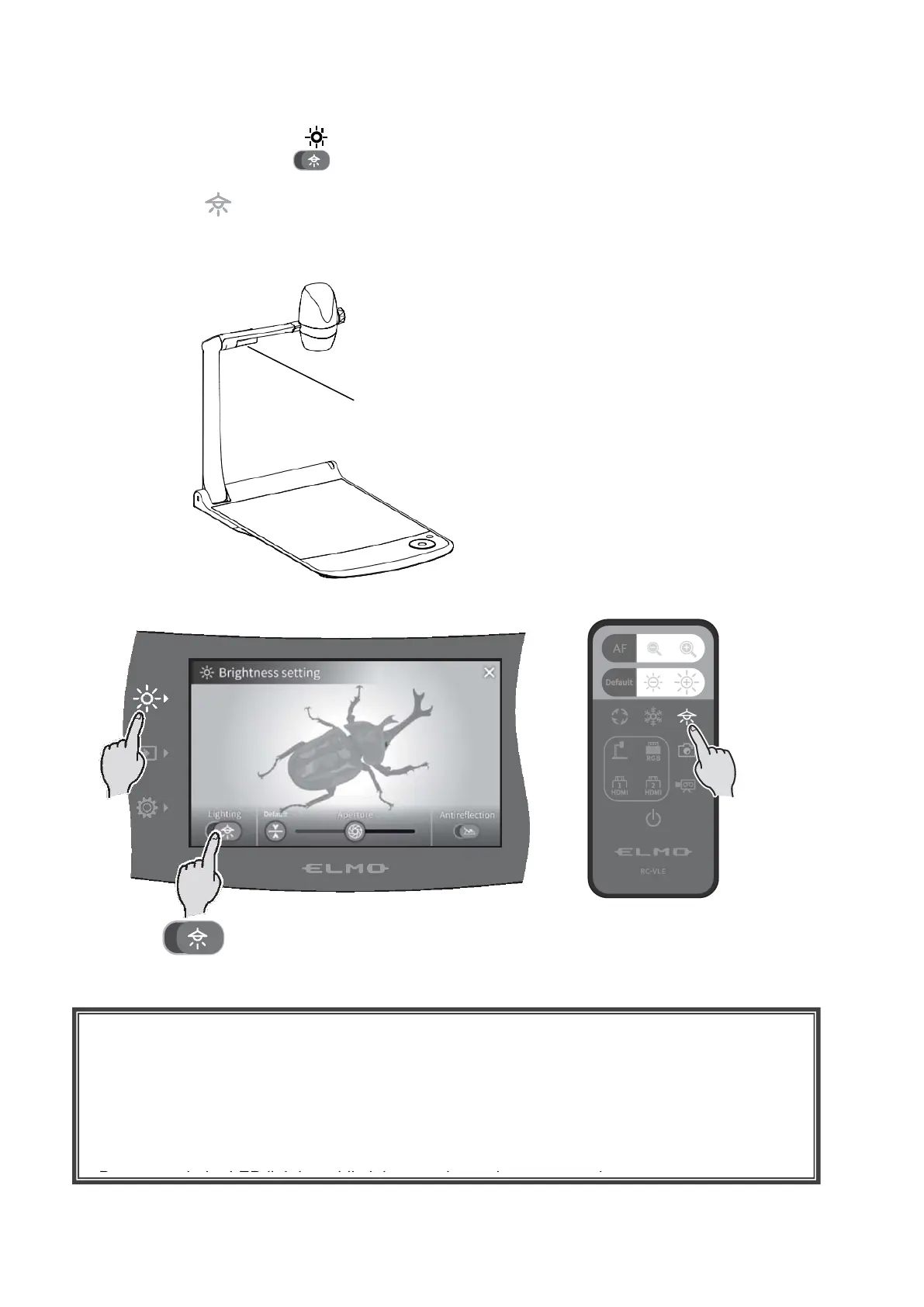
Press the Brightness button [ ] on the operating panel to display the brightness settings menu,
and press the lighting icon [ ] to turn on the LED lighting.
ON/OFF the LED lighting can also be performed from the remote control by pressing the LED
lighting button [ ].
The LED lighting can be rotated by 90°. Adjust the angle according to the subject.
Use the anti-reflection function when there is too much reflection of the light.(⇒P.24)
<Operating panel> <Remote control>
LED lighting (possible to rotate by 90°)
CAUTION
・When you take a picture of a person, turn off the LED lighting.
・The PX-10E/30E is equipped with high-brightness LED. You can safely use it to light up
subjects.
Make sure that the light from the LED does not shine directly into your eyes.
・The brightness of the LED will gradually diminish with long-term use. This is not a malfunction
of the LED lighting, but a characteristic of the LED.
・Do not touch the LED lighting while it is on as it may become very hot.



 To Next Page