33
CONTOUR CORRECT
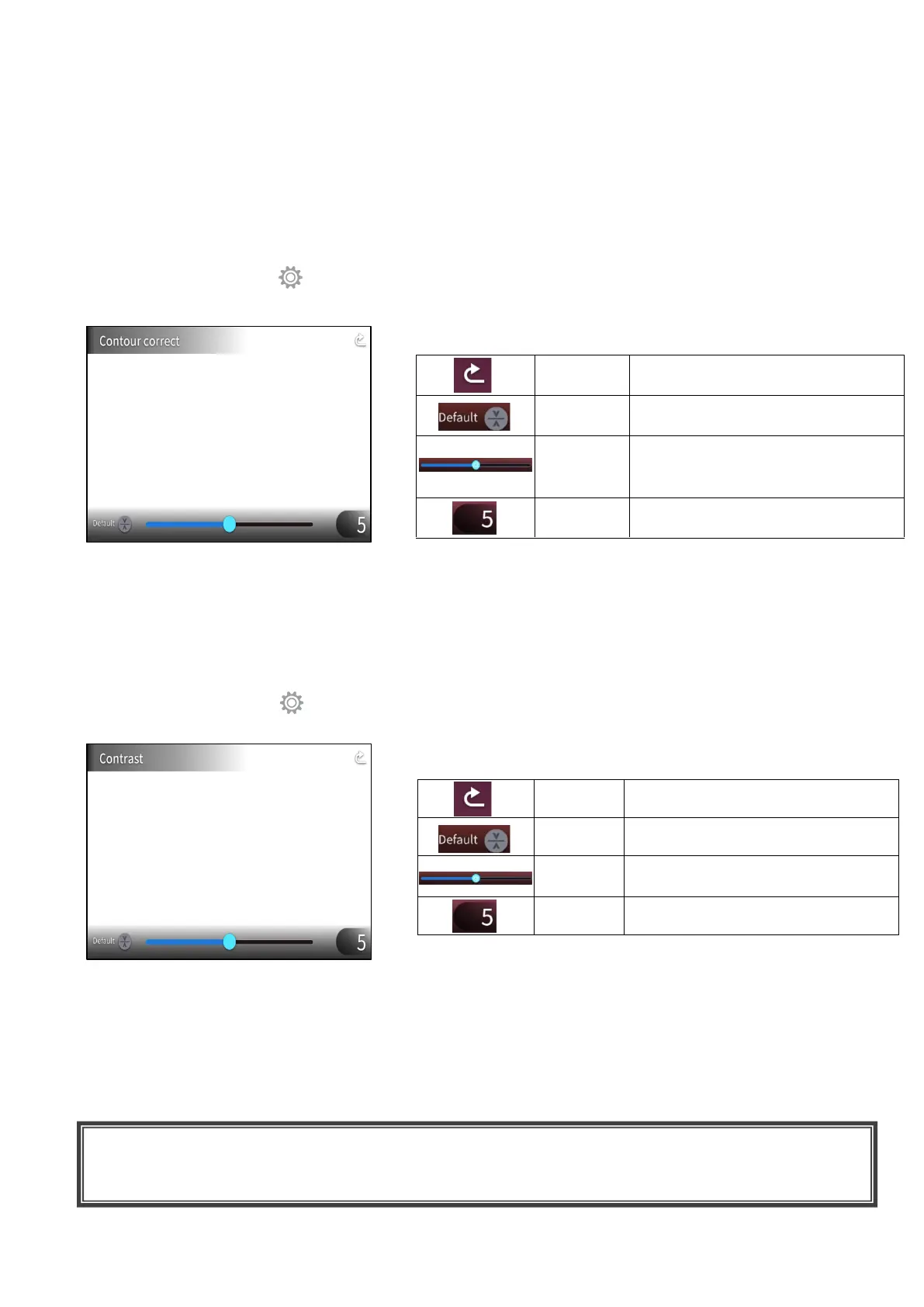
To enhances the edge of the image. (0~10: 11 levels) Default value 5(⇒P.30)
As the value gets smaller, the image becomes softer. As the value gets larger, the image becomes
sharper.
While the image gets sharper by setting to a larger value, it may take more time to process the image
or the file size may become large.
※This function is available only when [Camera image] is selected in the Select image menu.(⇒P.26)
How to use CONTOUR CORRECT
Press the Settings button [ ] on the operating panel while the camera image or a playback image
is displayed on the monitor. Select “CONTOUR CORRECT” from the “Image Quality Setting”.
(⇒P.30)
CONTRAST
To increase the contrast of the image. (0~10: 11 levels) Default value 5
While the image gets sharper and becomes more vivid by setting to a larger value, the glare on the
image may increase.
How to use CONTRAST
Press the Settings button [ ] on the operating panel while the camera image or a playback image
is displayed on the monitor. Select “Contrast” from the “Image Quality Setting”.(⇒P.30)
TIME-LAPSE
To create a 1 second video by combining 30 photos taken at set intervals (1minute, 10minutes,
30minutes, 1hour, 3hours, 6hours).
For example:
When setting to 1minute ⇒ Record 30minutes = 30frames of images = Video length: 1second
When setting to 1hour ⇒ Record 1 week (168hours) = 168frames of images
= Video length: 5.6seconds
To return to the Image Quality
Setting menu.
To return the setting value to 5
(default value).
To set the edge enhancement
value by moving the slider. (0~
10)
To display the current setting
value.
To return to the Image Quality
Setting menu.
To return the setting value to 5
(default value).
To set the contrast value by moving
the slider. (0~10)
To display the current setting value.
CAUTION
・If the video file length exceed 2hours or video file size exceeds 4 GB, a new file will be created
automatically in the same project.



 To Next Page