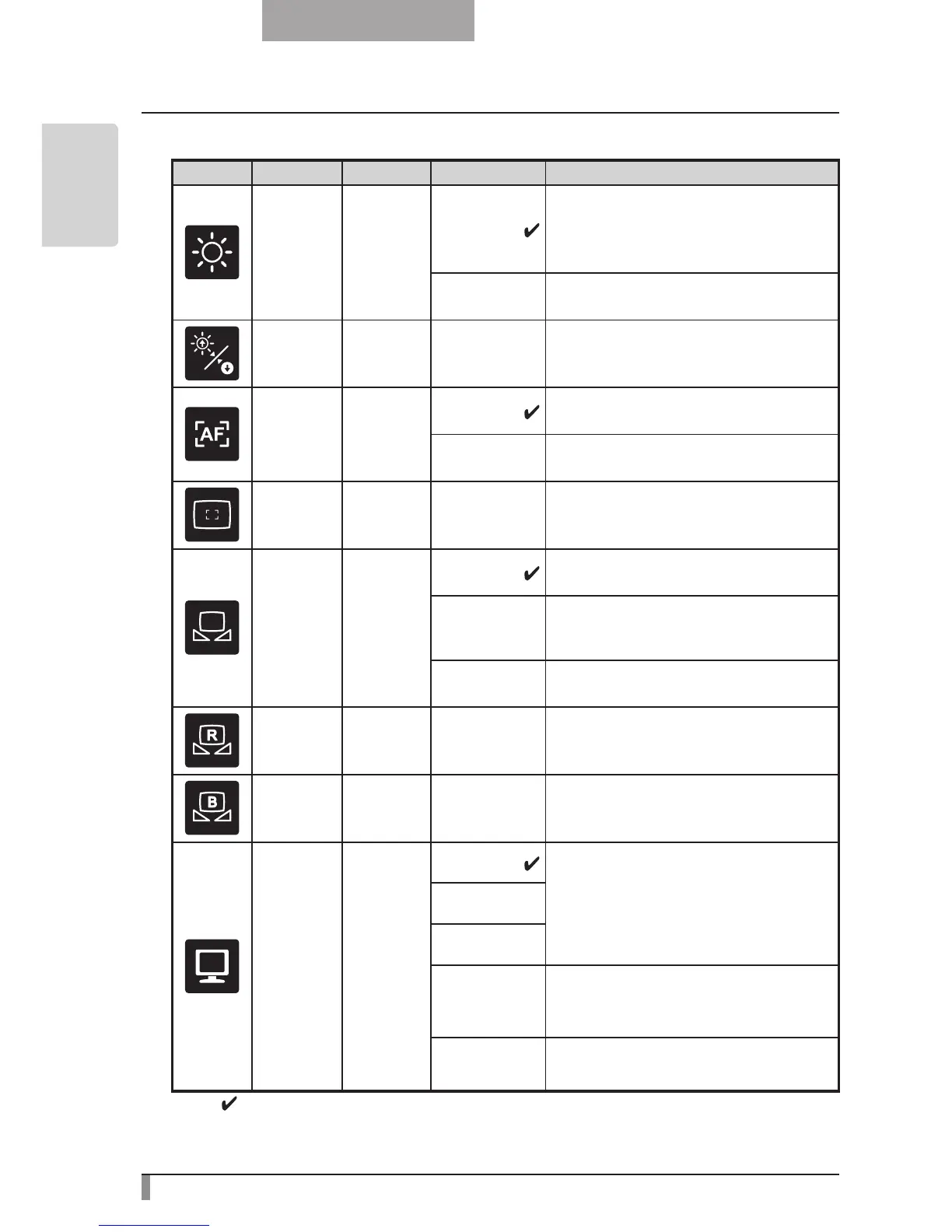
n
Image Setting Menu
Icon
Name
Conditions
Selection Item
Function
Brightness
Auto
To automatically adjust the brightness
of the image according to the object.
You can adjust the level of auto adjust-
ment.
Manual
To set the camera image to a fixed
brightness.
Reset
Brightness
Brightness
[Auto]
To reset the amount of auto adjustment
to the default setting.
AF Mode
Push
Press the AF button to automatically
focus.
Zoom Sync
The focus is automatically adjusted
when zooming.
Focus Use the level bar to fine-tune the focus.
White
Balance
Auto
To automatically adjust the white bal-
ance.
One-Push
To set the white balance to a fixed set-
ting after carrying out automatic correc-
tion.
Manual
To manually adjust the [R-Gain] and [B-
Gain].
R-Gain
Color
[Manual]
-
Use the level bar to adjust the [R-Gain]
for the camera image. Use [
↑
] or [
↓
] to
increase or decrease the red Color.
B-Gain
Color
[Manual]
-
Use the level bar to adjust the [B-Gain]
for the camera image. Use [
↑
] or [
↓
] to
increase or decrease the blue Color.
Image
Mode
Text1
To clearly reproduce black & white
subjects such as characters and lines.
Use when shooting materials such as
documents or text based data. The ef-
fect grows stronger as the number is
increased.
Text2
Text3
Graphics1
To Clearly reproduce color subjects.
Use when shooting materials such as
color figures and photo based data.
Graphics2
The image could be improved if used
with DLP projector.
* The "
" symbol indicates the factory settings.



 To Next Page