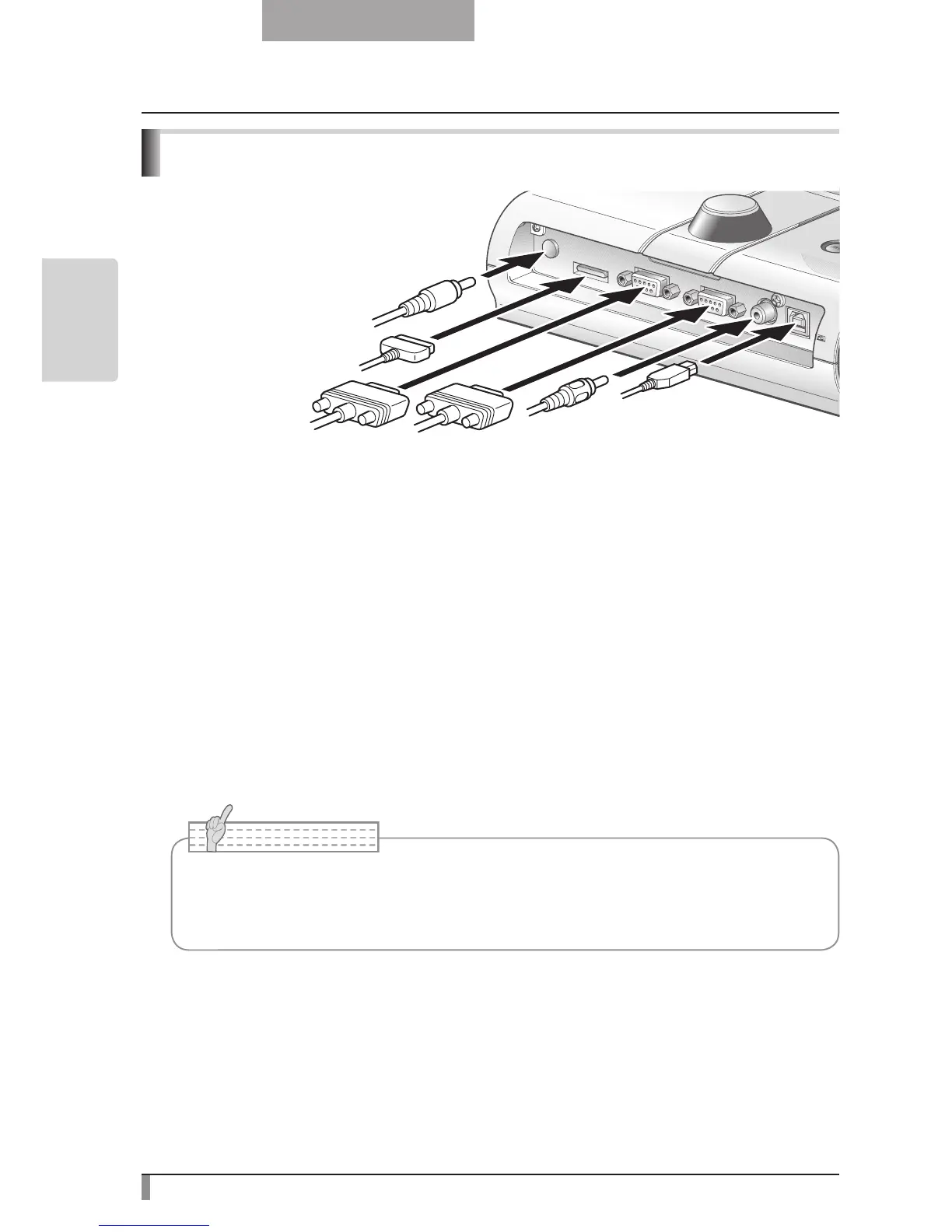
Connecting the AC adapter and Video cable
(1) To connect the unit to any device with an analog RGB input.
Connect the supplied RGB cable from the [RGB OUT] terminal on the rear panel of the unit
to the RGB input terminal of the display device.
•
If the displayed image is off-center, adjustment of the horizontal and vertical position
should be made manually from the connected display device.
•
In some cases, vertical stripes may appear on the display device. This can be mitigated
by manually adjusting the “clock phase” function of the display device. Check the User’s
manual of your specific display device for the proper procedure.
(
2) To connect the unit to any device with an analog RGB output.
Connect the supplied or commercially available analog RGB cable to the [RGB IN] terminal
on the rear panel of the unit.
• When using a laptop PC with external output mode capability, set the laptop PC to
external output mode after pressing the manual operation button [PC] on the main
unit.



 To Next Page