PinP (Picture in Picture) Function
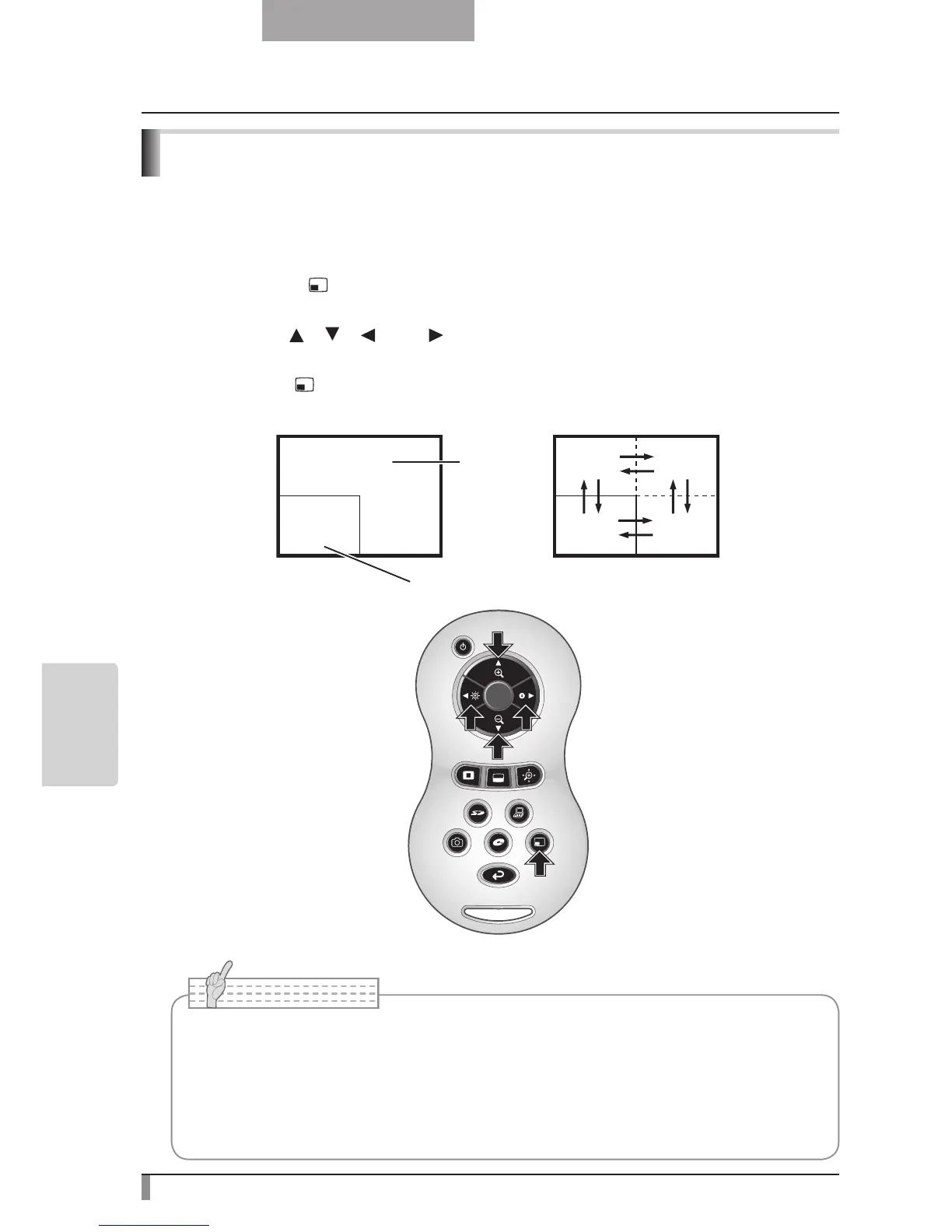
When you press this button, you can display a quarter-size still image on a live camera
display.
PinP operations
If you press the [
] button on the remote control while the output image is Camera Image,
a quarter-size still image is displayed at the bottom left of the screen.
By using the [
], [ ], [ ], and [ ] buttons on the remote control, you can move the still
image to the bottom left, top left, top right, and bottom right.PinP display is canceled when
you press the [
] button on the remote control.
■
• PinP can only be used when the output image is Camera image. It cannot be used
during SD mode or PC mode.
•
When the output image is digitally zoomed, the still screen is at the edge of the optical
zoom image.
•
Cannot use digital zoom while using PinP function.



 To Next Page