Storing
1
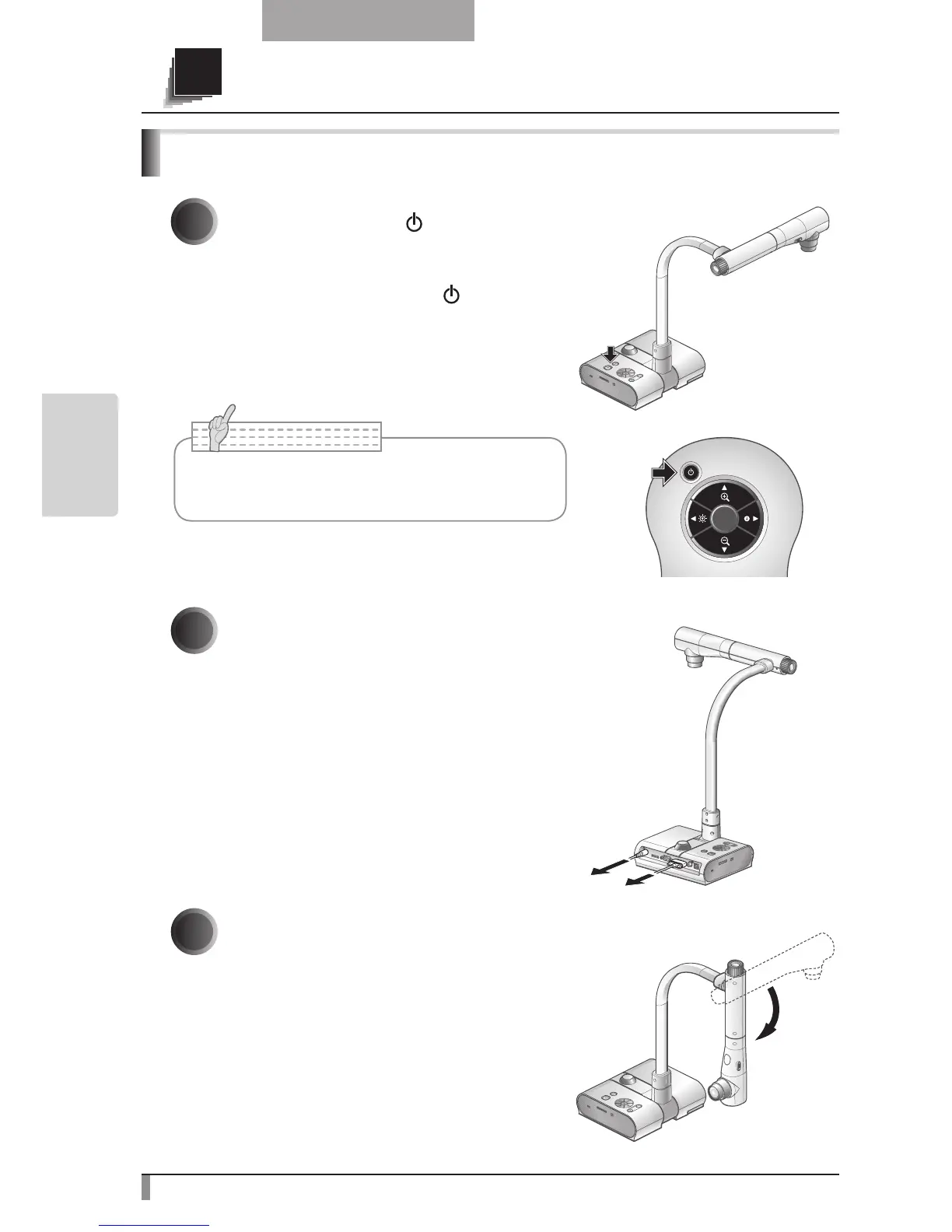
Press the [POWER ] button on the
operating panel or the remote control.
(Hold down the [POWER ] button for
approximately two seconds or more. The
lamp changes from blue to red and the power
switches off.)
2
Unplug the AC adapter from the wall
socket. Then, disconnect the AC
adapter and the video cable.
3
Turn the camera head in the direction
shown in the figure.



 To Next Page