ENGBO AS – et selskap i Engbo-gruppen
BESØKSADRESSE: Wirgenesvei 7, 3157 Barkåker POSTADR: Postboks 2288 Postterminalen, 3103 Tønsberg
E-MAIL: support@engbo.no WEB: www.engbo.no TLF: +47 33 00 31 50 FAKS: +47 33 00 31 60
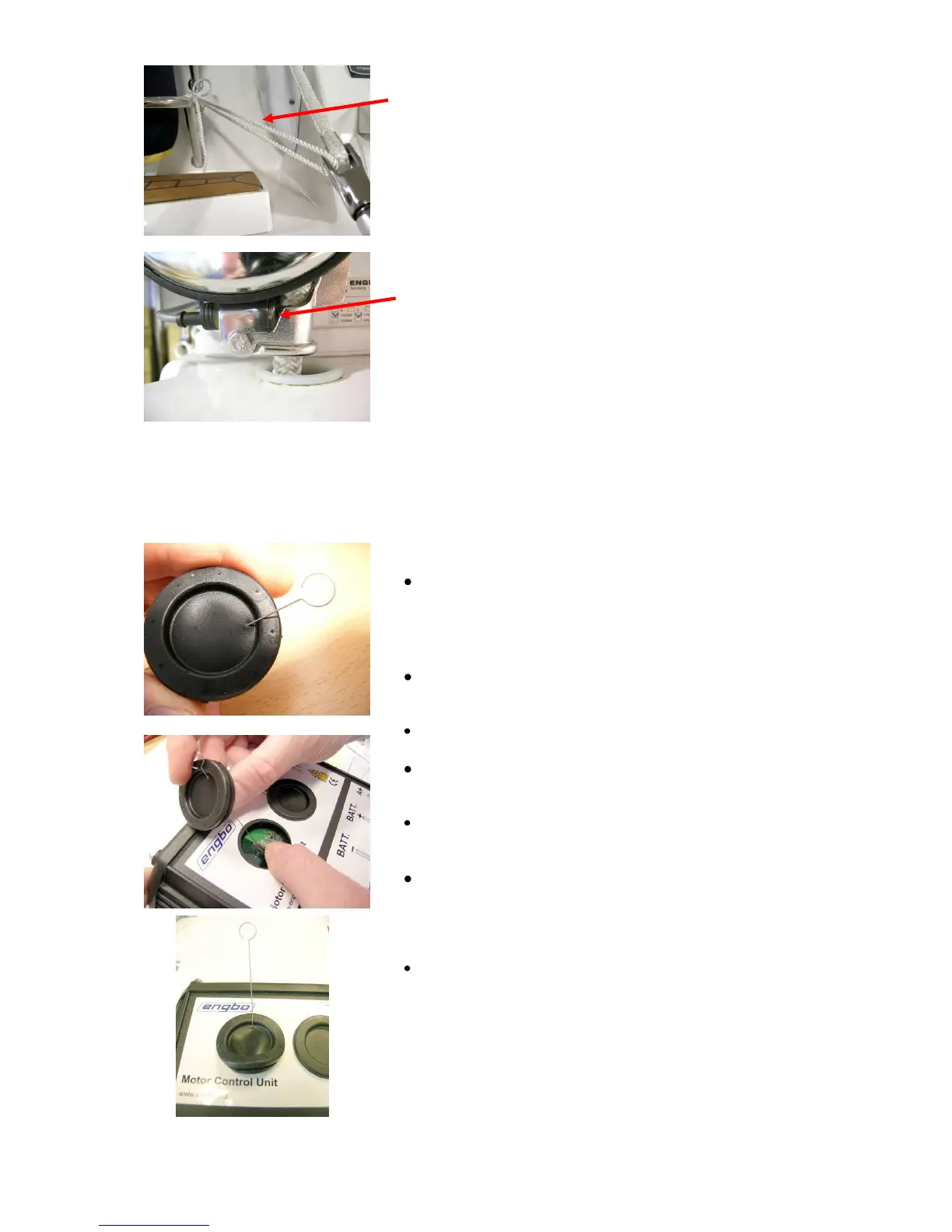
Safety line
Once the anchor is seated in the anchor bracket, it must
be secured with the safety line supplied. This prevents the
anchor from dropping unintentionally.
Auto stop
Engbo MAXI winches for anchor lines feature an advanced
electronic auto stop switch that stops the windlass
automatically, twice. The first stop comes just before the
anchor reaches the anchor bracket. The windlass can then
only be operated at low speed until it stops for the second
time once the anchor is seated correctly in its bracket –
ready to be dropped next time.
Fitting antenna
Before starting to operate the wireless remote, the
electronic unit must be fitted with an aerial. In addition, the
remote control and electronic unit must be coded/
electronically instructed to communicate with one another.
Remove the left-hand rubber plug on the electronic unit
(the one closest to the Engbo logo).
Pierce the plug (to one side) with the aerial.
Depress the female socket of the aerial holder and press
the aerial fully into the clip.
Release the female socket and the aerial will be secured in
position.
Replace the rubber plug. Start by pressing the part of the
rubber plug through which the aerial has been inserted,
and continue around the edge until the plug is firmly
seated.
Make sure not to twist the plug and deform the aerial.
NB The remote control will function at short distances even if the
aerial is not fitted.



 To Next Page