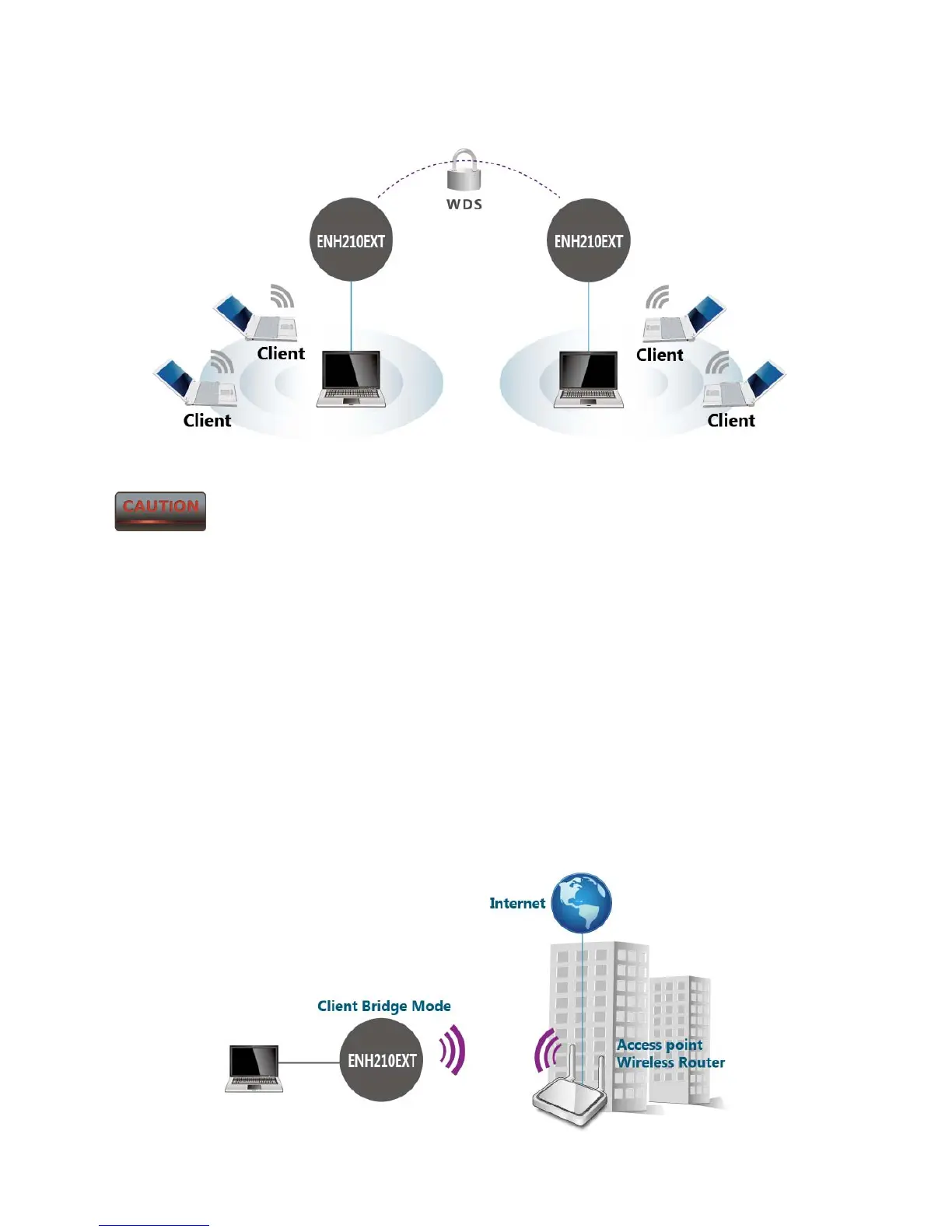
ENH210EXT’s directional antenna and be within in the range to send signal back to the
ENH210EXT.
Not every Access Point supports WDS in Access Point Mode. It is
recommended to use ENH210EXTs if you would like to utilize this functionality.
3.3 Client Bridge Mode
In the Client Bridge Mode, the ENH210EXT functions like a wireless client, connecting to an
Access Point wirelessly and enabling Internet connectivity wherever you want. Use Site Survey
function to scan all of the Access Points within range and configure the SSID and Security
Password to associate with it. With Client Bridge Mode, the ENH210EXT works as long range
2.4GHz wireless-Ethernet Bridge in order to provide a 2.4GHZ link between the access point
and networked clients.



 To Next Page