6 System
6.1 Switching the Operation Mode
The ENH210EXT supports 4 modes: Access Point, Client Bridge, WDS Bridge, and Client Router.
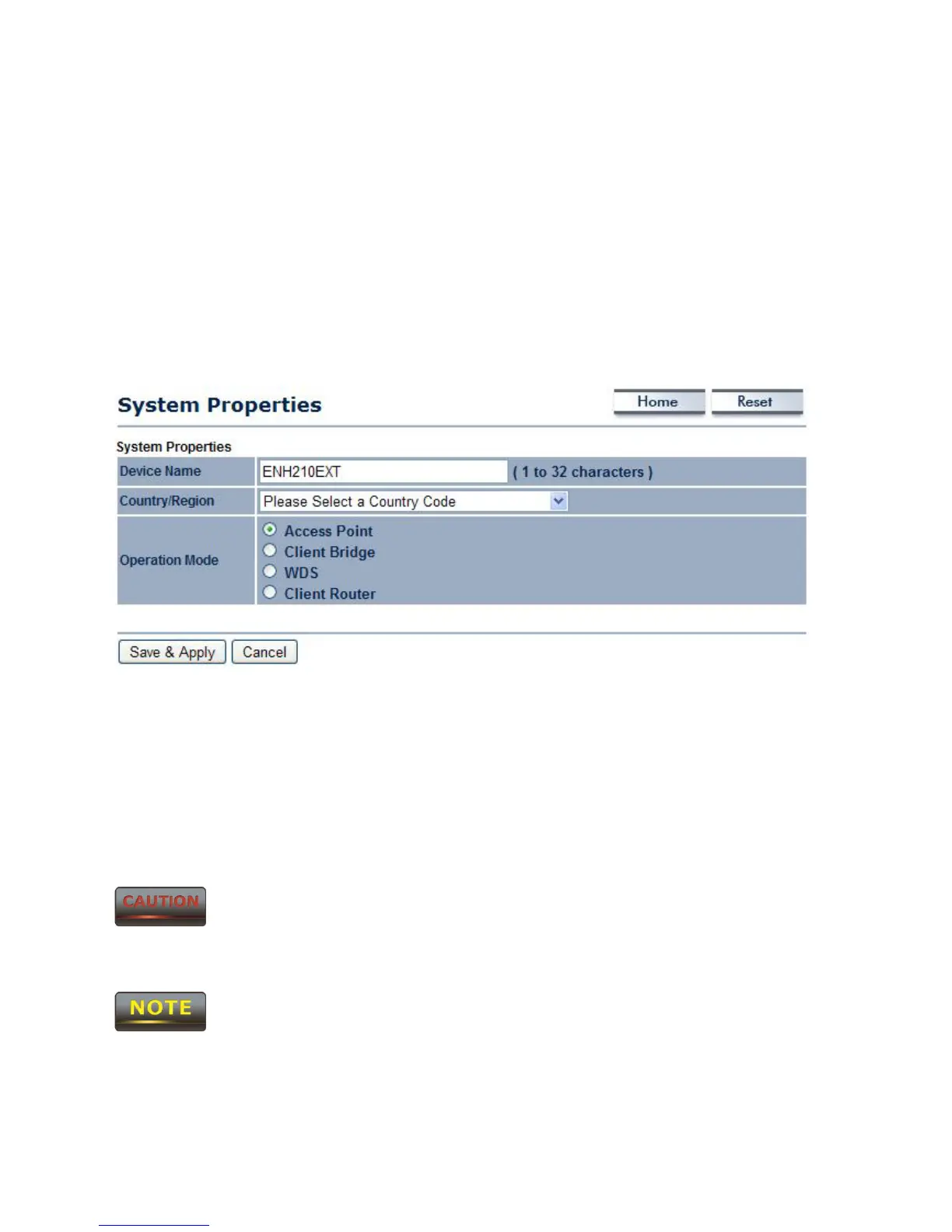
In order to switch between the operating modes, please go to System -> Operation mode.
To begin, click System Properties under System Section.
• Device Name: Specify a name for the device. It is not the broadcast SSID; this will be
shown in SNMP management.
• Country/Region: Select a Country/Region to conform to local regulations.
• Operation Mode: Select an operation mode via a Radio Button.
Click Accept to confirm the changes.
Accept does not apply the changes – you must go to Status -> Save / Load
to apply the new settings. Please refer to Chapter 4.1 for more information.
If you would like to use Access Point with WDS Function mode, please select
Access Point Mode and then enable WDS function in the Wireless Network section. The
scenario requiring this functionality, WDS and AP, is rare.



 To Next Page