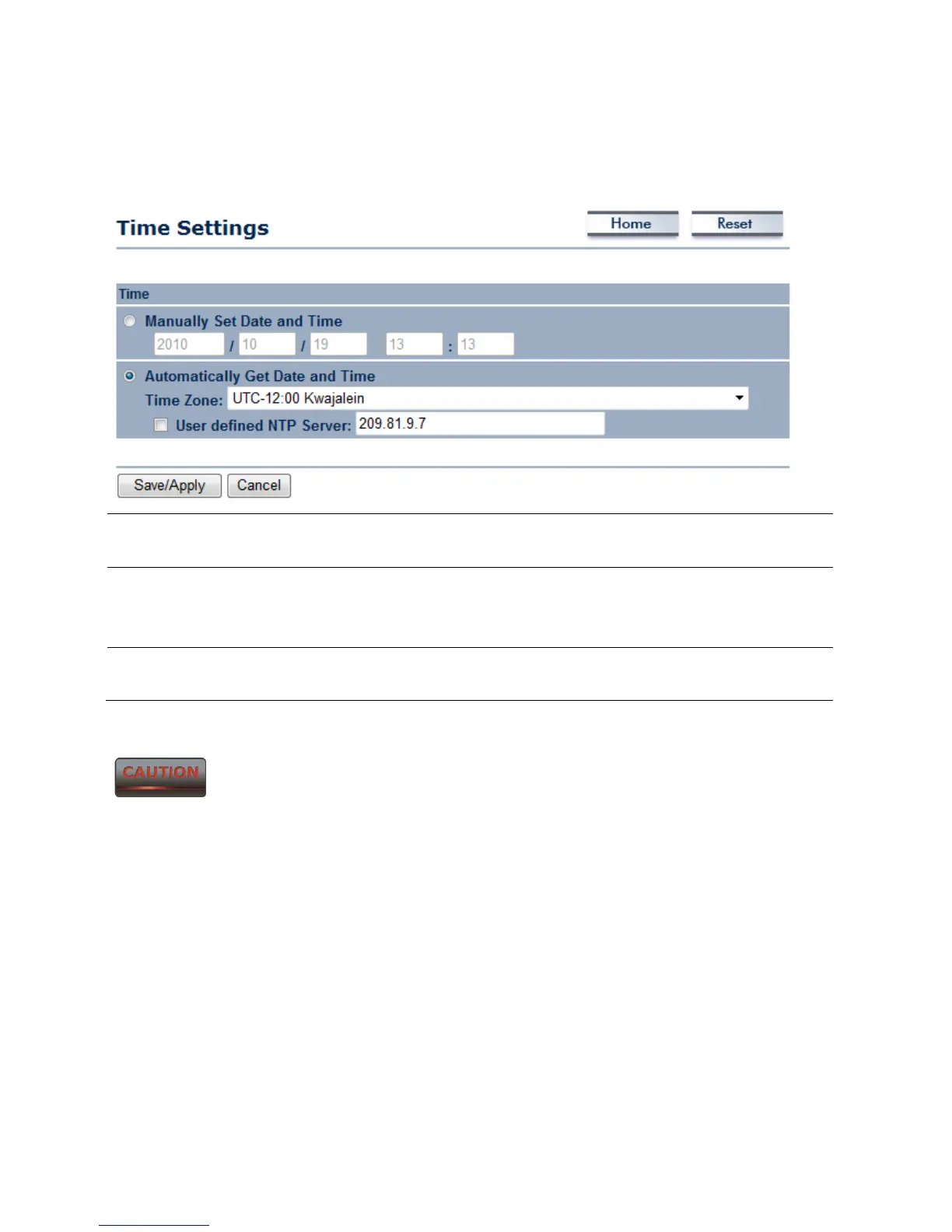
10.6 Time Settings
Click on the Time Settings link under the Management menu. This page allows you to
configure the time on the device. You may do this manually or by connecting to a NTP server.
Manually Set Date and
Time
Manually setup the date and time.
Automatically Get
Date and Time
Specify the Time Zone from the drop down list and Place a
check to specify the IP address of the NTP Server manually or use
the default NTP Server.
Save / Apply / Cancel Press Save / Apply to confirm the changes or Cancel to return
previous settings.
Pressing Save / Apply will change the settings immediately. It is not
reversible unless the settings are changed again or the device is reset.



 To Next Page