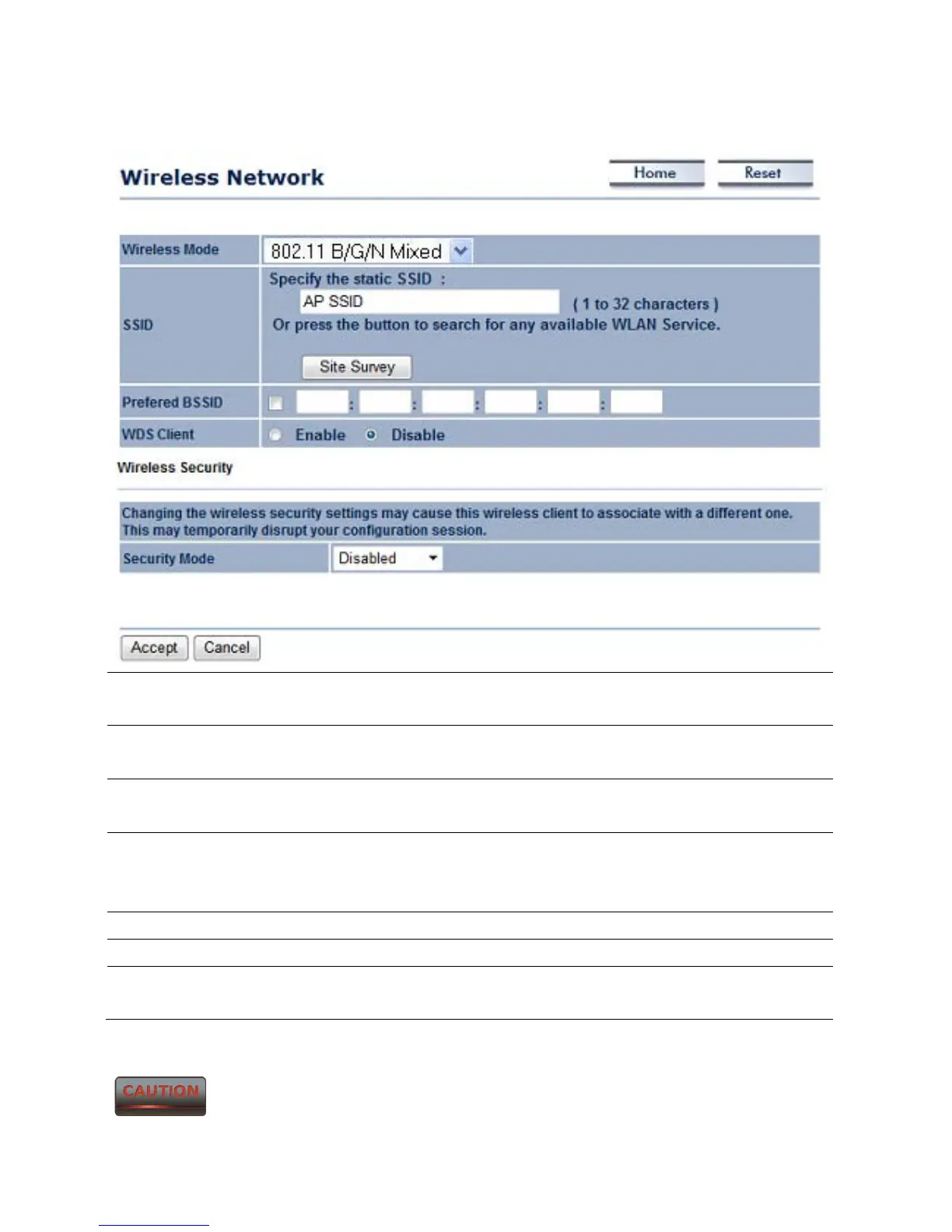
7.1.2 Client Bridge Mode
Wireless Mode The wireless mode supports 802.11b/g/n mixed operation. It is
compatible with the most common known wireless bands.
SSID Specify the SSID if known. The SSID text box will be automatically
filled in when an AP in the Site Survey is selected.
Site Survey Use Site Survey to scan nearby APs, and then select the AP to
establish a connection.
Prefer BSSID Specify the MAC address, if known. The Prefer BSSID check box
will be automatically filled in when an AP in the Site Survey is
selected.
WDS Client Select a Radio button to Enable / Disable WDS Client.
Wireless Security Please refer to Chapter 6.2 for details.
Accept / Cancel Press Accept to confirm the changes or Cancel to return
previous settings.
Accept does not apply the changes – you must go to Status -> Save / Load
to apply the new settings. Please refer to Chapter 4.1 for more information.



 To Next Page