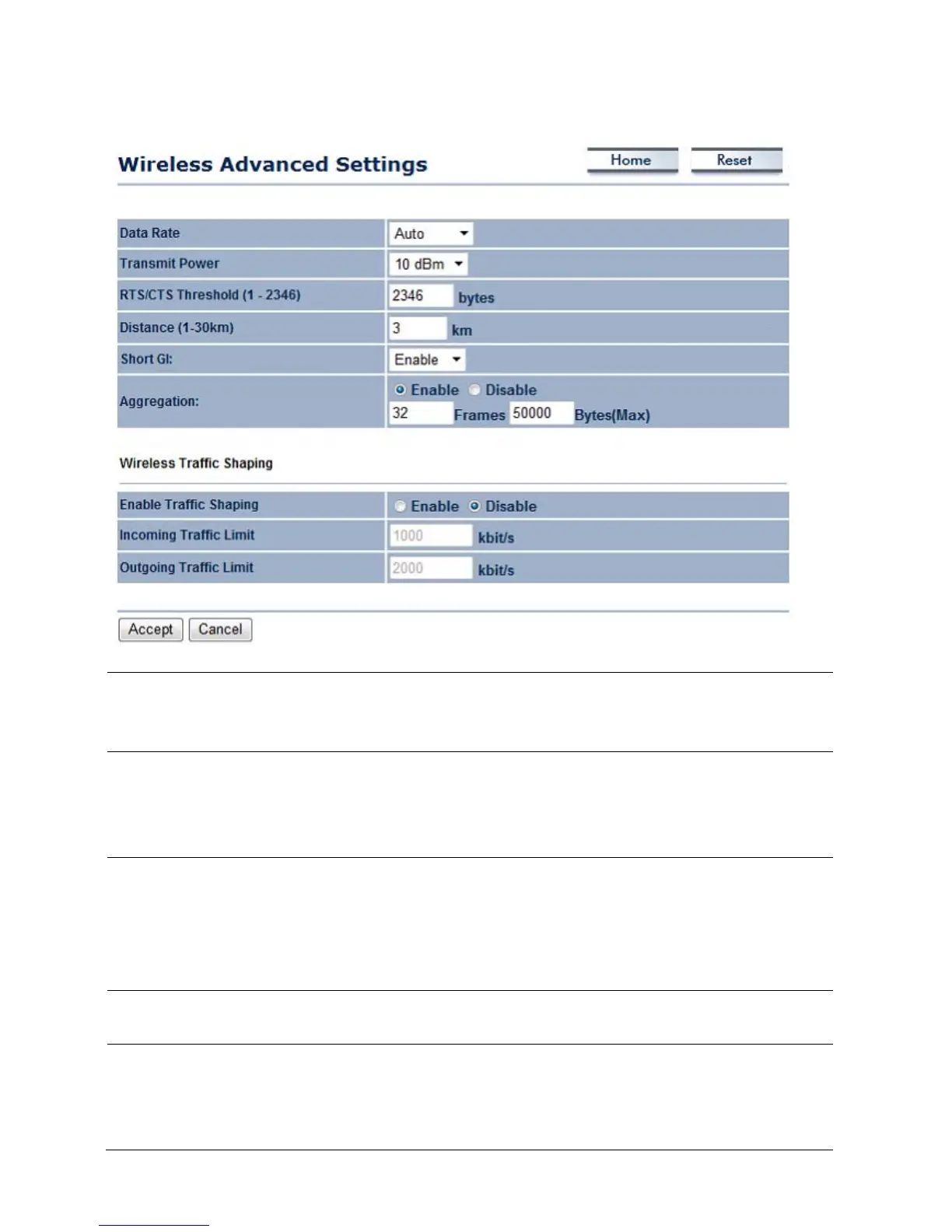
7.3 Wireless Advanced Settings
Data Rate Select Data Rate from the drop down list. Data rate will affect the
efficiency of the throughput. A lower data rate will allow for
transmissions to travel longer distances.
Transmit Power Select Transmit Power to increase or decrease the transmit power.
Altering the transmit power will change the wireless coverage
area correspondingly; however, setting the Transmit Power to an
extreme level may cause issues for wireless connectivity.
RTS/CTS Threshold Specify Threshold package size for RTC/CTS. Smaller thresholds
will cause RTS/CTS packets to be sent more often, consuming
more of the available bandwidth. In addition, if heavy traffic
occurs, the wireless network is more robust in the event of
interference or collisions.
Distance Specify distance range between AP and Clients. Farther distances
may utilize lower connection speeds.
Short GI Short GI is an improvement of 802.11n and 802.11b/g. It can
increase performance by 10% during the data transmission. For
example, if the 802.11b/g’s GI is 800μs, the short GI will be 400μ



 To Next Page