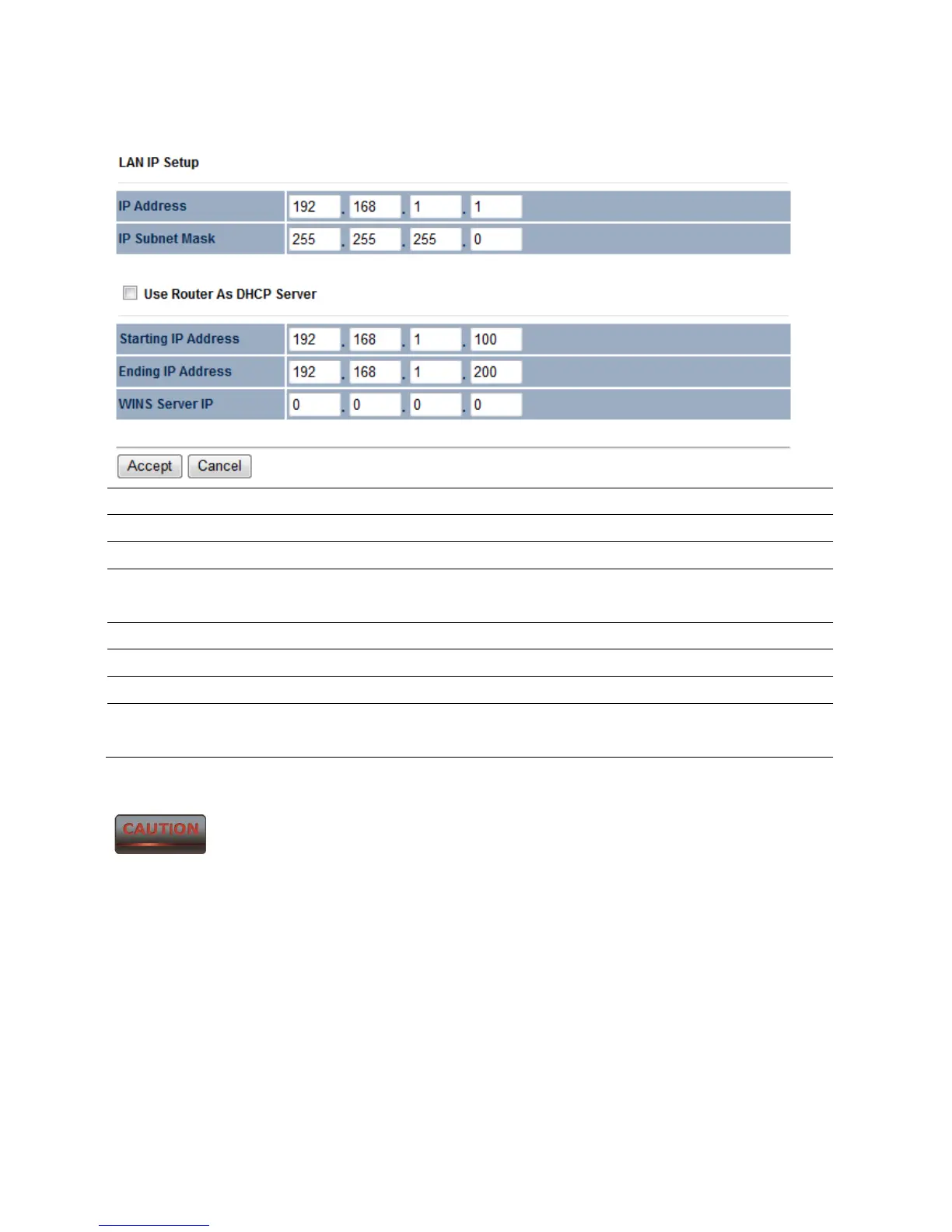
9.2 LAN Settings (Router Mode)
IP Address Specify LAN port IP address.
IP Subnet Mask Specify LAN IP Subnet Mask.
WINS Server IP Specify WINS Server IP.
Use Router As DHCP
Server
Place a check to enable the DHCP server.
Starting IP Address Specify DHCP server starting IP address.
Ending IP Address Specify DHCP server ending IP address.
WINS Server IP Specify the WINS Server IP address.
Accept / Cancel Press Accept to confirm the changes or Cancel to return
previous settings.
Accept does not apply the changes – you must go to Status -> Save / Load
to apply the new settings. Please refer to Chapter 4.1 for more information.



 To Next Page