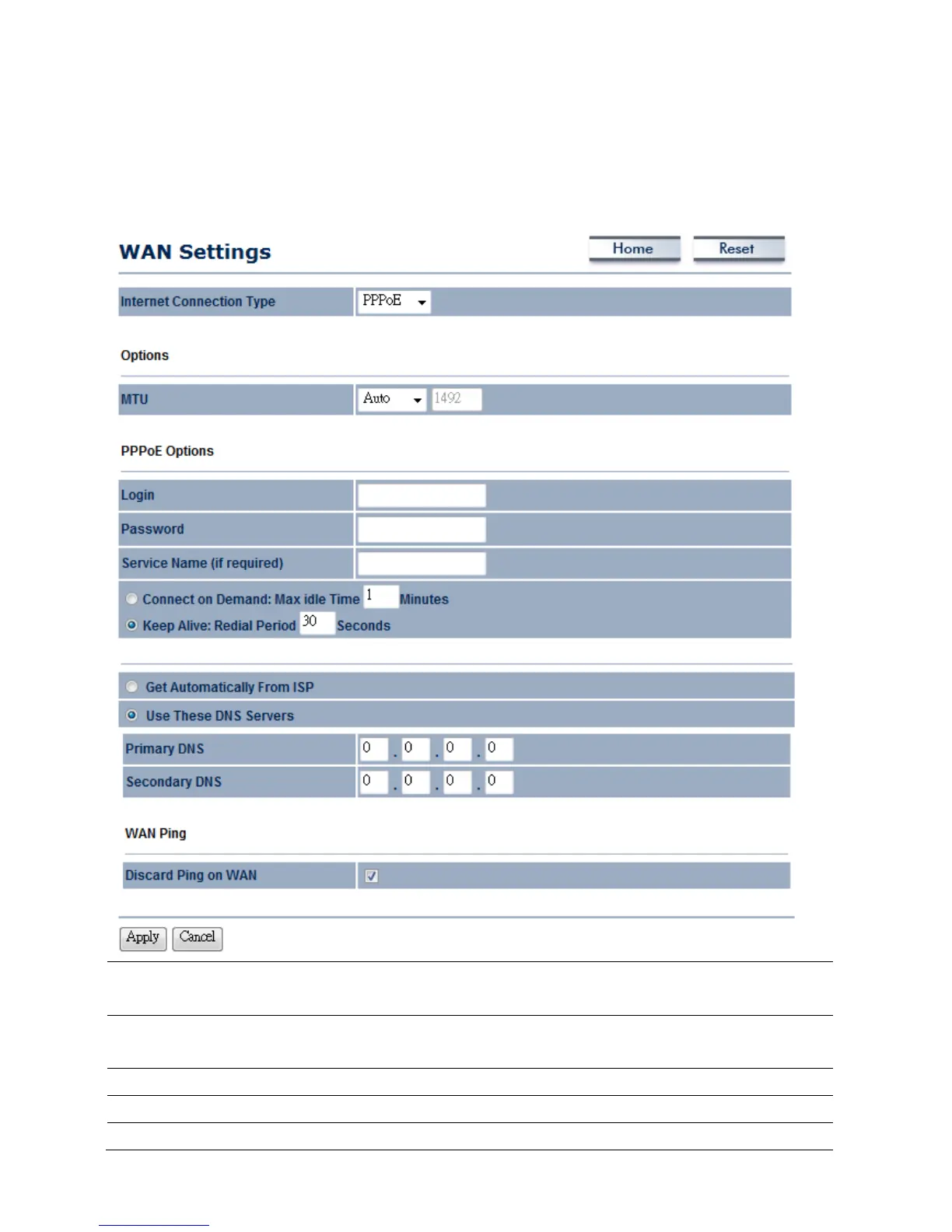
9.1.3 PPPoE (Point-to-Point Protocol over Ethernet)
Select PPPoE as your WAN connection type if your ISP provides a Username and Password. If
the PPPoE is a DSL service, please remove the PPPoE software from your computer as the
software is not necessary with the use of the ENH210EXT.
Internet Connection
Type
Select PPPoE to begin configuration of the PPPoE connection.
MTU Specify the Maximum Transmit Unit size. EnGenius recommends
that it remains in Auto.
Login Specify the Username that is given by your ISP.
Password Specify the Password that is given by your ISP.
Service Name Specify the Service Name that is given by your ISP.



 To Next Page