eno one 2/r - user manual
REV.05
12
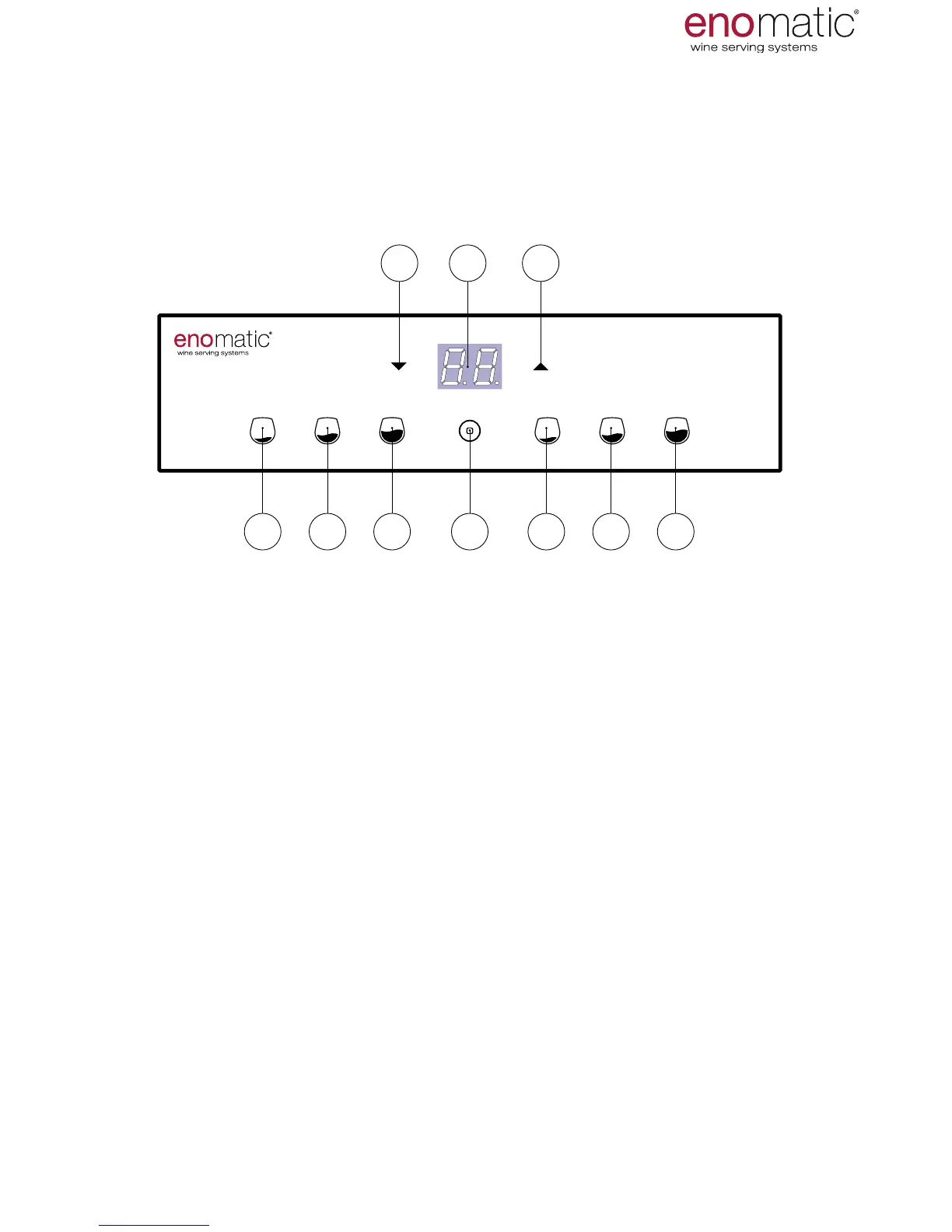
The A-Z references shown on this page and on the previous one,
are mentioned throughout the manual.
V1. Small dose dispensing button (lit)
V2. Medium dose dispensing button (lit)
V3. Large dose dispensing button (lit)
Z. Multifunction button: conrmation, power on/off, output (lit)
X. Increase arrow button
W. Display (lit)
Y. Decrease arrow button
V1 V2 V3 V1 V2 V3Z
XY W
Do not use objects to press the buttons on the keyboard.
use only the ngers of the hand.
11. COMMANDS KEYBOARD AND DISPLAY
CHARACTERISTICS AND COMPONENTS
The keyboard of the dispensers is backlit, as such most of the buttons are
only visible after powering of the dispenser.



 To Next Page