eno one 2/r - user manual
REV.05
38
33. F7 DISPENSER VERSION
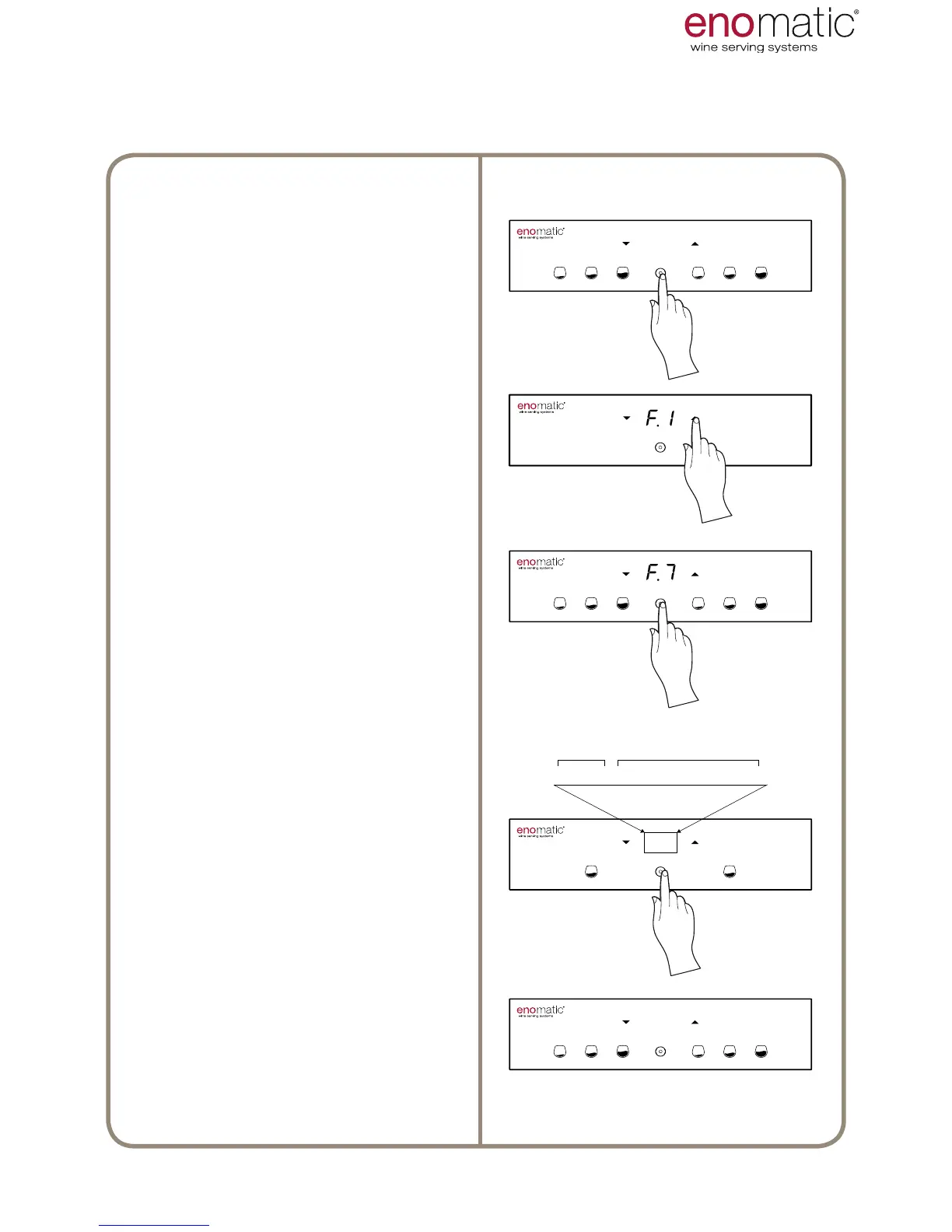
From the operating state press the
multifunction button(Z) for 3 seconds
and release it as soon as the letters
"F1" are displayed.
Scroll with the arrow buttons (X, Y)
to select the function “F.7”
Press the multifunction button (Z) to
access the function chosen.
The Dispenser will alternatively dis-
play a series of numbers and letters
that dene the hardware installed (1)
and the rmware version loaded (2).
Once the display view is completed,
the Dispenser automatically returns
to the operating mode.



 To Next Page