eno one 2/r - user manual
REV.05
25
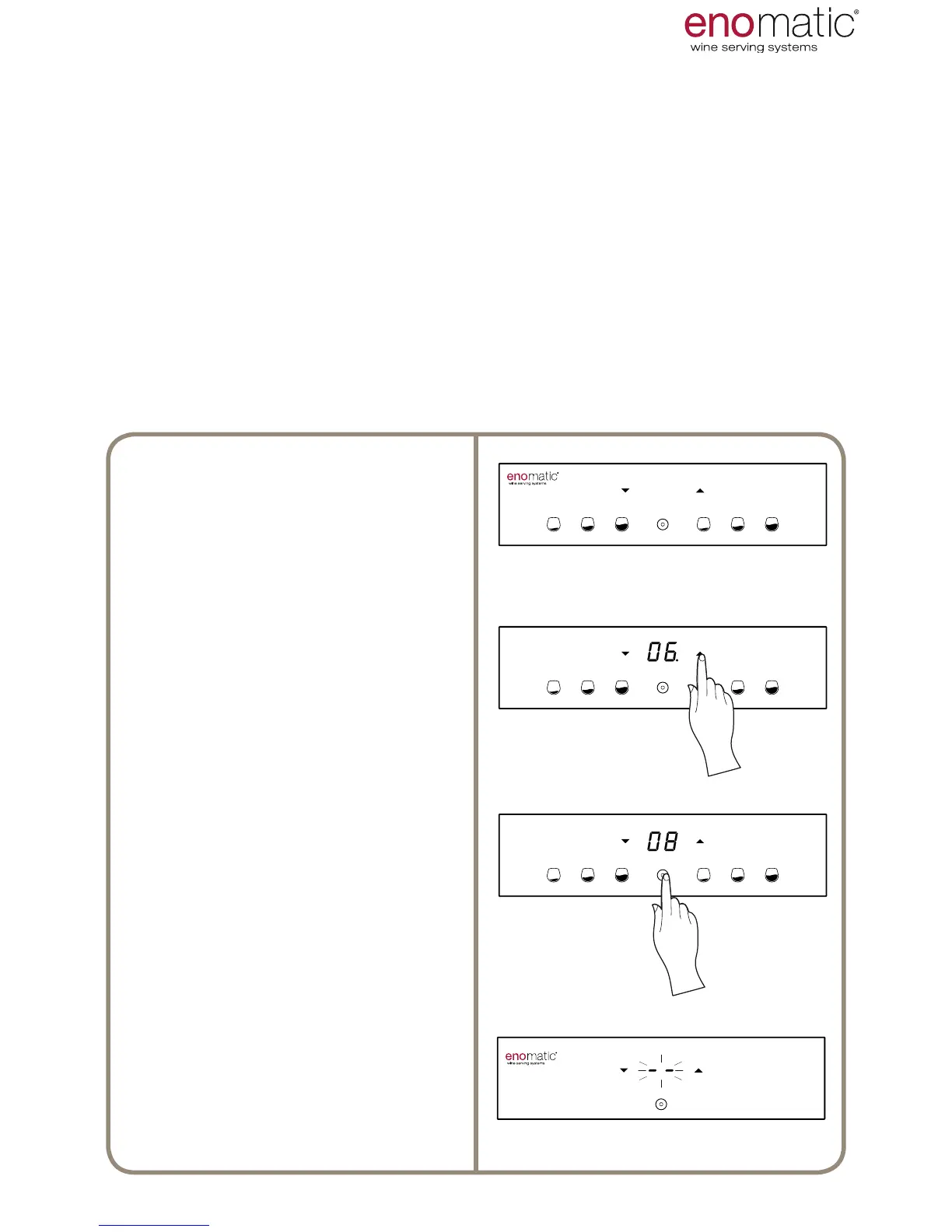
From the operating state, press the
arrow buttons (X, Y), the Dispenser
will display the current setting, high-
lighting it with a point “ .”
Scroll with the arrow buttons (X, Y)
to select the desired setting between
“6÷18/OF” or “43÷64/OF”
Press the multifunction button (Z) to
save the setting.
Flashing of the display lines conrms
successful programming of the set-
ting.
23. TEMPERATURE SETTING
[default setting 10 °C]
The temperature setting of the bottle compartment (P) is the only parameter which
is accessed directly without having to enter the functions menu.
The temperature that can be set is between 6°C (43 °F) and 18°C (64 °F). It is pos-
sible to set the unit of measurement of temperature in degrees centigrade (°C) or
degrees Fahrenheit (°F) consulting para. 22.
Switch off refrigeration of the bottle compartment by setting the value to "OF"= OFF, that
is located before the value " 6" ("43") and after the value "18" ("64"). This mode is recom-
mended when the temperature of the room in which the Dispenser is located is similar
to the temperature of the wine in question. Whenever the refrigeration is switched off it
is necessary to keep the door open and to dry the moisture as stated in para. 42.
The ability to reach the temperature of the bottle compartment (P) is inuenced by
external environmental conditions, therefore only place the Dispenser in indoor
dry environments and with a maximum temperature of 26°C (79°F), with hu-
midity less than 60% and away from heat sources.
USE AND OPERATION



 To Next Page