eno one 2/r - user manual
REV.05
39
34. DEFAULT RESET
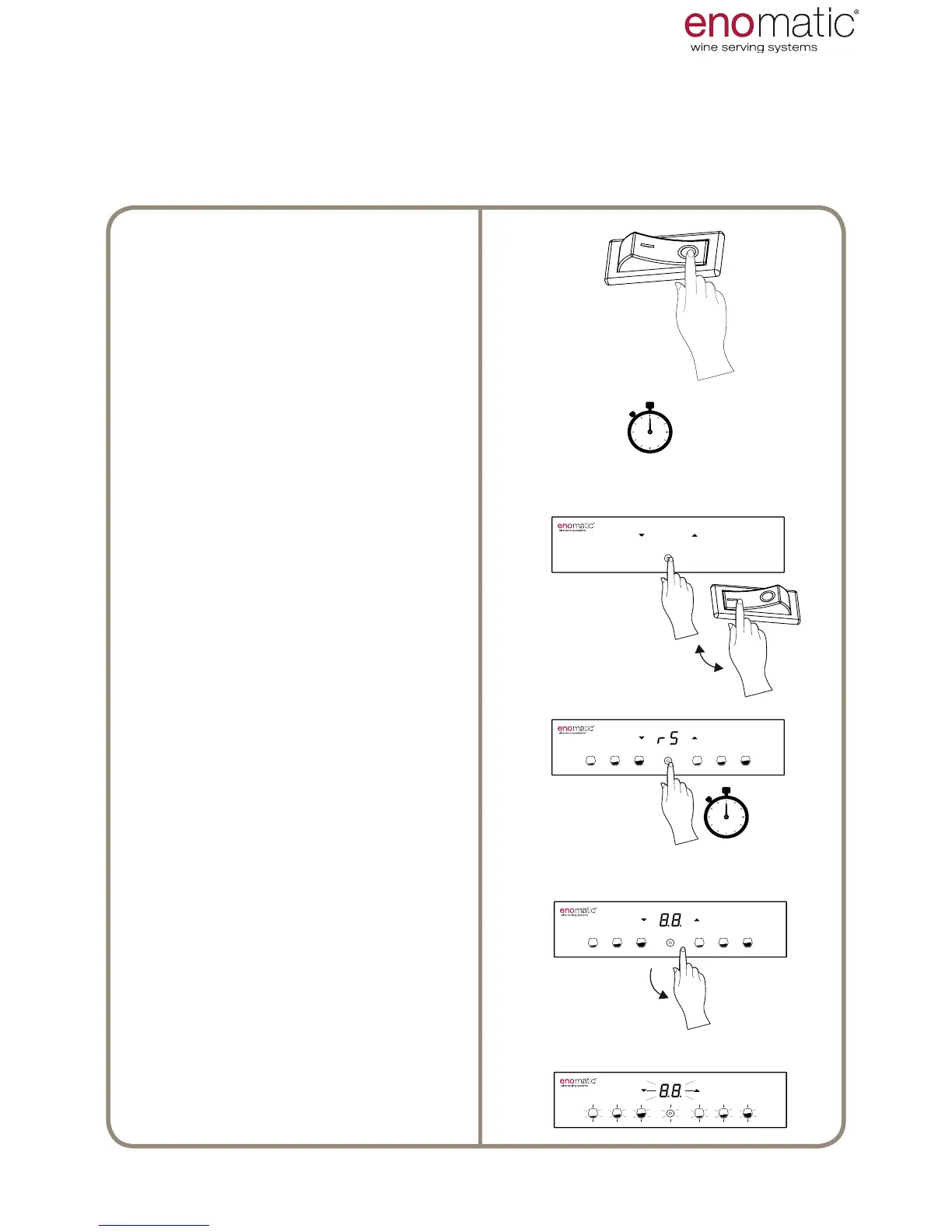
Turn the main switch (L) into position
"O" = OFF and wait at least 10 sec-
onds.
Press and hold the multifunction but-
ton (Z) and at the same time turn on
the main switch (L).
...hold down the multifunction but-
ton (Z)...
The display will show the word "rS"
(Reset)
...hold down the multifunction but-
ton (Z)...
Release the multifunction button as
soon as the display shows "8.8."
Flashing of the display and of the
keyboard icons conrms successful
default settings reset after which the
Dispenser will automatically change
to operating mode.
If necessary, it is possible to reset all the settings to the defaults values. The default
values are shown in square brackets
[...]
next to the title of each paragraph of the
function.
USE AND OPERATION



 To Next Page