eno one 2/r - user manual
REV.05
17
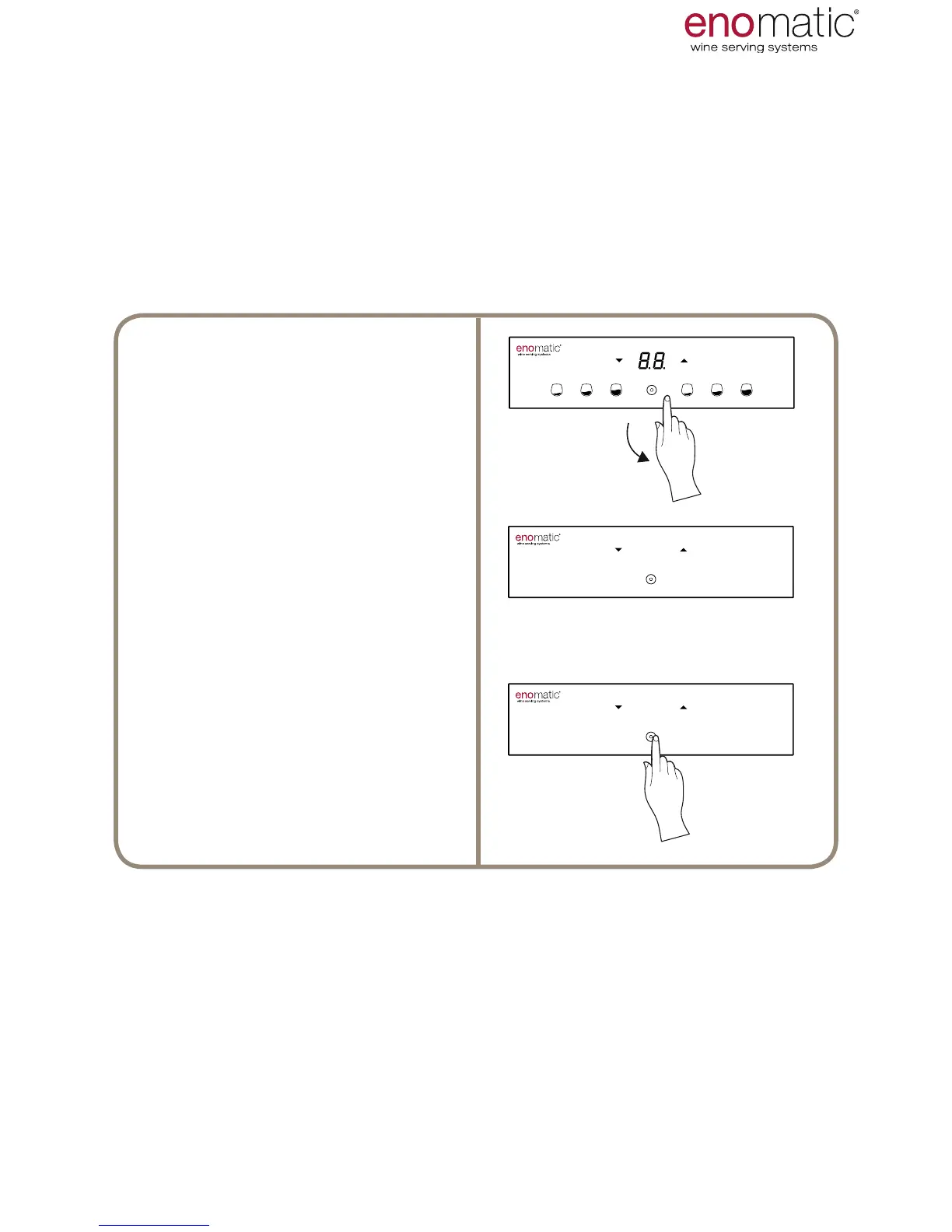
17. SECONDARY (STAND-BY)
ON/OFF
The Dispenser can also be switched on and off with the conrmation button (Z),
when the main switch (L), present on the rear panel, is not easily accessible.
In stand-by mode the Dispenser is actually switched off (dispensing is not per-
mitted and refrigeration is disabled) even if powered by the electric mains.
From the operating state press the
multifunction button (Z) until 8.8.” ap-
pears on the display after the display
of "F1"
When the button is released, the Dis-
penser
switches off leaving only the
lit conrmation button (Z) on.
Rest condition (stand-by)
To switch on the Dispenser from the
stand-by condition, simply press the
conrmation button (Z) until power-
ing of the display.
USE AND OPERATION



 To Next Page