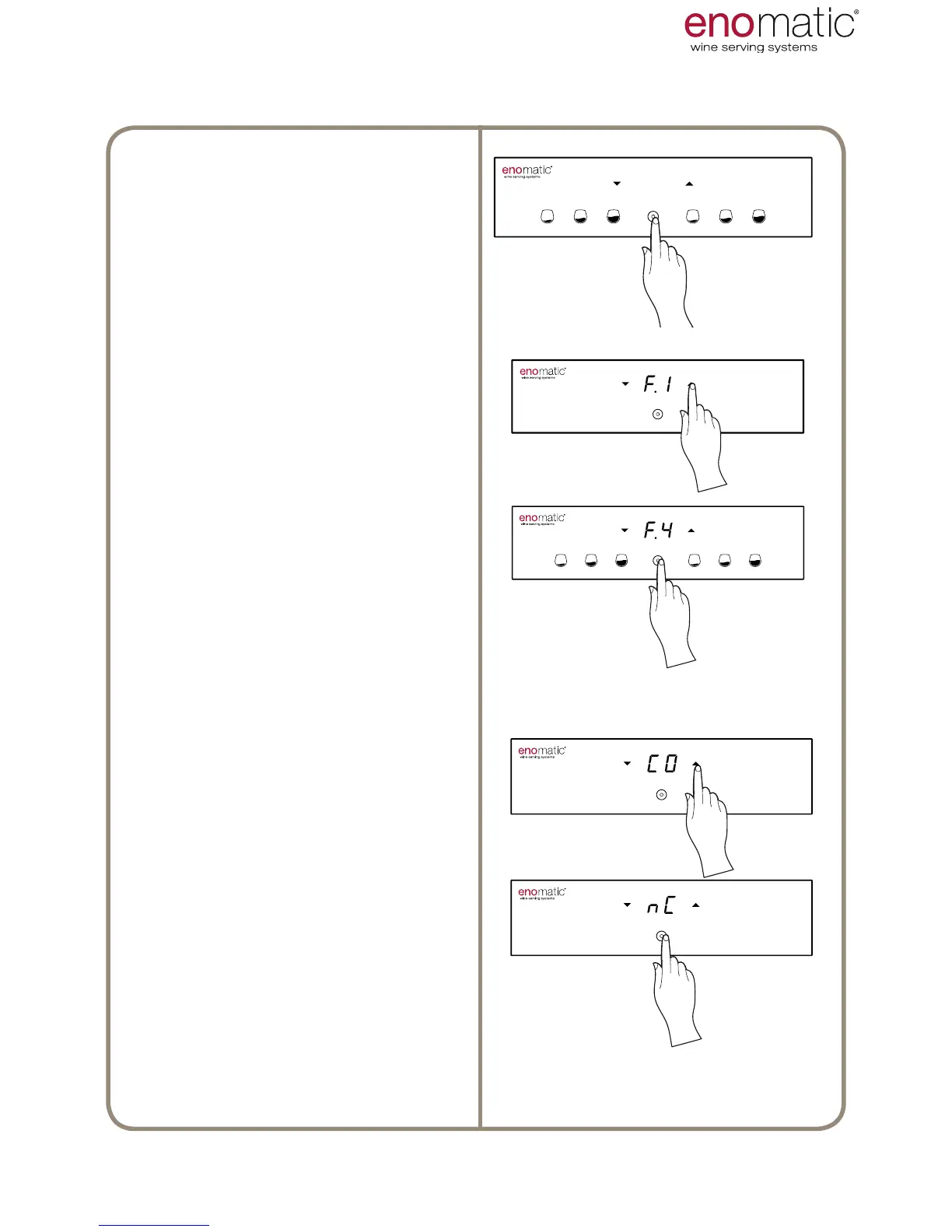
From the operating state press the
multifunction button(Z) for 3 seconds
and release it as soon as the letters
"F1" are displayed.
Scroll with the arrow buttons (X, Y)
to select the function "F.4".
Press the multifunction button (Z) to
access the function chosen.
The Dispenser will display the current
setting, highlighting it with a point “
.”
Scroll with the arrow buttons (X, Y)
to select the desired setting between
“CO/nC/CA/dF”.
Press the
conrmation button (Z)to save
the setting.



 To Next Page