eno one 2/r - user manual
REV.05
24
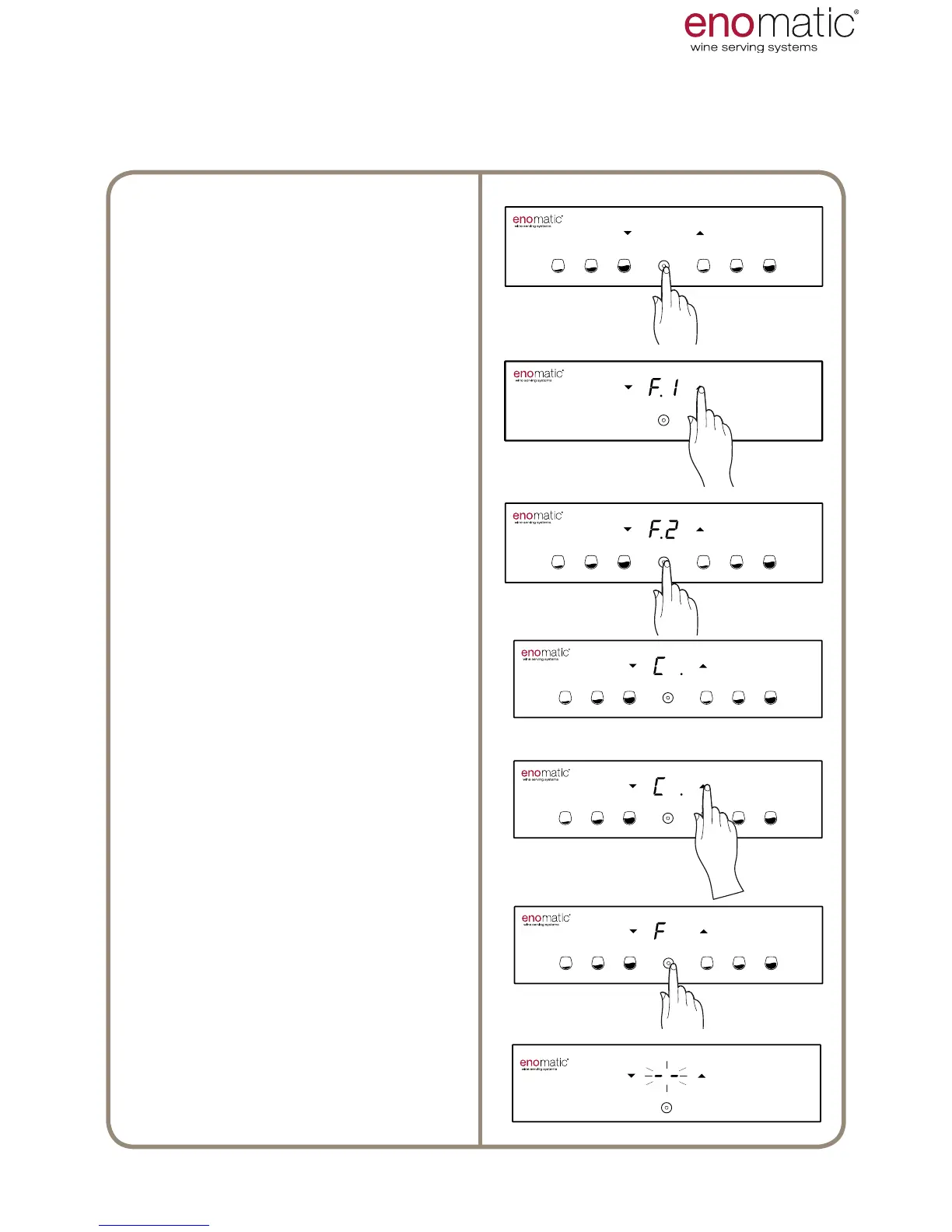
From the operating state press the
multifunction button(Z) for 3 seconds
and release it as soon as the letters
"F1" are displayed.
Scroll with the arrow buttons (X, Y)
to select the function "F.2"
Press the multifunction button (Z) to
access the function chosen.
The Dispenser will display the current
setting, highlighting it with
a point “ .”
Scroll with the arrow buttons (X, Y)
to select the desired setting between
“6÷18/OF” .
Press the multifunction button (Z) to
save the setting.
Flashing of the
display lines conrms successful
saving of the setting.
3’’
It is possible to set the temperature measurement unit in degrees Celsius °C,
shown on the display with “C” or in degrees Fahrenheit °F, shown on the display with “F”
USE AND OPERATION



 To Next Page