EasyManua.ls Logo

Enomatic eno one - Setting Dispensing Modes (FE;PO)

Default Icon
56 pages
Print Icon
To Next Page IconTo Next Page
To Previous Page IconTo Previous Page
Loading...
eno one 2/r - user manual
REV.05
29
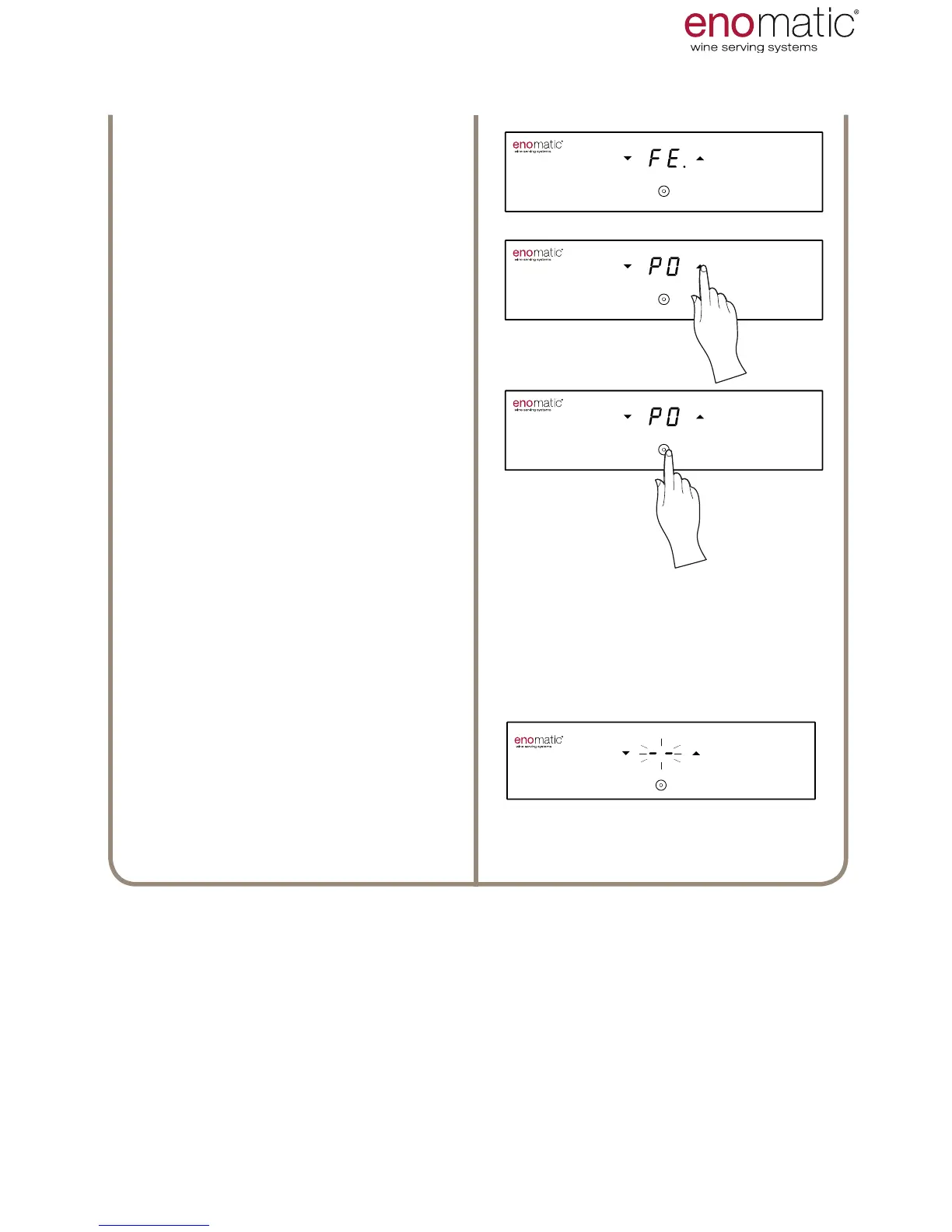
The Dispenser will display the current
setting, highlighting it with a point “
.
Scroll with the arrow buttons (X, Y)
to select the desired setting between
“PO/PE”.
Press the multifunction button (Z)to
save the setting.

3’’
Flashing of the display lines conrms
successful programming of the set-
ting.
3’’
USE AND OPERATION

Related product manuals