19
Navigating the Preferences Menu
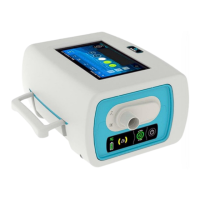
From this screen the patient can change preferences.
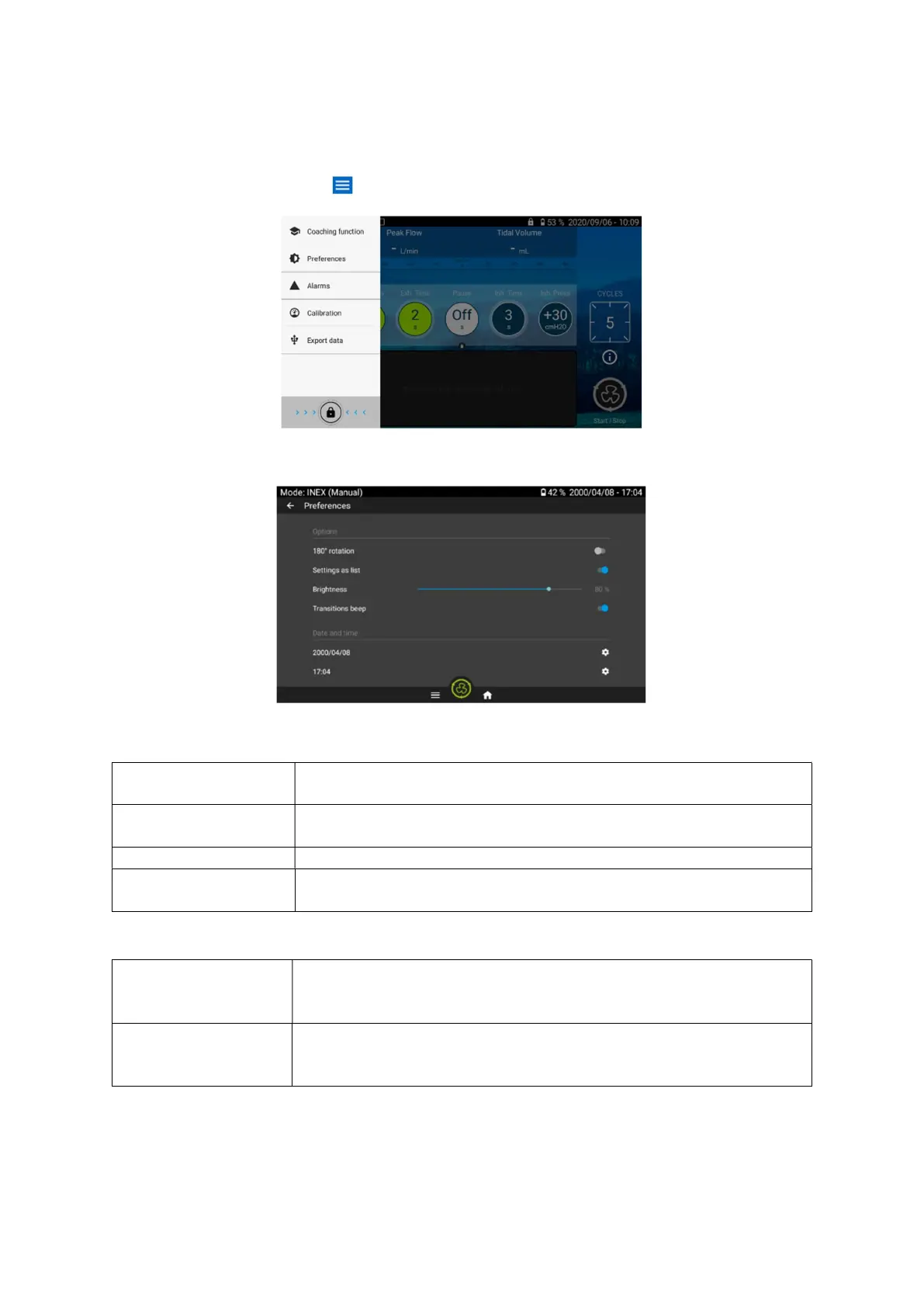
From the Home Screen, choose to access the Preferences and Maintenance menus.
Press on Preferences to choose the Preferences Screen. (see below)
From this screen the patient can adjust the following settings for the device.
Allows the screen to be rotated 180°. Press the small circle to rotate the
screen.
Select the display mode of the settings menu. To
list, press the small circle. The circle and the bar will become blue.
Adjusts screen luminosity.
Activates beeps at transitions from exhalation to inspiration (INEX and
IPPB modes) and from inspiration to exhalation (INEX mode only).
Sets the current day, month
and year. To set the date, click on the
wheel and choose the date from the calendar. Press ok when
completed.
Sets the current time on 24h clock. To set the time,
the end of the line and choose the time from the dial. Press ok when
completed.
In the preferences menu, the user can also access traceability and connection information.


 To Next Page