23
Changing settings
In list setting display mode, several settings changes can be validated at the same time. In the boxes
display mode, each setting must be adjusted individually.
List display mode
1. From the settings menu, click on one of the settings.
2. Adjust the settings with + and –
3. After all settings are adjusted, press Save to apply the changes.
Boxes display mode
1. From the settings menu, click on one of the settings box.
2. Adjust the settings with + and – in the setting pop-up.
3. Validate the settings
Enabling the coaching function
The user can switch to Coaching screen to perform a treatment previously saved as preset by the
medical personal.
is only available for preset
IPPB mode.
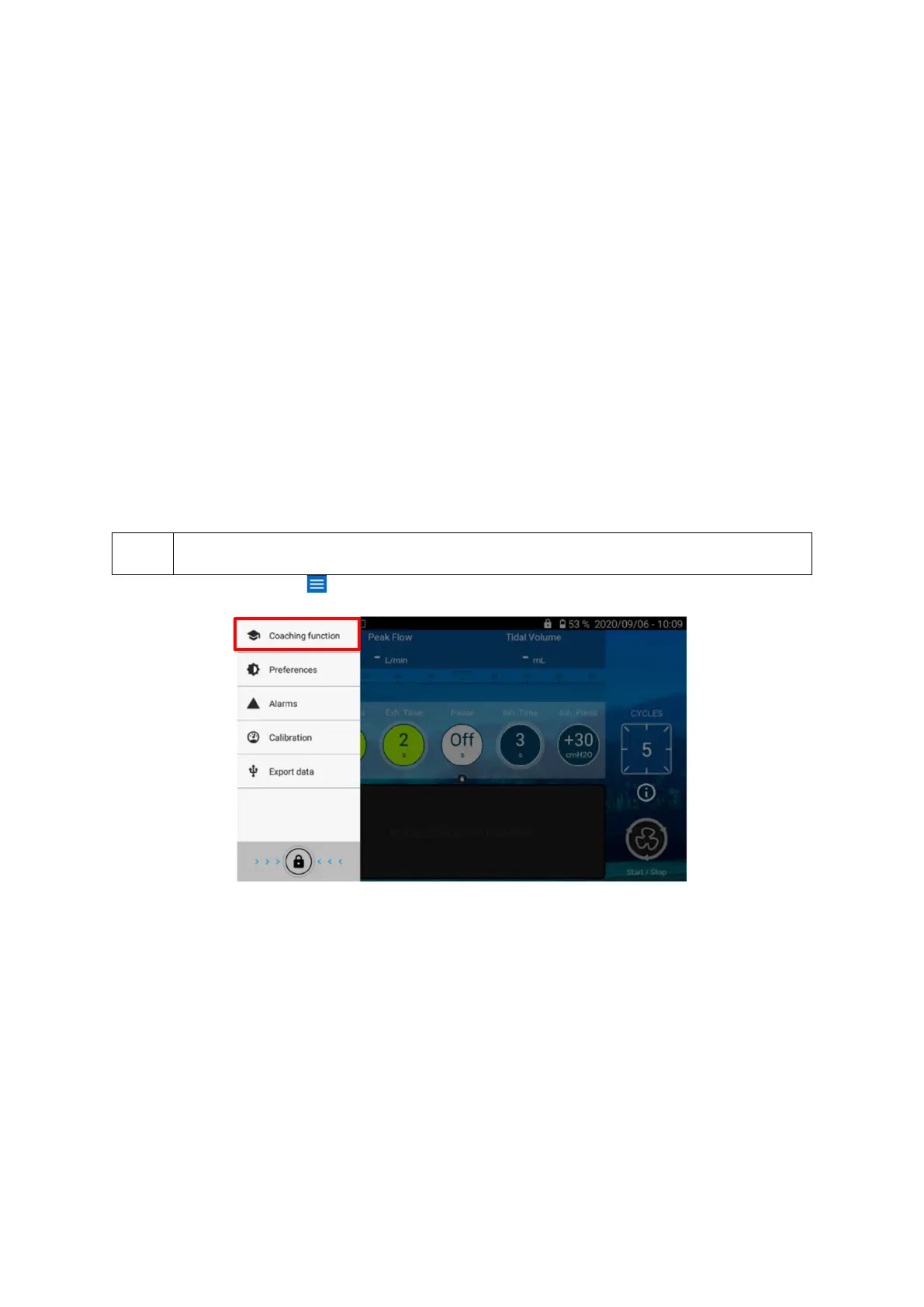
From Home screen, click on to display the screens menu
Choose the Coaching function screen.


 To Next Page