24
The coaching function is not available for a
. A message will indicate if
something is missing to start the function.
no compatible preset is available, contact your
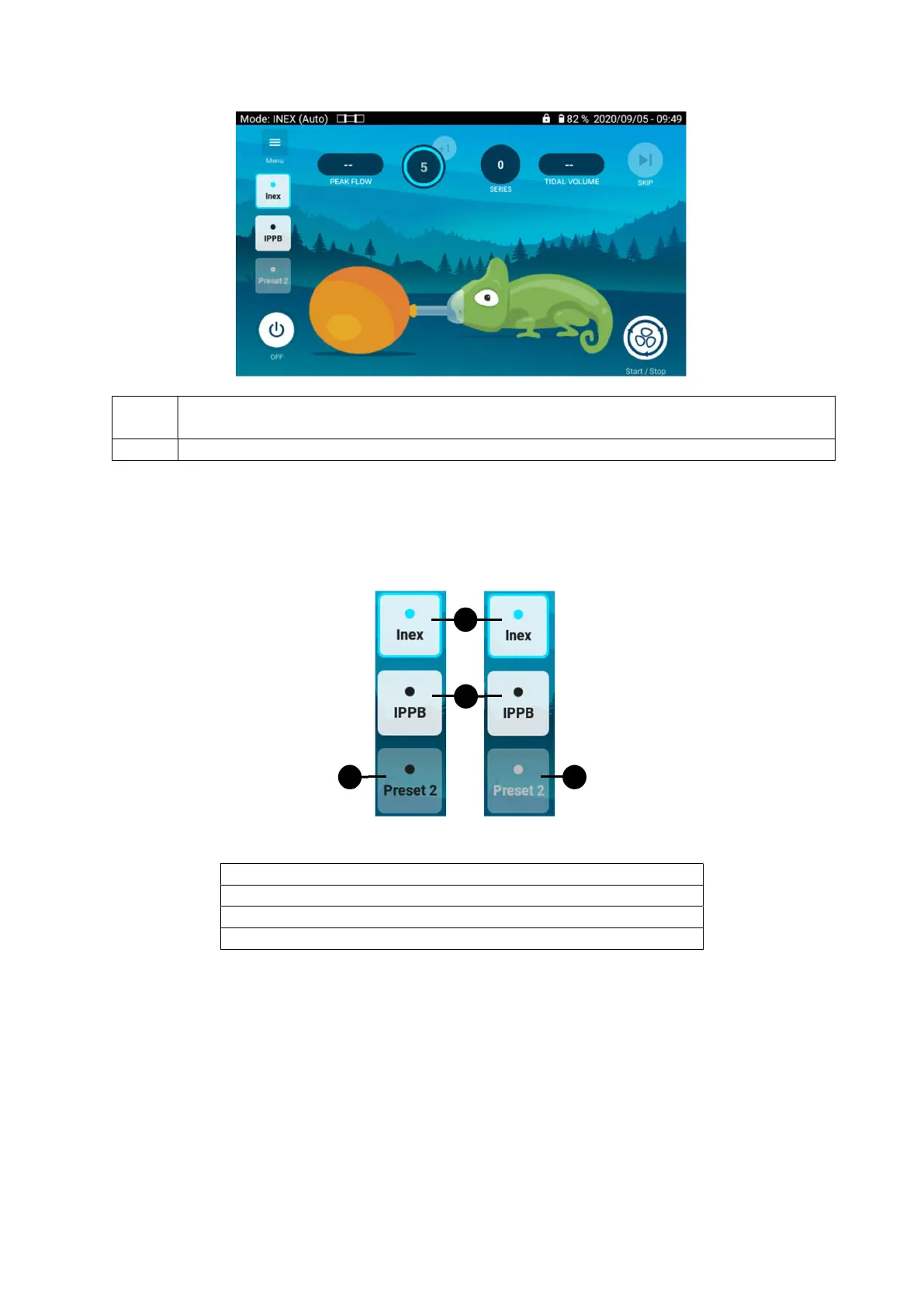
Changing preset mode from Coaching screen
To change the preset, click on the preset you want to switch on.
If the treatment is in progress, it is not possible to change the preset.
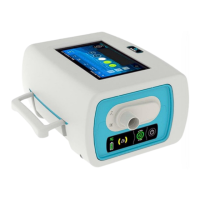
1. Current preset / Activated preset
3. Inactive preset (not available for Coaching)
1
2
3
4


 To Next Page