22
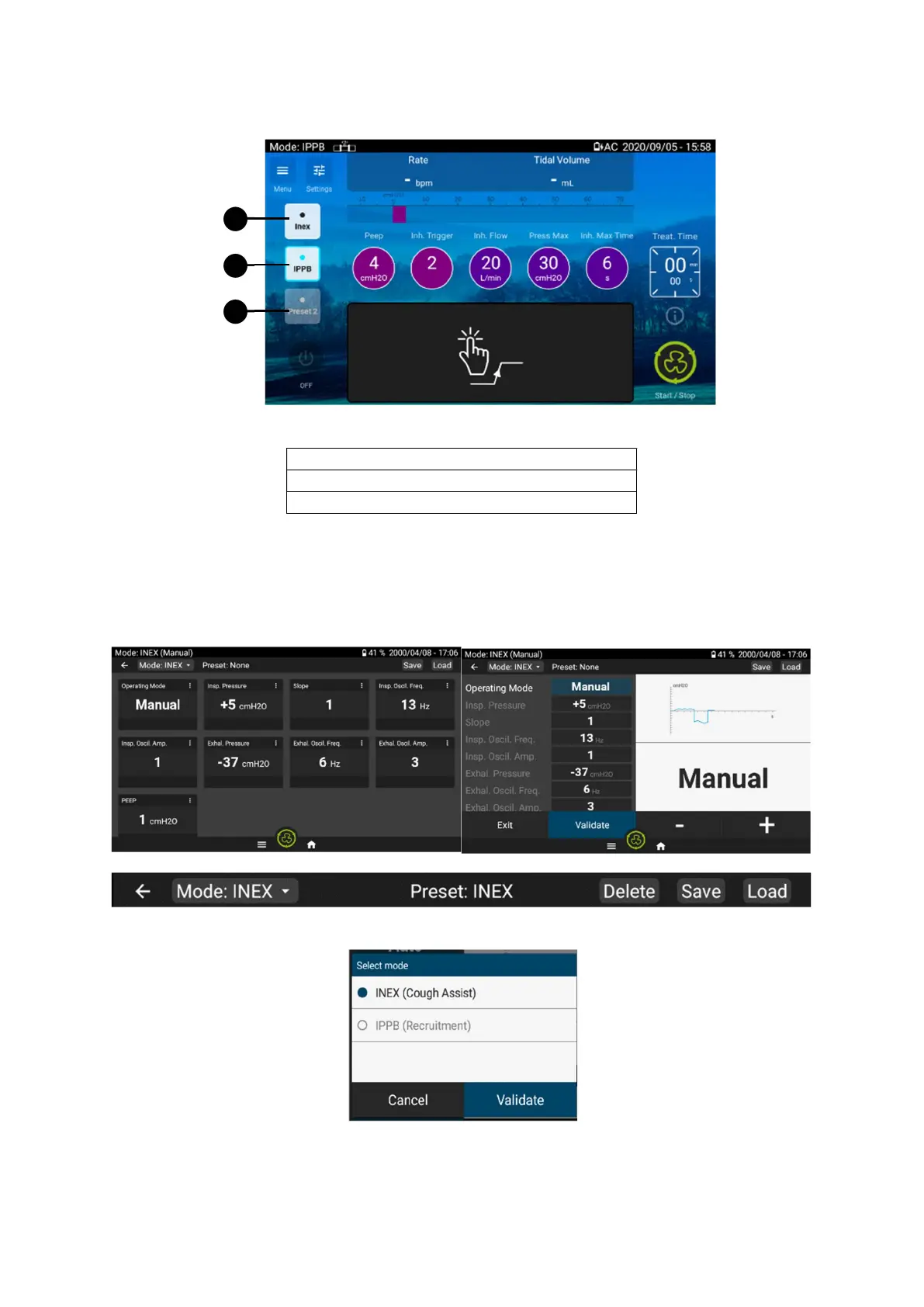
Changing preset mode from Home screen
Current preset / Activated pres
To change the preset, click on the preset you want to switch on.
Changing treatment mode
From the settings menu, click the mode bar on the upper left of the screen.
A pop up will be displayed to select the mode. Click on the desired mode and validate.
If the treatment is in progress, it is not possible to change the treatment mode.
1
2
3


 To Next Page