34
Attaching a pulse oximeter
Only use compatible NONIN finger pulse sensors
Some factors may degrade the pe
rformance of the pulse oximeter or affect the accuracy of
the readings (e.g. blood flow restrictors (arterial catheters, blood pressure cuffs, infusing
lines, etc.), excessive ambient light, excessive motion, electromagnetic interference, moisture
in the sensor, improperly applied sensor, incorrect sensor type, a sensor not at heart level,
poor pulse quality, venous pulsations, anemia or low hemoglobin concentrations, cardiogreen
or other intravascular dyes, carboxyhemoglobin, methemoglobin, dysfunctional hemoglobin,
artificial nails or fingernail polish.
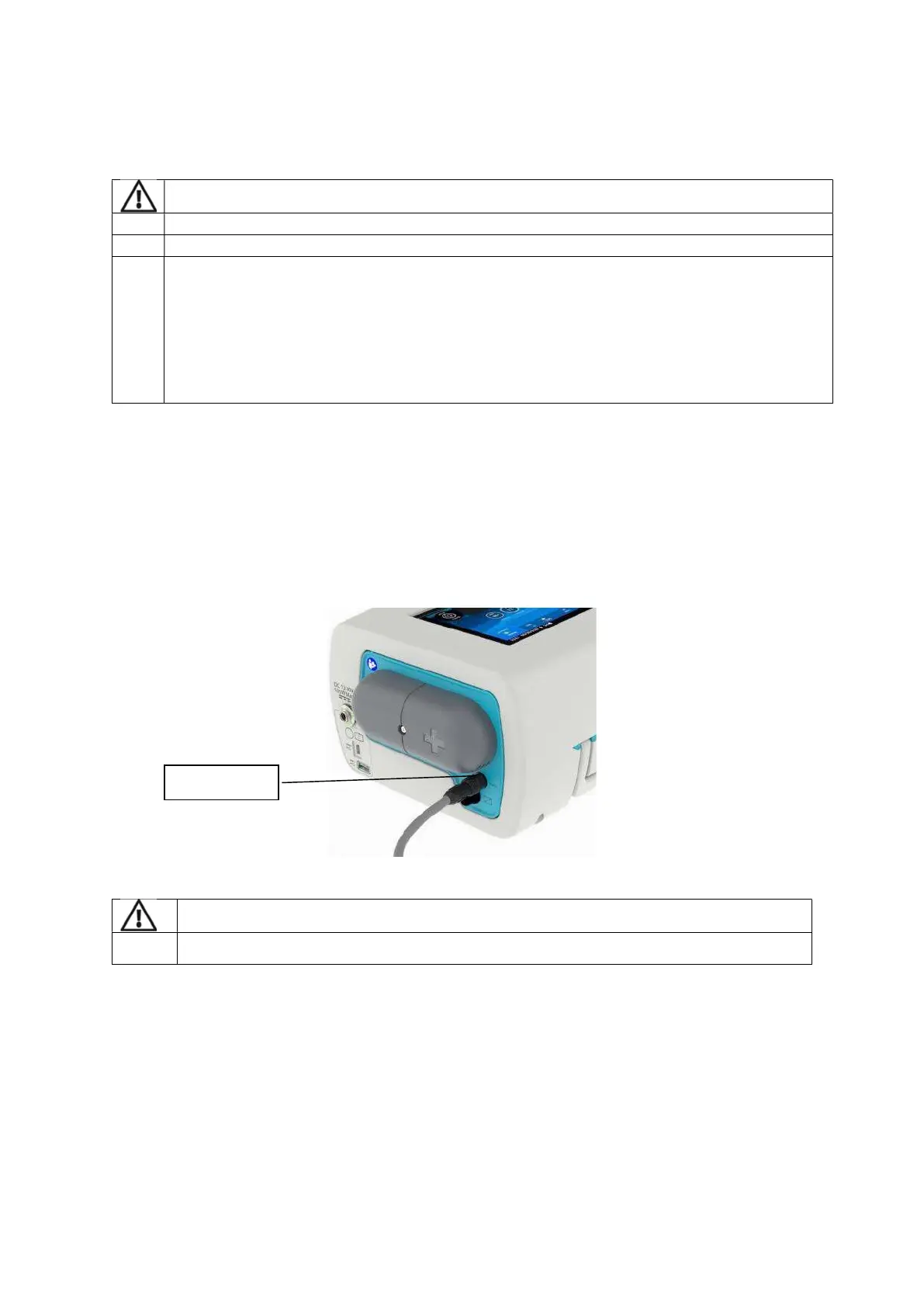
1. Connect the SpO2 adaptor (EO-SPO2CBL) connector at the rear of the device.
2. Connect the sensor to the adaptor and attach sensor to patient (according to NONIN
instructions)
the cable, pull firmly on the locking ring. Do not twist.


 To Next Page